Sentinel Incident Email Alerts: Free Logic App with ARM Template

All right class
One of the most common questions I've been asked in relation to any type of automation is to create a way for managers (or any other higher ups) to get email notifications about incidents from Microsoft Sentinel.
That's what we are going to do today using Logic Application.
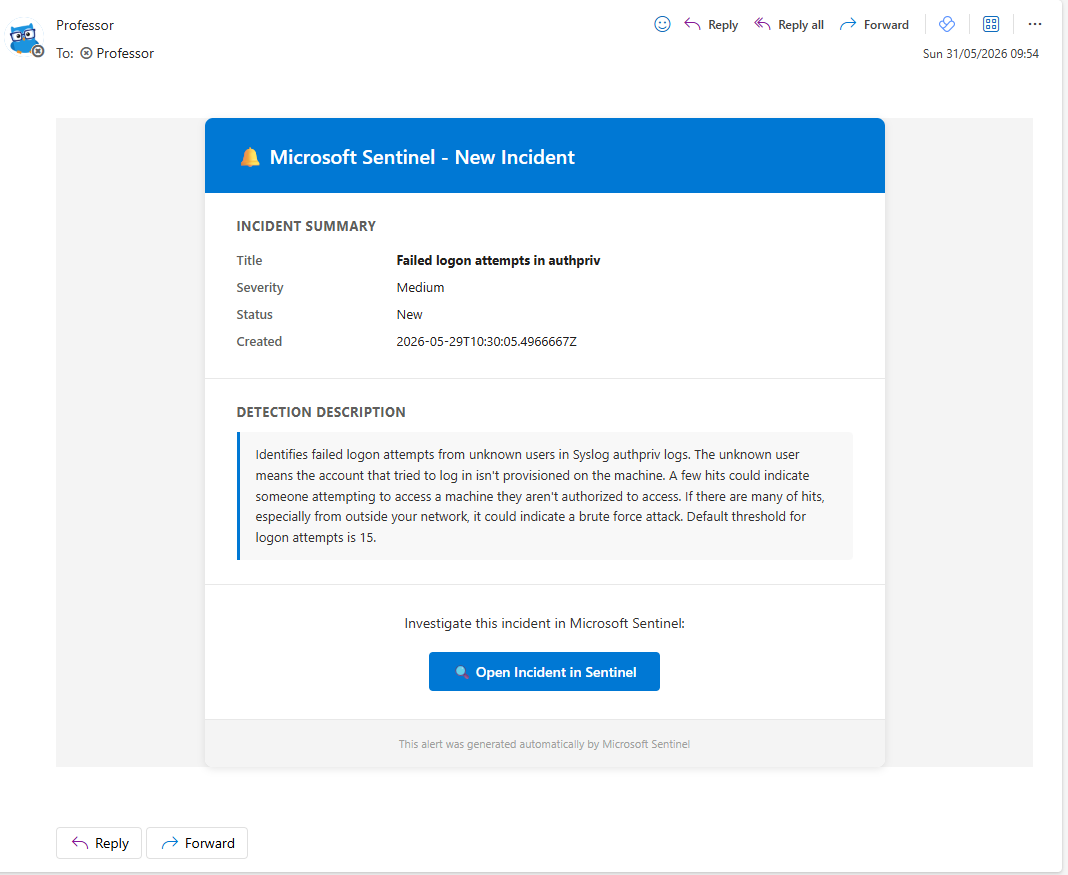
It fires an HTML formatted email the moment a new incident is created. It is triggered directly by the Sentinel incident creation webhook, so it fires immediately, when the incident lands.
What Actually Gets Sent
The email pulls directly from the incident trigger body and includes the title, severity, status, created time, description, and a direct link to the incident in the Sentinel portal. It is formatted as a clean HTML email, not a wall of JSON.
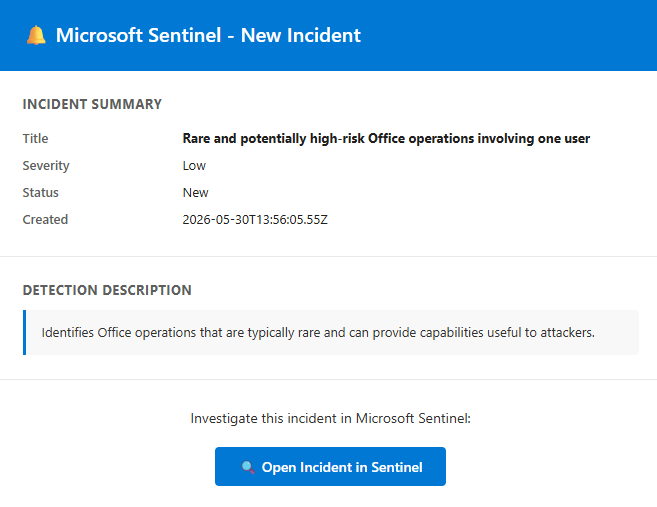
The subject line follows {Severity} - Sentinel Incident #{Number} - {Title} so you can triage by glancing at your inbox without opening anything.
How to Deploy It
Click on that beautiful blue button in my GitHub repo
Three parameters to fill in during deployment:
Resource group choose resource group you want to use to host the Logic AppPlaybookName defaults to Incident_Send_Email, change it if you want something cleaner in your resource list.NotificationEmail is the address the emails go to.
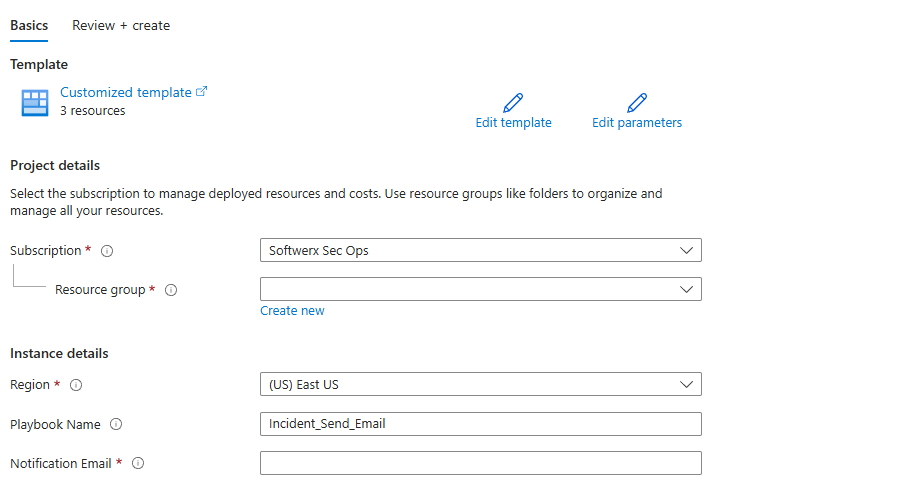
Hit Review + Create. The Logic App deploys in Disabled state intentionally.
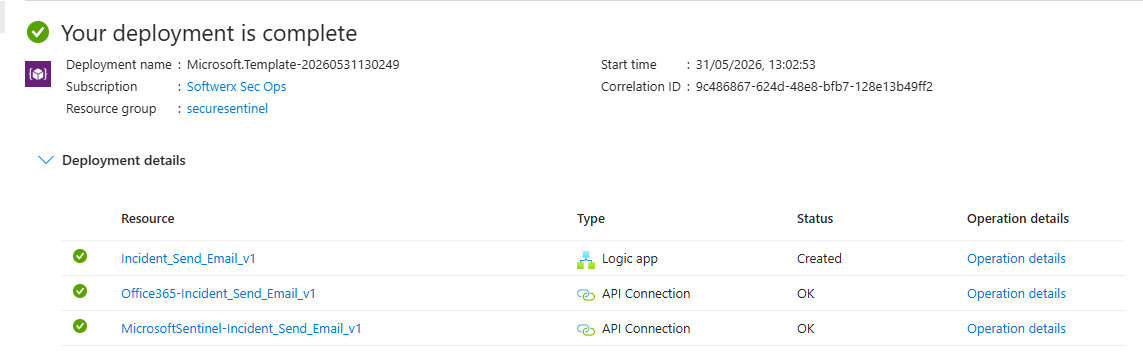
After Deployment
Three things before you switch it on.
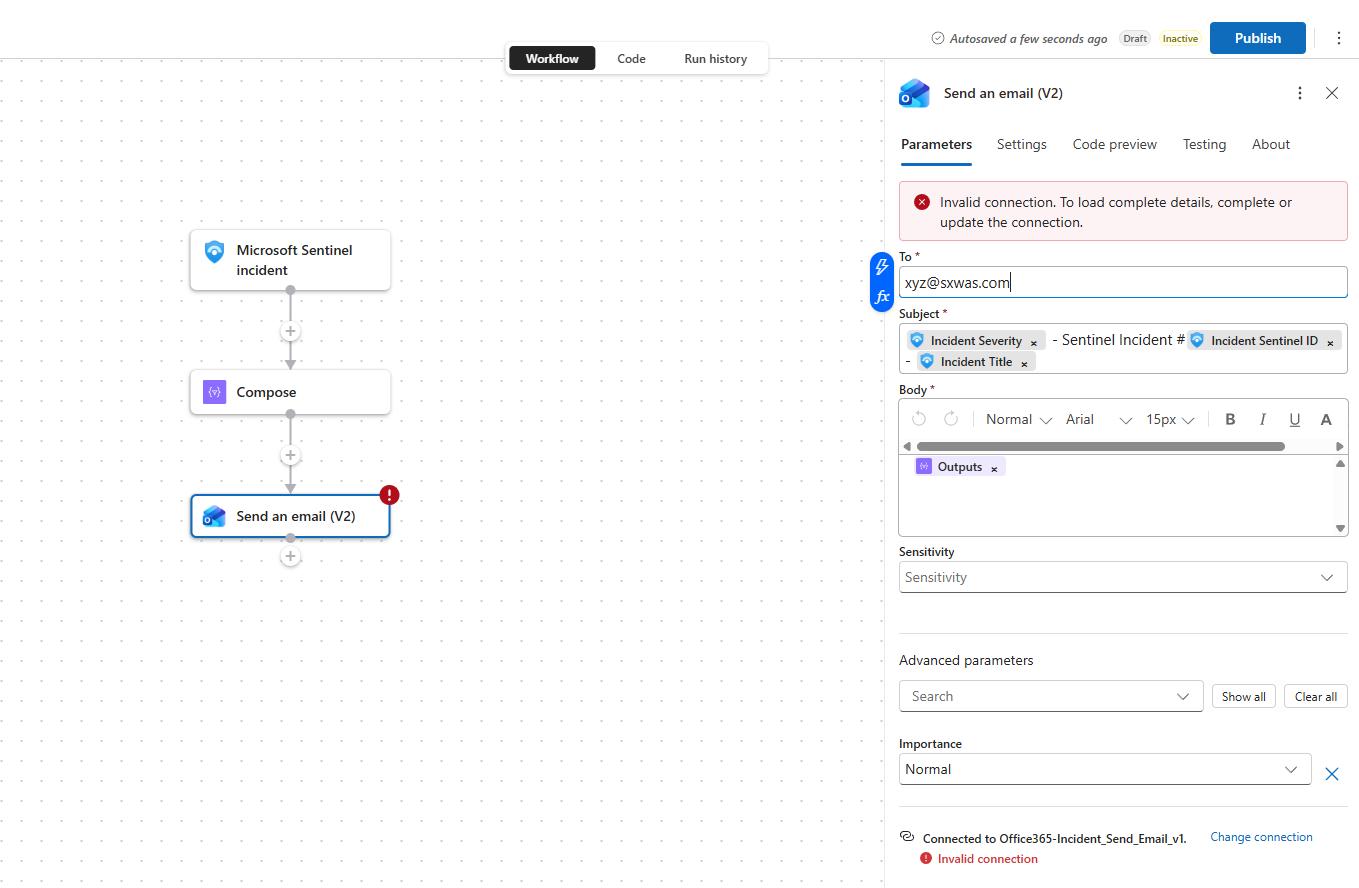
First, open "Send an email (V2)" and change connection, add any account you want to use that will act as email sender (ideally try to avoid using your own account and have a separate one with basic O365 license)
Second, grant the Logic App's managed identity the Log Analytics Reader role on your Log Analytics workspace. Hit Identity > Azure role assignments > Add role assignment and add it from there.

Third, attach it to an automation rule. Go to Sentinel > Automation > Create rule, set the trigger to When incident is created, add the action Run playbook, and select this one. Scope it by severity if you do not want an email for every single low severity alert firing at 3 a.m. (Usually, if you have managed SOC, I would recommend getting Highs only)
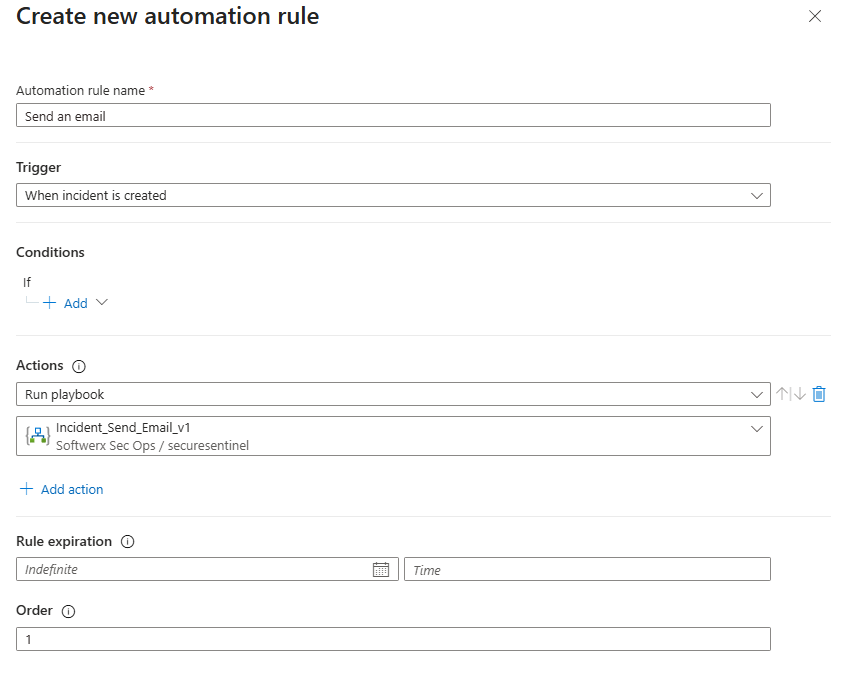
Once that is done, enable the Logic App.
Testing It
Remember to enable the app at this step!
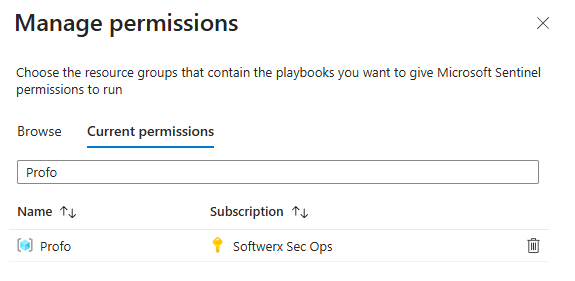
If this is not working at all for you, it's most likely due to a lack of Playbook permissions; head to the Sentinel > Settings > Playbook Permissions

And ensure that the resource group you used for the Logic App is in the "current permissions" (if not, just add it through "Browse")
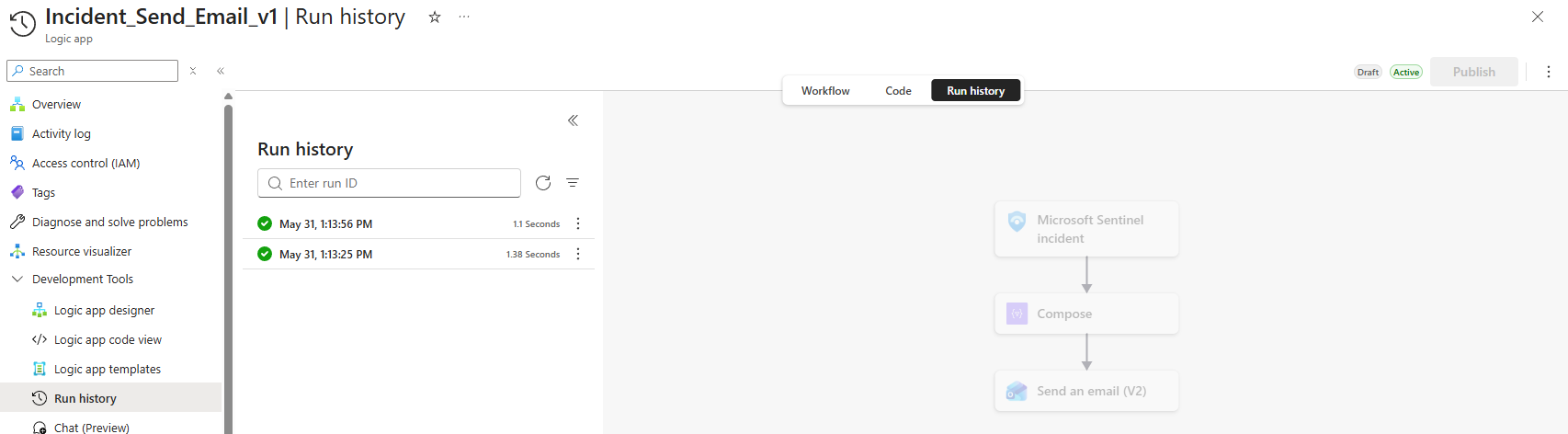
Create a test incident manually in Sentinel via Incidents > Create incident or wait for a real one to fire. The Logic App run history will show you immediately whether the trigger fired and whether the email step succeeded or failed.
The ARM template is on GitHub: https://github.com/ITProfessorCloud/LogicApps/tree/main/Incident-Send-Email
Class dismissed.