Microsoft SentinelAnalytic RulesCost Optimisation
Every Microsoft Sentinel Content Hub Rule for Business Premium: What to Enable, Auto-Close, and Skip
 Bartosz Wysocki
18 min read
Bartosz Wysocki
18 min read

All right class.
If you have not read the original post yet, start there. This one assumes you already have Sentinel running with Entra ID, Defender alerts, Azure Activity, Cloud App Discovery, and optionally Office 365 connected. No foundation, no point. Go read that first.
 Bartosz Wysocki
Still here? Good. You have a workspace ingesting data and an analytics page with nothing on it. The Content Hub has hundreds of rules. You are lost and have no idea what to enable. I got you.
Two things to do before you touch a single rule
Turn on UEBA. The feature itself costs nothing extra, no licence, no add-on. The only cost is that the tables it writes (IdentityInfo, BehaviorAnalytics and friends) bill as normal ingestion, and at Business Premium scale that volume is pennies. Several of the rules below silently depend on the IdentityInfo table that UEBA populates. Specifically, "Privileged Accounts - Sign in Failure Spikes" and "Authentication Methods Changed for Privileged Account" both query IdentityInfo. Without UEBA, those rules fail at the "Set rule logic" step with Failed to resolve table or column expression named 'IdentityInfo'. You will hit this wall mid-way through the list and waste twenty minutes working out why. So enable UEBA first. It needs the Entra connector you already have.
Understand the auto-close pattern before you see it 26 times. A lot of Content Hub rules are auditing events, not incidents. A new Conditional Access policy, a new SaaS app, a CloudShell first run. You want the record when something goes wrong later, but you do not want a SOC analyst paged at 3am because someone in IT created a policy.
For every rule I mark 📋, do this: open the rule, enable it, then in Incident settings turn incident creation off. The alert still writes to the SecurityAlert table as your forensic paper trail. It just never becomes an incident, so your queue and your MTTR stay clean. When you want to review them, query SecurityAlert directly:
SecurityAlert
| where TimeGenerated > ago(7d)
| where AlertName has "Conditional Access"
| project TimeGenerated, AlertName, Entities, ExtendedProperties
| sort by TimeGenerated desc
No automation rule to build, no Logic App, no shared mailbox to babysit. Enable, untick incident creation, move on. That is what 📋 means everywhere below (and of course you can change the approach entirely - for example enable it as you would normally, then create a quick automation rule to auto-close it and review on a scheduled basis).ve without paying more
What you cannot have without paying more
Impossible travel detection is the big one you do not get. That signal comes from Entra ID Protection's risk engine, and it needs P2 to generate events.
To be precise about why: the risk columns exist in SigninLogs for everyone. RiskLevelDuringSignIn, RiskLevelAggregated, and friends are right there in the schema. Without P2 they just return the value hidden. So no Content Hub rule resurrects them. The column is present, the data is suppressed.
What you can do is install two standalone analytic rules from Content Hub that approximate it using the SigninLogs data you are already collecting. Search the Content Hub directly for these two by name and install them individually, no solution package required:
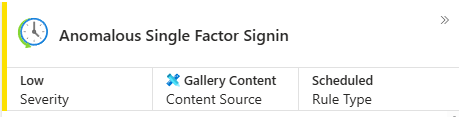
- Anomalous Single Factor Signin
- Authentication Attempt from New Country
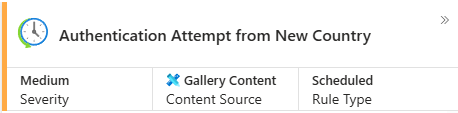
They are not a perfect substitute. A user on NordVPN can appear in three countries in ten minutes for completely legitimate reasons. But they are real detections built on data you already have. Enable both and watch for VPN noise in the first week.
Entra ID rules
Install the Entra ID solution from Content Hub first. Then go to the analytics templates and work through this list. Do not click enable all.
 Bartosz Wysocki
One note on NRT variants before you start. Near Real-Time rules are hard-coded to run once a minute against the previous minute's ingestion, giving you roughly two-minute latency instead of the five you get from scheduled rules. They do not cost extra money (Sentinel bills on ingestion, not rule runs), but you only get 50 NRT slots per workspace. So treat an NRT slot as a scarce resource. Spend it on rare, catastrophic events where two minutes genuinely matters, and do not waste one duplicating a scheduled rule you already have. For most detections, five minutes is fast enough.
❌ Deprecated Explicit MFA Deny Deprecated. Do not enable deprecated rules.
✅ Account Created and Deleted in Short Timeframe Account created and immediately wiped. Classic attacker covering tracks.
✅ Account created or deleted by non-approved user (requires watchlist) Needs a maintained watchlist (either inside the KQL logic or an actual Watchlist) of approved users. Without it, returns nothing. Maintain it or skip it.
A Practical Guide to Microsoft Sentinel Watchlists Learn to create and use Sentinel Watchlists with KQL. This in-depth guide shows you how to track VIP users, insider risks, and high-value assets. IT Professor - Bartosz Wysocki
✅ Admin promotion after Role Management Application Permission Grant App gets role management permissions, user gets promoted shortly after. OAuth abuse chain, real signal.
✅ Anomalous sign-in location by user account and authenticating application Statistical spike in sign-in locations per user and app. Closest free equivalent to impossible travel. Noisy for travellers and VPN users. Tune after a week.
✅ Attempt to bypass conditional access rule in Microsoft Entra ID It sits more on the auditing side of things, but I like to include it as it shows you the sheer number of things you have done wrong in your environment that is CA related. It is a noisy rule that will need tweaks in a week and a good conversation with whoever is managing CA.
✅ Attempts to sign in to disabled accounts Someone has a list of old creds and is working through them (or Ben from Sales locked himself out again and is trying to brute force his way in).
✅ Authentication Methods Changed for Privileged Account (use scheduled) Post-compromise MFA hijack on privileged accounts. Needs UEBA (see the prerequisites above) and watch for the AccountUpn casing bug. Five minutes is fast enough, so skip the NRT variant. May also yield false positives when it is a genuine action, so there is room to improve this rule (and many more).
❌ Azure Portal sign in from another Azure Tenant Fires on every MSP, partner, and B2B login. Pure noise.
✅ Azure RBAC (Elevate Access) This gives someone root access to absolutely everything in your Azure tenant. A legitimate admin might do this once or twice a year during an emergency. An attacker does it as step one of owning the tenant. Low false positive rate, catastrophic damage. Must-enable. If your admins trigger it often enough to be noise, fix the process, not the detection.
✅ Brute force attack against an Entra-authenticated Windows device Good scope for SigninLogs in general, definitely needs some tweaks after a week.
✅ Brute force attack against Azure Portal Brute force against portal.azure.com specifically. Tighter scope, less noise than a general spray rule.
❌ Brute Force Attack against GitHub Account This one runs on SigninLogs, not a GitHub connector, but it only fires if your organisation signs in to GitHub.com via Entra SSO. No GitHub federation, no data. Skip unless you federate GitHub through Entra.
✅ Bulk Changes to Privileged Account Permissions Rapid bulk permission changes on privileged accounts. Compromised admin or an attacker moving fast.
📋 A Conditional Access app exclusion has changed An app exclusion you did not make is how an attacker carves a hole for a specific app. You want the record when a real CA incident shows up later. Not an immediate investigation.
📋 A Conditional Access device platforms condition has changed Changing device platform conditions weakens posture silently. Keep the record for when something goes wrong.
✅ A Conditional Access policy was deleted A deleted policy leaves no enforcement record, and deletion is at least as destructive as disabling. Here is the part that matters: if disabling a policy pages your SOC but deleting one only writes a silent alert, an attacker who knows your setup will simply delete instead. In a small tenant, admins disable policies during troubleshooting all the time, but they almost never delete them, so the noise cost of a full incident here is close to zero. Treat it exactly like the disable rule below.
✅ A Conditional Access policy was disabled Attacker with Global Admin can disable CA and strip MFA in one move. That is an incident. Together with the deletion rule above, these are the two exceptions to the auto-close treatment for CA.
📋 A Conditional Access policy was put into report-only mode Report-only means the policy stops blocking and only logs. Could be an attacker testing the waters, could be an admin who forgot to enforce. Record it.
📋 A Conditional Access policy was updated Updates can quietly introduce exclusions without triggering a disable alert. Keep the record.
📋 A Conditional Access user/group/role exclusion has changed An attacker punches a precise hole by adding exclusions for specific accounts. Record it for the reconstruction later.
📋 A new Conditional Access policy was created New policy could be an attacker setting up future access, or an admin doing legitimate work. Visibility, not a page.
📋 Dynamic Group Exclusion Changes Dynamic group changes can drop users out of CA scope based on attribute changes. Keep the record, review periodically.
✅ Credential added after admin consented to Application Attacker socially engineered consent and is now adding a credential for persistence. Catch it here (and also filter expected activity).
📋 Cross-tenant Access Settings Organization Added / Deleted / Changed Changes to cross-tenant access open or close trust with other orgs. If your tenant suddenly trusts an attacker's tenant, you want to know how and when. Record it.
✅ Distributed password cracking attempts in Microsoft Entra ID Low-and-slow distributed cracking across multiple IPs. Complements the high-velocity spray rules.
✅ External guest invitation followed by Microsoft Entra ID PowerShell sign-in Guest invited, then uses Entra PowerShell. Guests do not legitimately need directory PowerShell. Recon or lateral movement.
✅ Failed login attempts to Azure Portal Patterns of failures against the Azure Portal specifically. Useful standalone signal.
✅ First access credential added to Application or Service Principal where no credential was present (use scheduled) First ever credential on an app or SP. A new app getting a secret immediately is worth knowing about. Scheduled is enough.
✅ full_access_as_app Granted To Application App granted mailbox-wide full_access_as_app. Effectively full access to every mailbox. Extremely high risk.
❌ GitHub Signin Burst from Multiple Locations Same story as the GitHub brute-force rule: SigninLogs-based, but only meaningful if you federate GitHub through Entra. Skip otherwise.
❌ Guest accounts added in Entra ID Groups other than the specified ones Depends on a maintained watchlist of allowed groups. Without it, noisy or dead.
✅ Mail.Read Permissions Granted to Application Mail read permissions added to an app. Broad catch-all for OAuth email access and exfil.
✅ MFA Rejected by User The stock rule hides real MFA fatigue behind UEBA. Replace it with the rewritten version.
www.itprofessor.cloud/fixing-the-mfa-rejected-by-user-analytic-rule/
✅ MFA Spamming followed by Successful login MFA fatigue that succeeded. User eventually hit Approve. Pair with "MFA Rejected" to cover both outcomes.
✅ Microsoft Entra ID PowerShell accessing non-Entra ID resources Entra-authenticated PowerShell reaching into other resources like Azure Resource Manager. Unusual, worth investigating.
✅ Microsoft Entra ID Role Management Permission Grant Role management permissions granted to an app or principal. Enable alongside the admin promotion rule as part of the same chain.
✅ Modified domain federation trust settings Federation trust settings changed. Golden SAML territory. Extremely high impact, should always alert.
❌ Multiple admin membership removals from newly created admin Very noisy in active environments with legitimate bulk group management.
✅ New access credential added to Application or Service Principal (use scheduled) New credential on an existing app or SP. Persistence or operational change.
✅ New onmicrosoft domain added to tenant How often do you legitimately add a brand-new onmicrosoft.com domain? Almost never. The rarity plus the potential damage make this worth enabling.
✅ New User Assigned to Privileged Role Any new privileged role assignment by any path. Broad catch-all for role abuse, can be extremely noisy so make sure to tune it by adding specific roles and enrich where you can.
✅ NRT Authentication Methods Changed for VIP Users (if VIP watchlist is maintained) Only useful if your VIPUsers watchlist is populated. The NRT slot is justified for high-value accounts.
❌ NRT First access credential added (duplicate) Redundant NRT copy of the scheduled rule. Wastes an NRT slot for nothing. Scheduled is enough.
✅ NRT Modified domain federation trust settings One of the few places an NRT slot is justified. Federation changes are rare and catastrophic.
❌ NRT New access credential added (duplicate) Redundant NRT copy. Use the scheduled rule.
✅ NRT PIM Elevation Request Rejected (if you use PIM) Only useful if you actually use PIM. Tells you about rejected elevation attempts in near real time.
✅ NRT Privileged Role Assigned Outside PIM High-value NRT signal. Privileged role assignment bypassing PIM. Keep this plus your enriched scheduled rule.
❌ NRT User added to Microsoft Entra ID Privileged Groups Scheduled variant is sufficient. The NRT slot is not justified.
❌ Password spray attack against ADFSSignInLogs Requires ADFS logs. In your environment this returns nothing unless ADFS is present and connected.
✅ Password spray attack against Microsoft Entra ID application General password spray against Entra apps. Can be noisy on shared egress IPs. Tune after a week.
✅ Password spray attack against Microsoft Entra ID Seamless SSO Spray targeting Seamless SSO endpoints. Important if you run hybrid identity with Seamless SSO.
✅ PIM Elevation Request Rejected (if you use PIM) Scheduled view of rejected PIM elevation. Again, only useful if PIM is in use.
✅ Possible SignIn from Azure Backdoor The query detects the AADInternals-style identity federation backdoor: a successful "Add unverified domain" operation joined against sign-ins from users on that domain. Add unverified domain is so rare in a Business Premium tenant that the noise cost is effectively zero.
✅ Privileged Accounts - Sign in Failure Spikes Sudden failure spikes on privileged accounts. Far more concerning than the same pattern on normal users. Needs UEBA, and noise reduction.
✅ Privileged Role Assigned Outside PIM Use your rewritten scheduled rule for detail, and the NRT version for speed. Both are worth having.
www.itprofessor.cloud/fixing-the-privileged-role-assigned-outside-pim-analytic-rule/
✅ Rare application consent By the time this fires, a user has already consented. Use it as a forensic alarm and pair it with CA policies that restrict who can consent in the first place.
✅ Sign-ins from IPs that attempt sign-ins to disabled accounts Same IP hitting disabled accounts and getting successful sign-ins elsewhere. Clear sign of an attacker working a list.
✅ Successful logon from IP and failure from a different IP Successful sign-in from one IP followed by failures from another for the same user. Can be really noisy; tweak in a week.
✅ Suspicious application consent for offline access App requested offline access (refresh tokens). Valuable, because it keeps working without the user present.
✅ Suspicious application consent similar to O365 Attack Toolkit / PwnAuth Consent patterns matching known malicious tooling (O365 Attack Toolkit, PwnAuth).
✅ Suspicious Entra ID Joined Device Update Unexpected changes to Entra-joined device records. Can be used to fake compliance and bypass device-based CA.
✅ Suspicious Service Principal creation activity Anomalous service principal creation that may indicate persistence being set up.
✅ Suspicious Sign In Followed by MFA Modification Sign-in immediately followed by an MFA method change. Classic post-compromise move.
✅ User Accounts - Sign in Failure due to CA Spikes Spike in CA-blocked sign-ins. Either targeted activity or something legitimately breaking CA. Worth a look.
✅ User added to Microsoft Entra ID Privileged Group (use scheduled) NRT not required.
Entra ID: Enable 48, Auto-close 8, Skip 32. I have listed the ten skips above that you are most likely to reach for. The other 22 skips in the Entra solution fall into the same three buckets: connectors you do not have (ADFS, Defender for Endpoint device tables), watchlist dependencies you have not built, or pure noise. Leave them off.
Azure Activity rules
📋 Azure Machine Learning Write Operations ML workspace creation is rarely an attack on its own. But if someone spins up a GPU cluster in a subscription you forgot about and starts mining crypto, you want the record. Review monthly.
✅ Creation of expensive computes in Azure (use scheduled) GPU-heavy VMs in a Business Premium tenant. Nobody is running H-series VMs for legitimate work at this licence level.
✅ Mass Cloud resource deletions Time Series Anomaly Your ransomware and destructive-attack indicator for Azure resources. When someone starts deleting everything they can see, this catches it.
❌ Microsoft Entra ID Hybrid Health AD FS New Server Requires ADFS. Returns nothing without it. Check the query logic first if you run hybrid identity and are unsure.
❌ Microsoft Entra ID Hybrid Health AD FS Service Delete Same. Requires ADFS.
❌ Microsoft Entra ID Hybrid Health AD FS Suspicious Application Same. Requires ADFS.
📋 New CloudShell User First-time Cloud Shell use is usually a developer getting started. It can also be an attacker who just got access testing whether they can run commands. Keep the record. Review monthly.
✅ NRT Creation of expensive computes in Azure One of the few genuine cases for an NRT slot. Someone spinning up expensive VMs at 2am warrants an immediate alert.
❌ NRT Microsoft Entra ID Hybrid Health AD FS New Server No ADFS, no data.
✅ Rare subscription-level operations in Azure Statistical catch-all for unusual Azure activity your specific rules will miss. Enable and monitor.
✅ Subscription moved to another tenant This is how attackers walk off with your entire Azure footprint. Enable it.
✅ Suspicious granting of permissions to an account Owner or Contributor appearing on a subscription is a meaningful event. Someone just got the keys to the kingdom.
✅ Suspicious number of resource creation or deployment activities Anomalous resource creation. Crypto mining and C2 infrastructure spinup both look like this.
✅ Suspicious Resource deployment Unusual resource deployment patterns. Complements the number-based rule. Together they catch volume spikes and weird resource types. Tweak after a week as you will get a lot of false positive data from automated Microsoft apps.
✅ User Assigned New Privileged Role Owner, Contributor, or User Access Administrator appearing on a subscription or resource group. Someone just got elevated. Enable it.
Azure Activity: Enable 9, Auto-close 2, Skip 4.
Office 365 rules
✅ Accessed files shared by temporary external user A temporary external user accessing files outside the scope of what they were shared. Catches over-permissioned guest access being abused.
✅ Exchange AuditLog Disabled Someone disabled Exchange audit logging. An attacker covering their tracks in real time. Enable it.
✅ Exchange workflow MailItemsAccessed operation anomaly Has good potential but also tends to be noisy (for example when users are just cleaning their inboxes). Really good for insider threat when someone is planning to leave the company and is preparing for it. One check before you trust it: MailItemsAccessed used to be an Audit (Premium) exclusive and only reached standard audit tenants through Microsoft's expanded cloud logging rollout. On Business licences the mailbox audit defaults are not always fully switched on, so confirm MailItemsAccessed events actually appear in your OfficeActivity table before relying on this rule. If the table shows zero rows, fix the mailbox audit settings first.
✅ External user added and removed in short timeframe Account provisioned for access and removed to cover tracks. Noisy in environments with heavy guest collaboration. Watch the first week and tune.
✅ Mail redirect via ExO transport rule External redirect via an Exchange transport rule, applied at the server level to all matching mail. Almost always malicious when it points externally. This is not a user inbox rule, it is server-wide.
✅ Malicious Inbox Rule The most important O365 rule. Forwarding externally, moving to deleted items, hiding from inbox. The classic post-compromise exfiltration and hiding pattern.
📋 Multiple Teams deleted by a single user (increase threshold first) Legitimate offboarding might delete five Teams. An attacker destroying everything deletes twenty. Raise the threshold high enough to skip the cleanup noise and catch the destructive behaviour, then auto-close. Review weekly.
✅ Multiple users email forwarded to same destination Multiple mailboxes forwarding to the same external destination. That destination is almost certainly attacker-controlled. Classic BEC infrastructure.
✅ New executable via Office FileUploaded Operation Executable uploaded to SharePoint or OneDrive. Not always malicious, always worth knowing about. Attackers drop payloads in shared libraries because everyone trusts files from the company SharePoint.
✅ Office Policy Tampering Changes to anti-phishing, safe links, or safe attachments policies. If someone is lowering your email security posture, you need to know immediately. This is an attacker softening your defences before a campaign.
✅ Office365 Sharepoint File transfer above threshold (tune before enabling) Bulk downloads. The default threshold fires on legitimate project migrations and offboarding. Tune it for your environment first.
✅ Office365 Sharepoint File transfer Folders above threshold (tune before enabling) Same concept at folder level. Enable and tune both together.
✅ Rare and potentially high-risk Office operations Tends to be noisy, but you may catch a lot of interesting operations done by users and admins that you would not expect; worst case scenario switch it to audit type.
📋 SharePointFileOperation via devices with previously unseen user agents (test first) The stock rule fires on every browser update, which is useless. The concept is sound: one user with a completely novel user-agent that nobody else in your tenant uses, hitting sensitive SharePoint, is suspicious. If you have enough users to baseline user-agent strings across the population, it becomes useful. If you are a 50-person shop, skip it. Test for a week, then decide. Review weekly while testing.
✅ SharePointFileOperation via previously unseen IPs (tune after week one) Noisy for roaming and VPN users. Start with a 7-day baseline window and tune after week one.
Microsoft 365: Enable 13, Auto-close 2, Skip 0. Every available rule earns a place here, which tells you how well-targeted this set is for small tenants.
Defender for Cloud Apps
Cloud Discovery alerts are mostly audit intelligence, not incident response. One has genuine value as an active incident; the rest are governance data.
✅ New risky app The one Cloud Discovery policy worth treating as a real incident. An app with a risk score below 6 being adopted by 50 or more users means your people are actively using something with known security problems. That needs a conversation, not a monthly review. Enable it as a proper alert (adjust numbers to your env).
📋 New cloud storage app / New collaboration app / New online meeting app / New CRM app / New Human-Resource Management app / New sales app / New code hosting app / New vendor management system apps / New popular app / New high volume app / New high upload volume app Shadow IT intelligence. Fifty users on a new tool, 500 users on a popular one, 500MB of daily uploads to somewhere new. Useful to know for data residency, compliance, and the occasional exfiltration check. None of it needs a SOC analyst at 3am. Auto-close all of these and review monthly. Worth flagging two specifically: code hosting apps are a source-code leakage risk, and HR apps handle some of your most sensitive data, so those two deserve a slightly harder look in the monthly pass.
📋 Collaboration app compliance check / Cloud storage app compliance check / CRM app compliance check Flags apps that fail SOC2, SSAE 16, ISO 27001, HIPAA, PCI DSS and similar. Pure GRC and vendor-risk data. Hand it to whoever owns compliance. Auto-close, review monthly.
Defender for Cloud Apps: Enable 1, Auto-close 14, Skip 0.
Microsoft Defender for Office 365 alert policies
In security.microsoft.com > Email and Collaboration > Policies and Rules > Alert Policies you have a stack of pre-configured alerts. Most stay on. Two get auto-resolved.
If you have the Defender XDR connector wired into Sentinel, these alerts also flow in as Sentinel incidents, which is exactly why resolving the noisy ones at the Defender layer matters: it keeps the Sentinel queue clean too.
Email reported by user as junk. Fires every time a user clicks the junk button. Good for aggregate MDO reporting, useless as an individual incident. Auto-resolve it.
Email messages removed after delivery. Zero-hour Auto Purge ran successfully. MDO did its job. A completed ZAP action is not an incident. Auto-resolve it.
Email reported by user as malware or phish is a different policy. A user actively flagging a message as phishing or malware is worth investigating.
Everything else stays. Forwarding rule creation, email sending limit exceeded, suspicious connector activity, suspicious email forwarding activity, and potential nation-state activity are all genuine signals.
The numbers
| Source | ✅ Enable | 📋 Auto-close | ❌ Skip | Total |
|---|---|---|---|---|
| Entra ID | 48 | 8 | 32 | 88 |
| Azure Activity | 9 | 2 | 4 | 15 |
| Microsoft 365 | 13 | 2 | 0 | 15 |
| Defender for Cloud Apps | 1 | 14 | 0 | 15 |
| Content Hub standalone | 2 | 0 | 0 | 2 |
| Total | 73 | 26 | 36 | 135 |
36 rules skipped is not laziness. It is rules that require connectors you do not have, fire on auditing events that are not incidents, or generate noise that will destroy your analysts' trust in the platform before you have tuned anything meaningful.
What you should do next
- Read the original budget post if you have not. This list is useless without the connector foundation.
- Turn on UEBA. Two of the rules above need the IdentityInfo table it populates.
- Install the Entra ID solution in Content Hub and work through the Entra table one rule at a time.
- Install "Anomalous Single Factor Signin" and "Authentication Attempt from New Country" as standalone Content Hub rules.
- Replace the stock MFA Rejected by User rule with the rewritten version from this site.
- In Azure Activity, enable the nine rules from the table. Check the ADFS rule logic before skipping if you run hybrid identity and are unsure.
- If you connected Office 365, tune the SharePoint thresholds and confirm MailItemsAccessed events are actually flowing before trusting that rule.
- In Defender for Cloud Apps, decide between the auto-close pattern and the email-only route, then keep New Risky App as a real alert either way.
- In the Defender for Office 365 alert policies, auto-resolve junk reports and ZAP removal alerts. Leave phish and malware reports open.
- Let it run for two weeks before tuning anything. Understand your noise before you react to it.
Class dismissed.