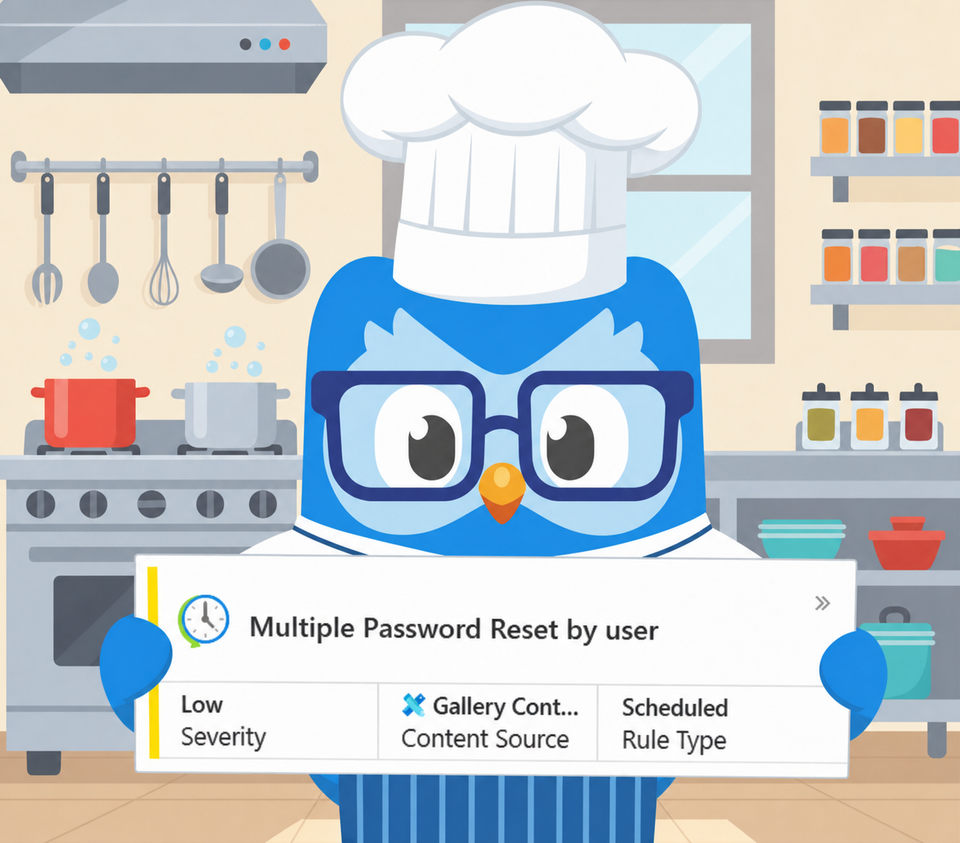
Fixing the "Multiple Password Reset by User" Analytic Rule
Alright class.
Another rule from the content hub today: "Multiple Password Reset by user". It gathers password change and reset events from five data sources, Windows Security, the Entra audit log, Office activity, and Unix syslog, then fires when a single account crosses five resets in a day or the whole tenant crosses a hundred. The instinct is right, password reset is a genuine account-manipulation technique, but the rule counts the wrong thing and mixes together events that mean opposite things.
Self Is Not Admin
The first problem is that a password change and a password reset are not the same event, and the rule treats them as one.
On Windows, 4723 is an account changing its own password, which needs the current password and is overwhelmingly benign rotation. 4724 is one account resetting another account's password, no old password required. On the cloud side the same split exists: self-service reset and a user changing their own password are routine, while an administrator resetting somebody else's credentials is the privileged action. The original lumps all of these into one pile and counts them against one threshold. A user who rotates their own password a few times trips the alert as noise, while the pattern that actually matters, one actor resetting other people's passwords, is buried in the same count.
The cheap, high-value fix is to compare the initiator with the target. If they are the same identity it is a self-change, and out it goes. What remains is the only thing worth alerting on here: an account resetting passwords that are not its own. The audit log already carries both sides, the initiator and the target. The original extracts them and never compares them.
Count the Targets, Not the Resets
The second problem is the threshold. Five resets by one account is the wrong measure, because the dangerous shape is not volume, it is spread. A compromised privileged account resetting passwords across many different users is mass takeover or a lockout campaign ahead of ransomware. The signal is the number of distinct people one actor reset, not how many reset events fired (by now you probably know that it's not unusual to see 10 + attempts from a single user)
So the rebuild pivots on the initiator and counts distinct targets. One actor resetting five or more distinct other users in the window is the fan-out signal. Resetting twenty or more is treated as a mass event outright. And resetting the password of a privileged account, a single one is enough, is its own trigger, because taking over an admin is high impact whether it happened once or fifty times.
The Helpdesk Problem, Solved by First-Seen
Bulk password resets are also completely normal for the people whose job is bulk password resets. Helpdesk and IT operations accounts reset other users all day, and a flat distinct-target threshold lights them up every Monday morning.
Rather than maintain an allowlist by hand, the rule baselines which initiators have performed resets over the previous fourteen days. An account that resets passwords routinely is in the baseline and stays quiet below the mass threshold. An account that has never reset a password before and suddenly fans out across the directory is exactly the compromised-admin signal, and it fires. The mass threshold still catches anyone, baselined or not, doing something at a scale no helpdesk queue explains. The combination to chase is a new initiator, a wide fan-out, and a privileged account among the targets.
Where This Lives
The rebuild runs on the Entra audit log, because that is the authority for cloud password resets and it carries the initiator and target cleanly. For on-prem Active Directory, the same logic applies to Windows 4724 against 4723 on domain controllers, with the same caveat from earlier in this series that collecting security events from every DC is its own coverage problem. If you run Defender for Identity, the IdentityDirectoryEvents table is the cleaner source: it surfaces directory password resets with the actor and target already resolved, no per-DC log wrangling. I am keeping the query here focused on the cloud so it stays readable; extending it to those sources is a union away.
The RiskIndicators Field
Same accumulating string as the rest of the series, mapped as a custom detail. Five indicators:
ResetFanOut | NewInitiator | MassReset | PrivilegedTargetReset | AppInitiated
ResetFanOut and MassReset describe the spread. NewInitiator is the discriminator that separates a compromised admin from the helpdesk. PrivilegedTargetReset flags that an administrator's own password was among those reset. AppInitiated marks resets driven by a service principal rather than a person, which is sometimes legitimate provisioning and sometimes an attacker using an app identity.
The Blind Spot You Should Know About
This is scoped on purpose to admin-resets-of-others. A user changing their own password is excluded, which is correct for this detection, but it means the narrow case of an attacker who has already taken an account and changes its password to keep it does not show up here. That is a self-change, and catching it well needs a different signal, a reset correlated with a risky sign-in, not this rule. Saying that - if you have a little bit more mature environment, you will capture that suspicious sign in a way before the password is changed.
The other limit is the baseline. The new-initiator signal needs history to know who normally resets passwords, so on a fresh deployment, everything looks new for the first fortnight. Let it learn before you trust that indicator.
MITRE Mappings for the Updated Rule
Tactic: Persistence and Impact.
T1098 Account Manipulation. Resetting another account's password to seize and hold it is the textbook case, and the technique the rule exists to watch.
T1531 Account Access Removal. The mass-reset path, an attacker resetting many users at once to lock the legitimate owners out, often as the opening move of a ransomware or extortion event.
Rule Settings
Run every 60 minutes with a 14 days query lookback period. The original ran daily. The initiator baseline reaches back fourteen days independently. Medium severity, raised to High by the mass and privileged-target indicators. Alert per result. Group by Account entity, the initiator, with a 6 hour lookback.
Entity mapping:
- InitiatorName to Account (Name), InitiatorUPNSuffix to Account (UPNSuffix)
Custom details to surface in the incident: RiskIndicators, DistinctTargets, ResetCount, PrivilegedTargetCount, PrivilegedTargets, TargetList, IsNewInitiator, InitiatorIsApp.
KQL
// =====================================================================
// Multiple Password Reset by User - Entra ID
// =====================================================================
// Description : Detects an account resetting OTHER users' passwords (self-change and SSPR
//               excluded), prioritised by the number of distinct targets, whether the
//               initiator is new to performing resets, and whether any target is privileged.
//               Counts distinct targets rather than reset events, so the signal is the spread
//               of a takeover or lockout campaign, not benign self-rotation volume.
// Type        : Detection
//
// Tables      : AuditLogs, IdentityInfo
// Connectors  : Microsoft Entra ID (AuditLogs), Microsoft Sentinel UEBA (IdentityInfo)
// License     : Microsoft Sentinel; Microsoft Entra ID P1 (audit logs),
//               P2 recommended (UEBA / IdentityInfo for the privileged-target signal)
//
// Tuning      : - DetectionWindow - align to run frequency; widen to catch slow, deliberate campaigns
//               - BaselineWindow - history depth for the new-initiator baseline
//               - FanoutThreshold - distinct other users one initiator resets before it fires
//               - MassThreshold - fan-out at/above this fires regardless of initiator history
//               - ExcludedInitiators - known automation that legitimately bulk-resets (e.g. HR sync)
//               - SensitiveRoles - roles that mark a target as privileged
//
// Known FPs   : - Helpdesk / IT operations accounts doing routine resets - in the baseline, suppressed below MassThreshold
//               - Scheduled privileged-credential rotation - exclude the rotation account or service principal
//               - Provisioning / HR-sync service principals - add to ExcludedInitiators
//
// Author      : Bartosz Wysocki | https://www.itprofessor.cloud
// Version     : 1.0 | 2026-06-17
// =====================================================================
let DetectionWindow = 1h;
let BaselineWindow = 14d;
let IdentityLookback = 14d;
let FanoutThreshold = 5;          // distinct OTHER users one initiator resets in the window
let MassThreshold = 20;           // fan-out at/above this is a mass event regardless of initiator history
let ExcludedInitiators = dynamic([]);   // known automation that legitimately bulk-resets, e.g. ["hr-sync@contoso.com"]
let SsprOperations = dynamic([
"Self-service password reset flow activity progress",
"Change password (self-service)",
"Reset password (self-service)"
]);
let SensitiveRoles = dynamic([
"Global Administrator",
"Privileged Role Administrator",
"Privileged Authentication Administrator",
"Security Administrator",
"Exchange Administrator",
"SharePoint Administrator",
"User Administrator",
"Intune Administrator",
"Application Administrator",
"Hybrid Identity Administrator"
]);
// Admin-initiated password resets of OTHER users (SSPR and self-change excluded)
let AdminResets = (windowStart:datetime, windowEnd:datetime) {
    AuditLogs
    | where TimeGenerated between (windowStart .. windowEnd)
    | where OperationName has_any ("password", "credential") and OperationName has_any ("reset", "change")
    | where OperationName !in~ (SsprOperations)
    | where Result =~ "success"
    | extend InitiatorUser = tolower(tostring(InitiatedBy.user.userPrincipalName)),
             InitiatorApp = tostring(InitiatedBy.app.displayName)
    | extend Initiator = iff(isnotempty(InitiatorUser), InitiatorUser, tolower(InitiatorApp)),
             InitiatorIsApp = isempty(InitiatorUser) and isnotempty(InitiatorApp)
    | mv-apply tr = TargetResources on (
        where tostring(tr.type) =~ "User"
        | extend TargetUPN = tolower(tostring(tr.userPrincipalName))
      )
    | where isnotempty(Initiator) and isnotempty(TargetUPN)
    | where Initiator != TargetUPN                       // drop self-change; keep admin-resets-of-others
    | project TimeGenerated, Initiator, InitiatorIsApp, TargetUPN, OperationName
};
let IdentityContext = IdentityInfo
    | where TimeGenerated > ago(IdentityLookback)
    | summarize arg_max(TimeGenerated, AssignedRoles, UserType, IsAccountEnabled) by AccountUPN = tolower(AccountUPN);
// Initiators who normally perform resets over the baseline; a NEW one is the signal
let InitiatorBaseline = materialize(
    AdminResets(ago(BaselineWindow), ago(DetectionWindow))
    | distinct Initiator
    | extend SeenInitiator = true);
AdminResets(ago(DetectionWindow), now())
| where Initiator !in~ (ExcludedInitiators)
| join kind=leftouter IdentityContext on $left.TargetUPN == $right.AccountUPN
| extend IsPrivilegedTarget = tostring(AssignedRoles) has_any (SensitiveRoles)
| summarize
    StartTime = min(TimeGenerated),
    EndTime = max(TimeGenerated),
    ResetCount = count(),
    DistinctTargets = dcount(TargetUPN),
    TargetList = make_set(TargetUPN, 50),
    PrivilegedTargets = make_set_if(TargetUPN, IsPrivilegedTarget, 25),
    PrivilegedTargetCount = dcountif(TargetUPN, IsPrivilegedTarget)
  by Initiator, InitiatorIsApp
| join kind=leftouter InitiatorBaseline on Initiator
| extend IsNewInitiator = isnull(SeenInitiator)
| where (DistinctTargets >= FanoutThreshold and (IsNewInitiator or DistinctTargets >= MassThreshold))
      or PrivilegedTargetCount > 0
| extend InitiatorName = tostring(split(Initiator, "@", 0)[0]), InitiatorUPNSuffix = tostring(split(Initiator, "@", 1)[0])
| extend Risk_1 = iff(DistinctTargets >= FanoutThreshold, "ResetFanOut", "")
| extend Risk_2 = iff(IsNewInitiator, "NewInitiator", "")
| extend Risk_3 = iff(DistinctTargets >= MassThreshold, "MassReset", "")
| extend Risk_4 = iff(PrivilegedTargetCount > 0, "PrivilegedTargetReset", "")
| extend Risk_5 = iff(InitiatorIsApp, "AppInitiated", "")
| extend RiskIndicators = trim(@"\s\|\s*$", strcat(
    iff(isnotempty(Risk_1), strcat(Risk_1, " | "), ""),
    iff(isnotempty(Risk_2), strcat(Risk_2, " | "), ""),
    iff(isnotempty(Risk_3), strcat(Risk_3, " | "), ""),
    iff(isnotempty(Risk_4), strcat(Risk_4, " | "), ""),
    iff(isnotempty(Risk_5), strcat(Risk_5, " | "), "")
))
| project
    StartTime, EndTime, RiskIndicators,
    Initiator, InitiatorName, InitiatorUPNSuffix, InitiatorIsApp,
    DistinctTargets, ResetCount, PrivilegedTargetCount, PrivilegedTargets, TargetList,
    IsNewInitiator
| sort by DistinctTargets desc
You can also download this as an analytic rule and import it directly to Sentinel.
Follow my repo - GitHub
What You Should Do Next
- Run the query manually over the last few days before deploying. Whatever fans out the widest is either your helpdesk or your problem. Put the legitimate automation into ExcludedInitiators and confirm the routine resetters land in the baseline rather than firing.
- Set FanoutThreshold to your environment. A small tenant where one admin reset of three users is unusual wants a lower number than a large one with a busy service desk.
- Add a self-change companion if you want it. An attacker changing the password of an account they have already taken is a real persistence move, but it is a self-change correlated with a risky sign-in, not the admin-reset pattern this rule covers, so I wouldn't necessarily recommend that.
Class dismissed