Your Crown Jewels Are in Defender. You Just Never Set Them Up.

All right class.
You have been saying "crown jewels" and "tier zero assets" in meetings for years. You can explain exactly why domain controllers matter. You know your ADFS servers are critical. You know certain identities, if compromised, end your organisation.
And then you open Defender, and every single asset is treated exactly the same.
That has to stop.
Your SOC Cannot Protect What You Have Not Defined
Think about it from the analyst's side.
An alert fires at 2am. A lateral movement pattern on a Windows server. The analyst opens the incident, looks at the device, and sees... a server. No context. No tier. No indication of whether this is a random file share or the system that handles every authentication request in the domain.
So they treat it like a random file share. Because they have no reason not to.
That is not an analyst failure. That is a classification failure. You never told the product what matters. You never told your team. You just assumed they would figure it out.
If you do not know your own crown jewels well enough to put them in a system, how exactly do you expect your SOC to magically discover that sensitivity at 2am while working through a queue of fifteen other incidents? They are not going to stop and research the organisational importance of every device they touch. They are going to work off the information available to them in the portal.
If that information says "Medium severity, Windows Server 2022, Workgroup", they are going to treat it accordingly.
When criticality is properly configured in Defender, the picture changes completely. The alert on a domain controller comes in as tier zero. The assigned analyst knows before they even open the device timeline that this is not a device you isolate without escalation, not a device you close as a false positive without a second pair of eyes, and not a device where "probably fine" is an acceptable outcome.
That context does not come from analyst experience or tribal knowledge. It comes from configuration. And right now, in most environments, nobody has done that configuration.
The Feature Everyone Ignores
In the Defender portal, go to Settings > Microsoft Defender XDR > Critical asset management under the Rules section.
What you will find there is a library of predefined classifications built and maintained by Microsoft, covering devices, identities, and cloud resources. Domain controllers, ADFS servers, backup servers, databases with sensitive data, privileged identities, service principals with critical app permissions. Over 130 predefined classifications already built for you.
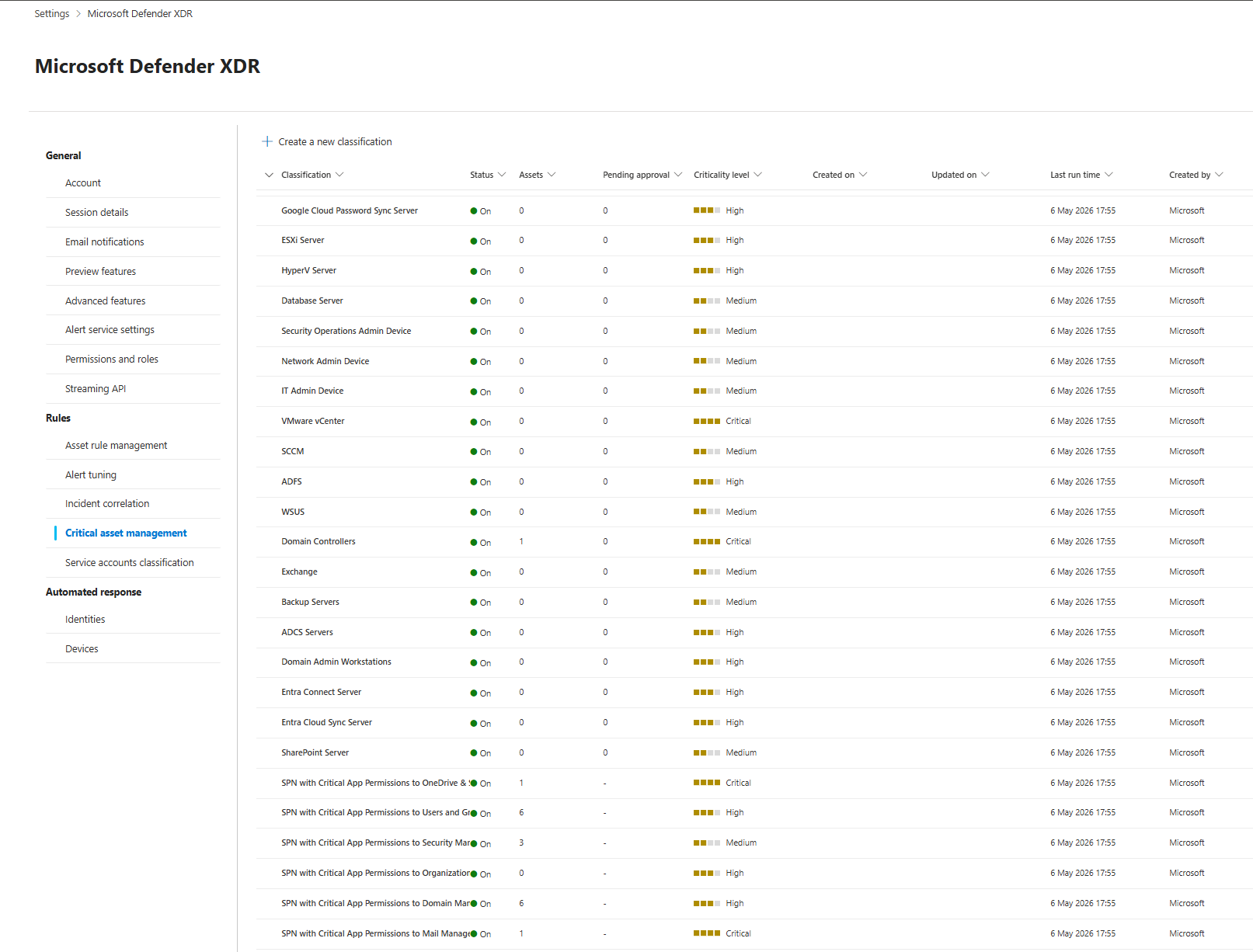
Most people have never opened this page. Defender has been quietly trying to figure out what your crown jewels are without your input, and you have never reviewed or corrected any of it.
See the problem?
How Defender Decides What Is Critical
There are three ways criticality gets assigned, and understanding the difference between them matters.
The first is automatic classification. Security Exposure Management uses the exposure graph, behaviour signals, and built in rules to auto-flag assets. Domain controllers get picked up this way. So do service principals with sensitive permissions, databases with sensitive data, and identities in privileged roles. This happens whether you engage with it or not.

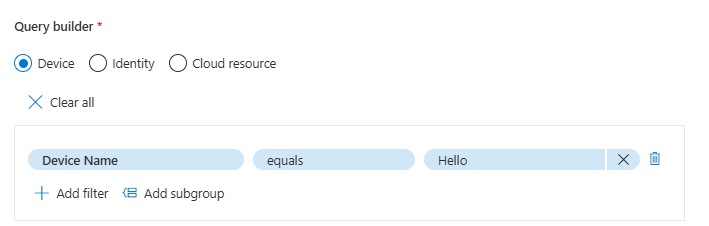
The second is custom classification rules. You build these yourself in the query builder inside critical asset management. You pick Device, Identity, or Cloud resource, then construct a rule using real asset properties. Account display name, role membership, device tag, subscription, resource type. When the rule matches an asset, that asset gets the criticality level you set.
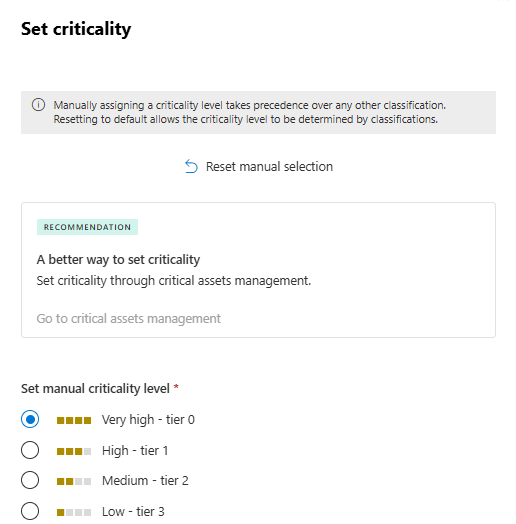
The third is manual tagging. You go to device inventory, find an asset, and manually assign a criticality tier. Very high tier zero, High tier one, Medium tier two, Low tier three. It works immediately. It is also a terrible strategy at any meaningful scale.
Why Manual Tagging Will Bite You
The manual approach looks fast. Click on a device, pick a tier, done.
The problem is that it is static, human dependent, and completely disconnected from anything that changes in your environment. New domain controller gets stood up by the infrastructure? No criticality. New service account with domain admin rights gets created? No criticality. A server gets repurposed from file share to a backup target? Still whatever tier someone clicked two years ago.
Microsoft's own documentation explicitly recommends using critical asset management for classification and treating manual tagging as an exception path for edge cases.
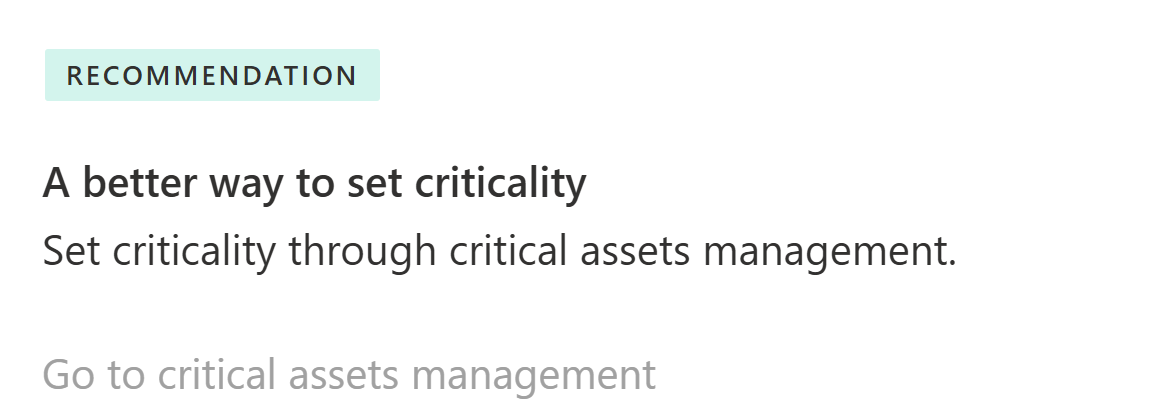
If manual tagging is your primary mechanism for crown jewels identification, you do not actually know what your crown jewels are. You know what someone clicked on last time they remembered.
Custom Classifications Are Where the Real Value Is
This is the part most teams completely skip and it is also the most important part.
The predefined classifications handle obvious things like domain controllers and ADFS. But your environment has nuances that Microsoft cannot predict.
Your break glass accounts. Your PAM solution service accounts. Your production key vaults that hold secrets for every application in the estate. Your backup infrastructure accounts that have write access to your entire data layer. None of those are going to be covered perfectly by predefined rules.
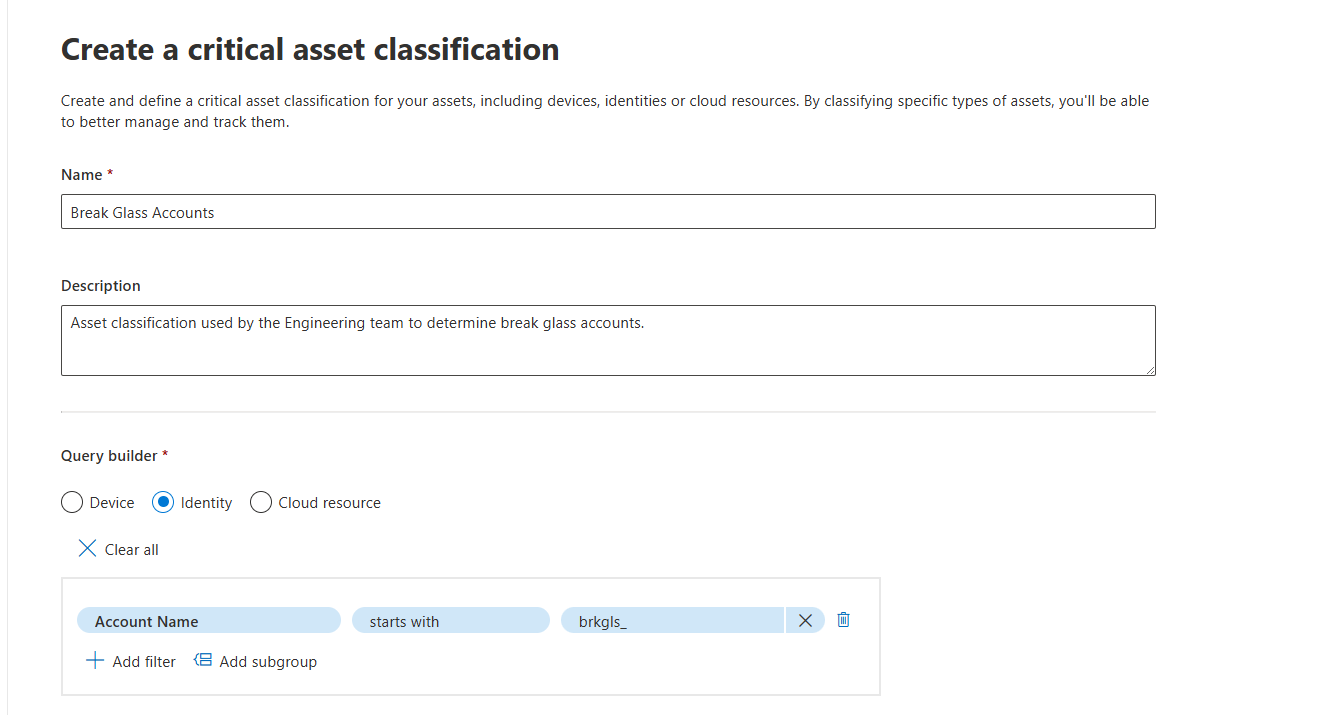
The query builder covers three categories: Device, Identity, and Cloud resource. This matters because crown jewels are not only machines. An identity with Global Administrator rights is at least as valuable a target as a domain controller. A storage account containing your entire customer database is a crown jewel. A key vault that every application reads secrets from at startup is a crown jewel.
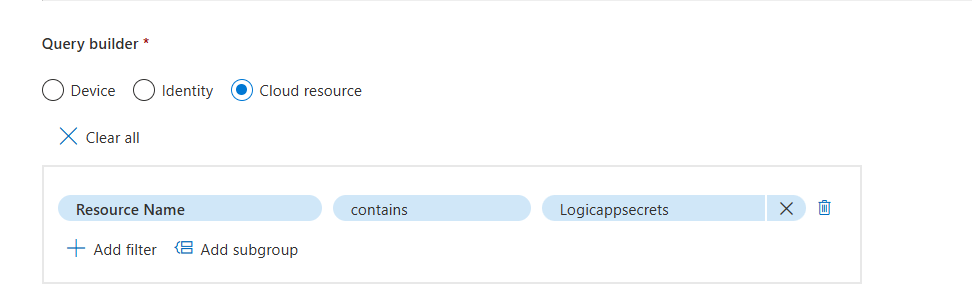
If your critical asset classifications today only cover servers, you have modelled about half of your actual attack surface.

Critical Asset Protection: The Score That Actually Means Something
Under Security Exposure Management initiatives there is one called Critical Asset Protection. The score it gives you is not a vanity metric.
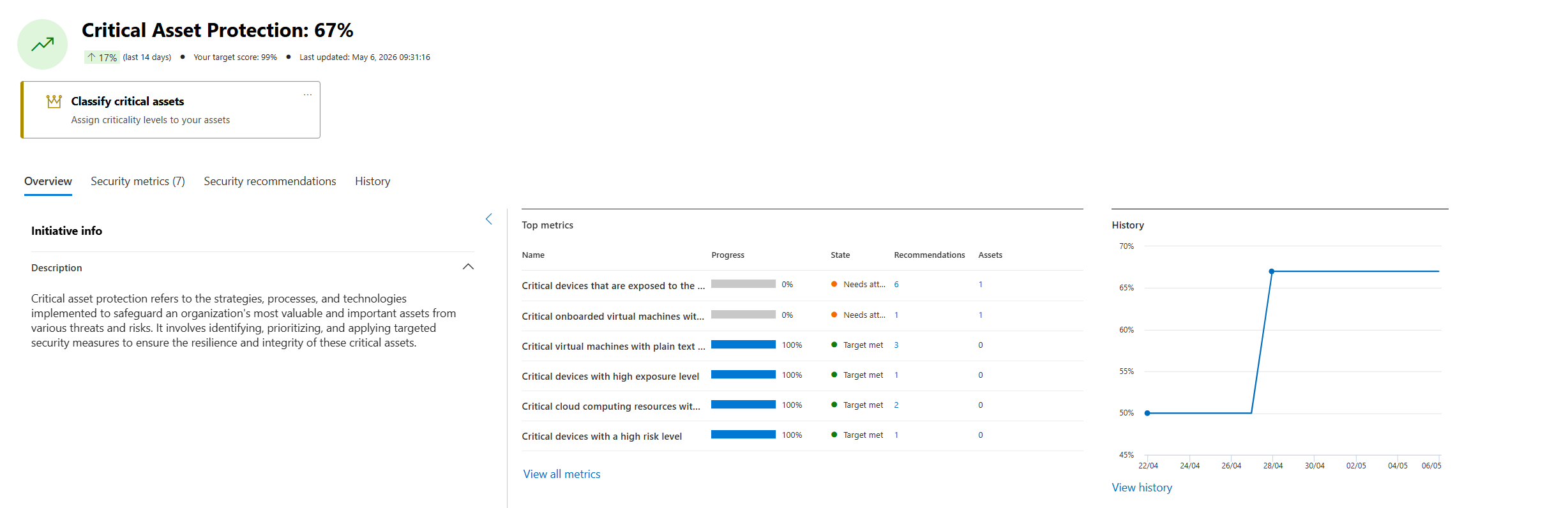
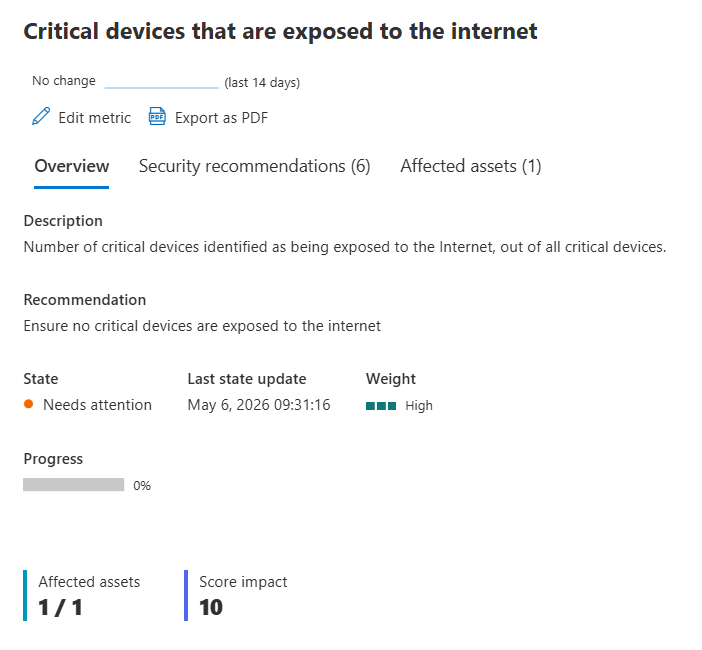
It only tracks metrics for assets you have tagged as critical. Things like critical devices exposed to the internet, critical virtual machines without backup, critical cloud resources with high severity vulnerabilities, critical devices with a high risk level. Every metric in that initiative is specifically scoped to your crown jewels.
This is useful because it forces an honest conversation. If your Critical Asset Protection score is 67%, that means roughly a third of your most important assets have unresolved security gaps. You can see exactly which gaps, which assets, and what it would take to close them.
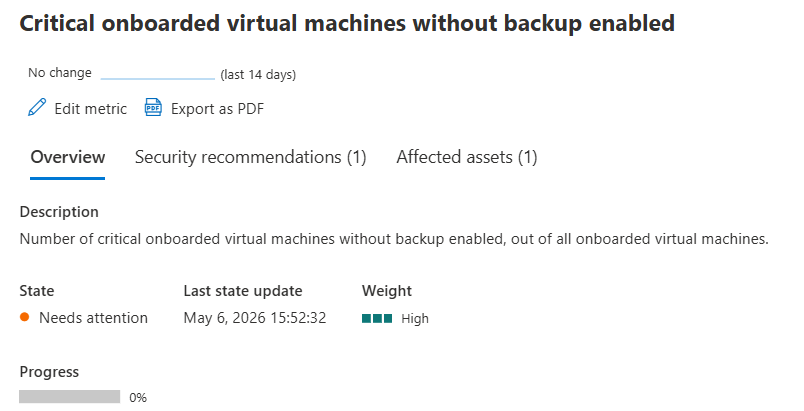
Most teams look at their overall secure score and feel fine. Then they look at Critical Asset Protection and realise that the assets that actually matter are in a worse state than the average suggests.
That gap between overall posture and critical asset posture is the one that kills organisations in real incidents.
Tier Zero and Defender: the Problem Nobody Admits
Here is the conversation that happens in every organisation at some point.
"Have you onboarded the domain controllers to Defender for Endpoint?"
"No."
"Why not?"
"Because if someone hits isolate device on a DC, we are done."
That answer was completely reasonable until recently. The fear was valid. A compromised admin account, a fat-fingered analyst, an overzealous automated response. One wrong click and your authentication infrastructure is offline.
Microsoft shipped selective response actions for high value assets to fix exactly this. The updated documentation went live in May 2026.
What Selective Response Actions Actually Do
When you enable this feature, you generate a custom onboarding package specifically for your tier zero and high value systems. Not the standard package you use for workstations. A restricted one.
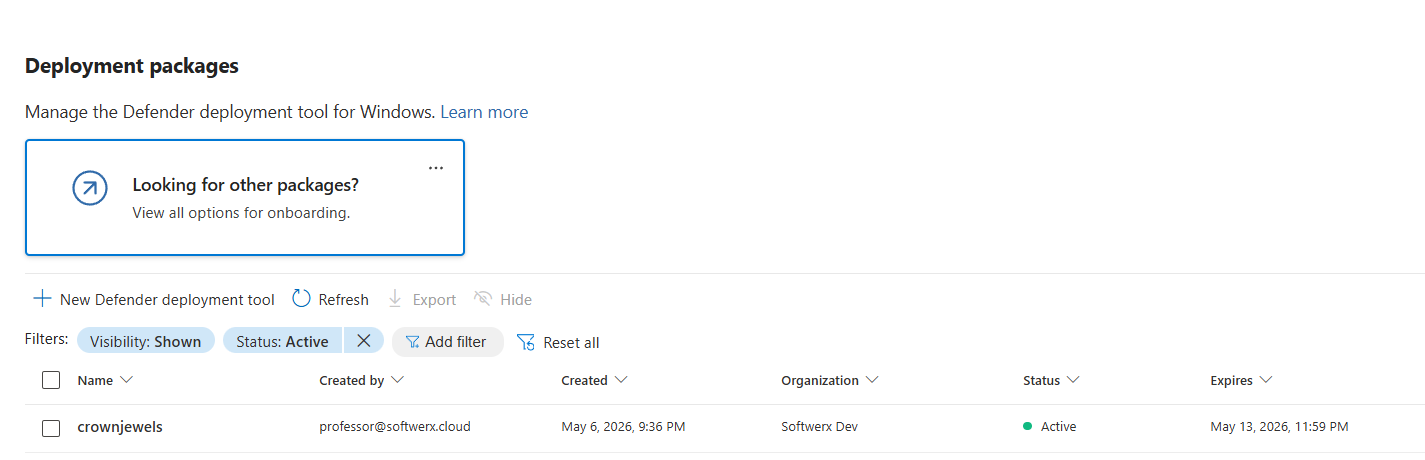
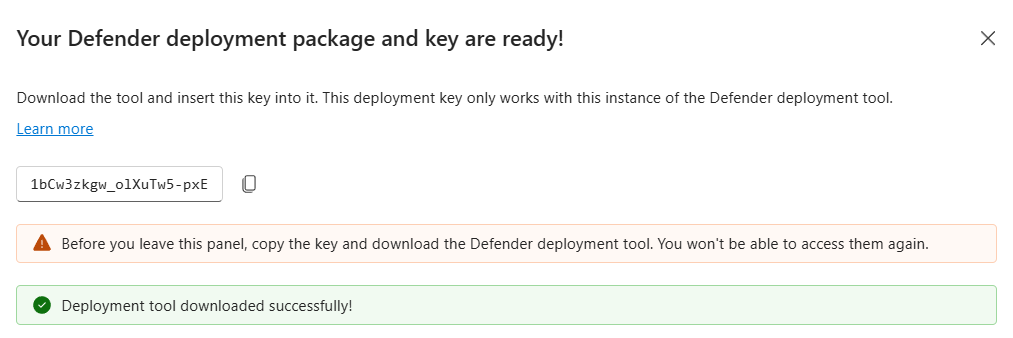
Inside that package you define which response actions are permitted on that device after onboarding. You can block live response, device isolation, AIR, and much more.
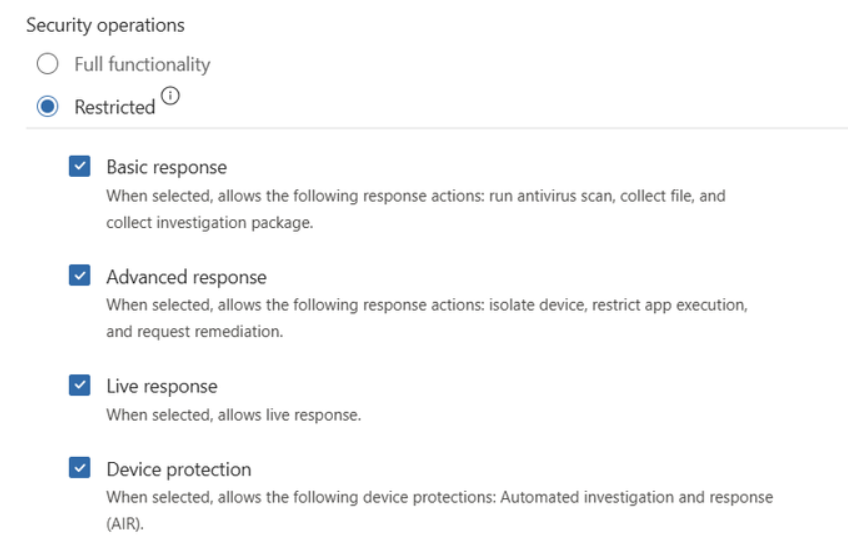
Those restrictions are baked into the package and cannot be overridden post-deployment from the portal. A compromised admin account cannot suddenly get permission to isolate your domain controllers just because they have portal access. The controls exist at the sensor level, not the RBAC level.
You keep full Defender visibility. Alerts fire. Telemetry flows. You see everything happening on those systems in real time. You just have explicit, permanent control over which disruptive actions can actually be triggered against them.
This aligns with what privileged access management policies have been saying for years: cloud initiated administrative actions on tier zero systems must be restricted and controlled. Now the product actually enforces it.
What Changes in Defender When You Tag Something as Critical
This is not just cosmetic. When Defender knows an asset is a crown jewel, it treats signals from that asset differently.
Alerts that would generate a Medium severity on a random workstation get elevated when they come from a tier zero device or a privileged identity (most of the time, at least, I've seen a few occasions where that didn't worked as expected to be fully transparent, not all alerts will auto-change the severity). Attack path analysis in Security Exposure Management weights paths that lead to critical assets much more heavily than paths that do not. The Critical Asset Protection initiative tracks the specific security gaps on those assets and surfaces them separately from your overall posture.
If you have not done the classification work, Defender is doing its best to guess. Some of it will be right. A lot of it will be missing.
Where to Start This Week
Do this in this exact order.
Step 1: Open critical asset management and review what is already on.
Go to Settings, then Microsoft Defender XDR, then Critical asset management. Scroll through the predefined list. Check which predefined classifications have assets attached and which have zero. For anything showing zero assets that should have assets, investigate why the automatic detection missed them. For anything that is switched on and producing assets you do not agree with, turn it off or add approval logic.
Step 2: Create at least one custom classification per category.
Build one for devices your automatic rules will not reliably catch, one for privileged identities beyond just role membership, and one for a cloud resource that you know is a crown jewel in your specific environment. Use real properties from your asset graph, not generic filters.
Step 3: Open the Critical Asset Protection initiative.
Look at which metrics are showing Needs attention. Pick the worst one. Follow the linked security recommendations until at least one metric moves. Do not accept "Target met" across the board without checking that your classifications are actually reflecting your real environment first.
Step 4: Enable selective response actions before onboarding tier zero assets.
If your domain controllers, ADFS servers, or other Tier zero systems are not onboarded to Defender for Endpoint because of response action risk, this is the unblock. Enable the feature, generate a restricted onboarding package for your tier zero estate, validate it in a lab environment first, then roll it to production. Leaving those systems without EDR coverage because you are scared of isolation is not a risk decision. It is a gap.
Class dismissed.