Hunting in Microsoft Sentinel: What Hunting Actually Is and Why You Need It

Terminology matters here. Microsoft uses these words in specific ways, and if you get them wrong, you'll waste time doing the wrong thing.
What Is Hunting in Sentinel?
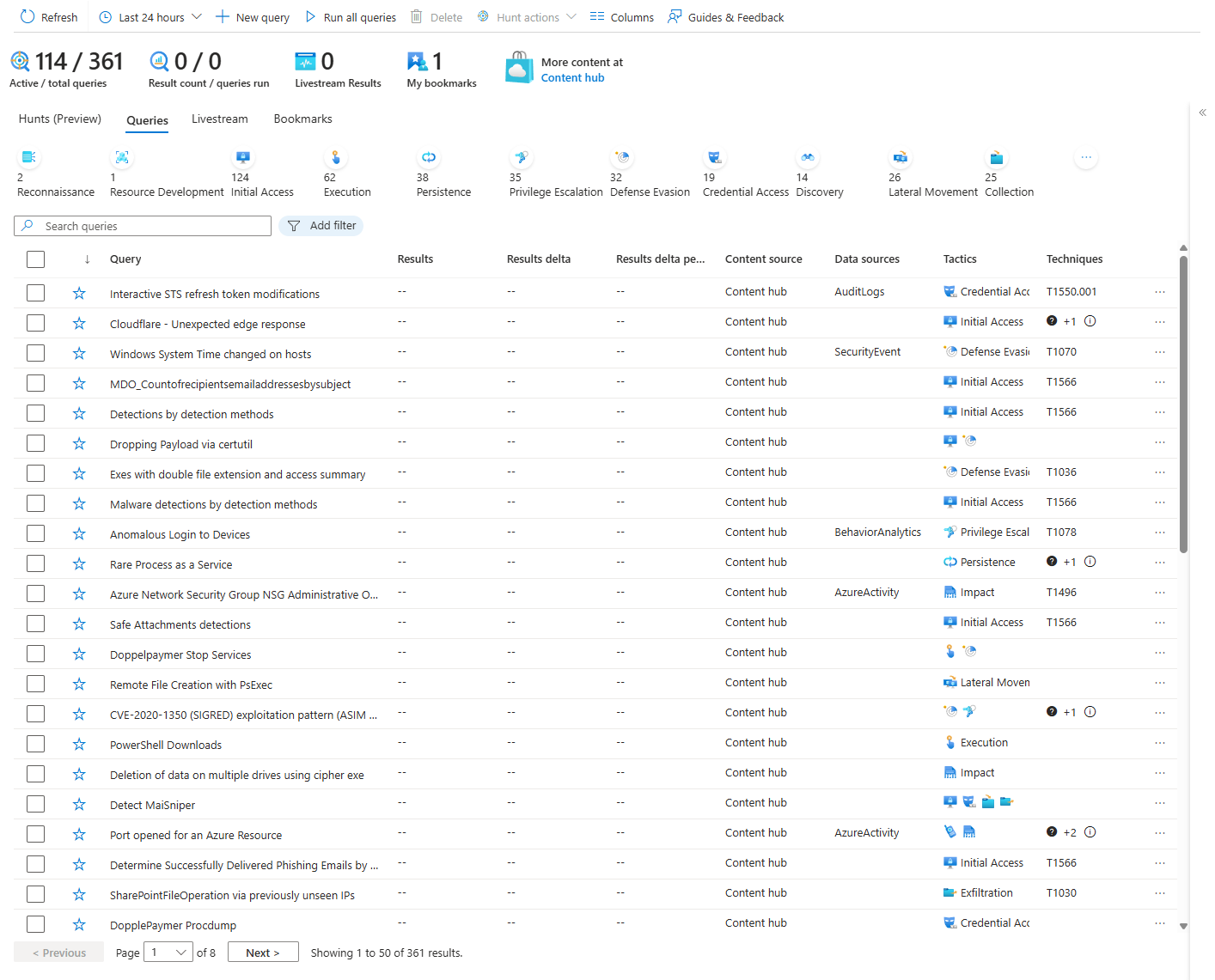
A hunting query is just KQL. You write it or grab one from the content hub. You run it. You get results. Done. That's it.
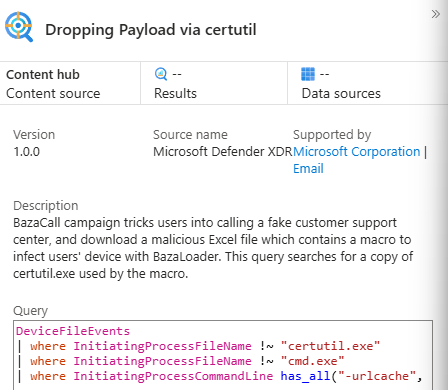
A Hunt is completely different. It's a container in Sentinel where you organize an actual investigation. Multiple query tabs. Bookmarks for findings you want to keep. Entity mappings so Sentinel can correlate users, hosts, IPs across your data. MITRE technique tags. Team comments. Metrics tracking. A Hunt is the investigation workspace.
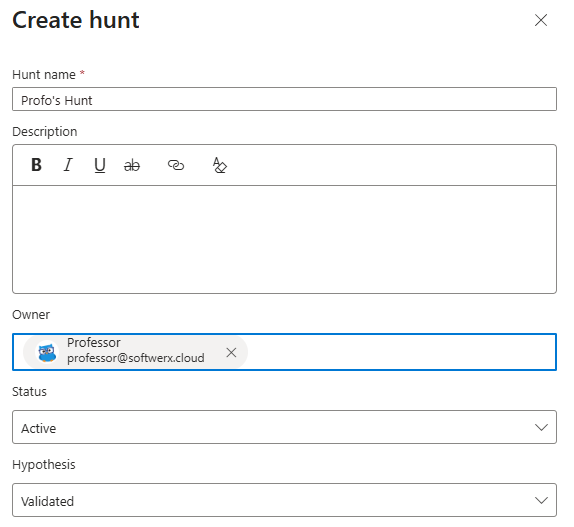
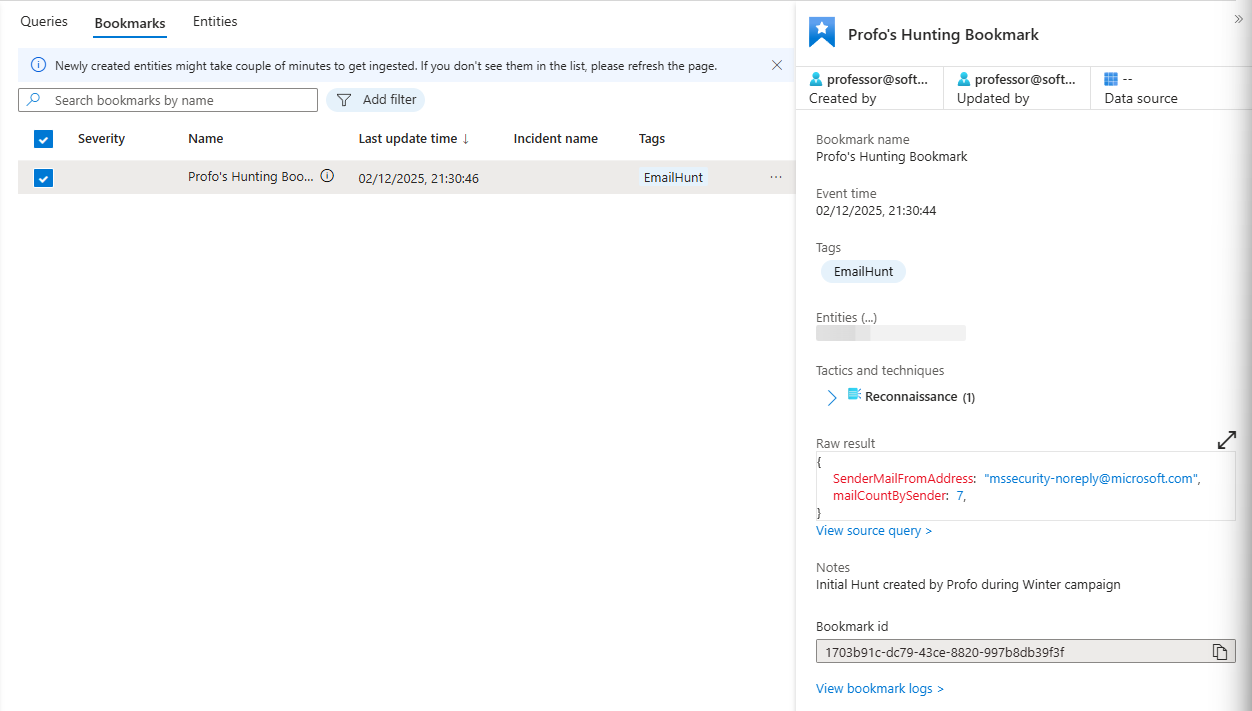
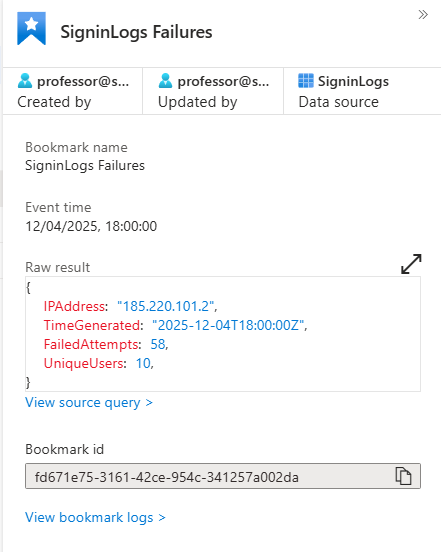
A bookmark preserves a specific result. The exact row from your query. The KQL that found it. Timestamp. Entities involved.
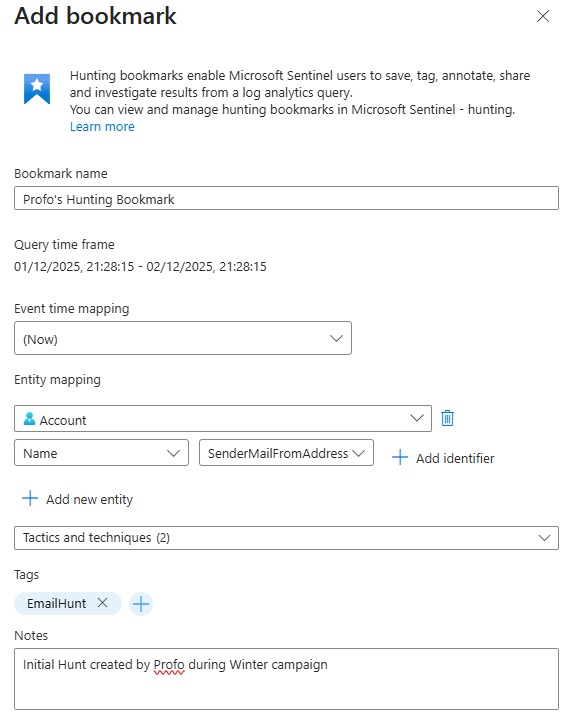
You can map entities so Sentinel shows you everything else connected to them. Bookmarks are how evidence accumulates.
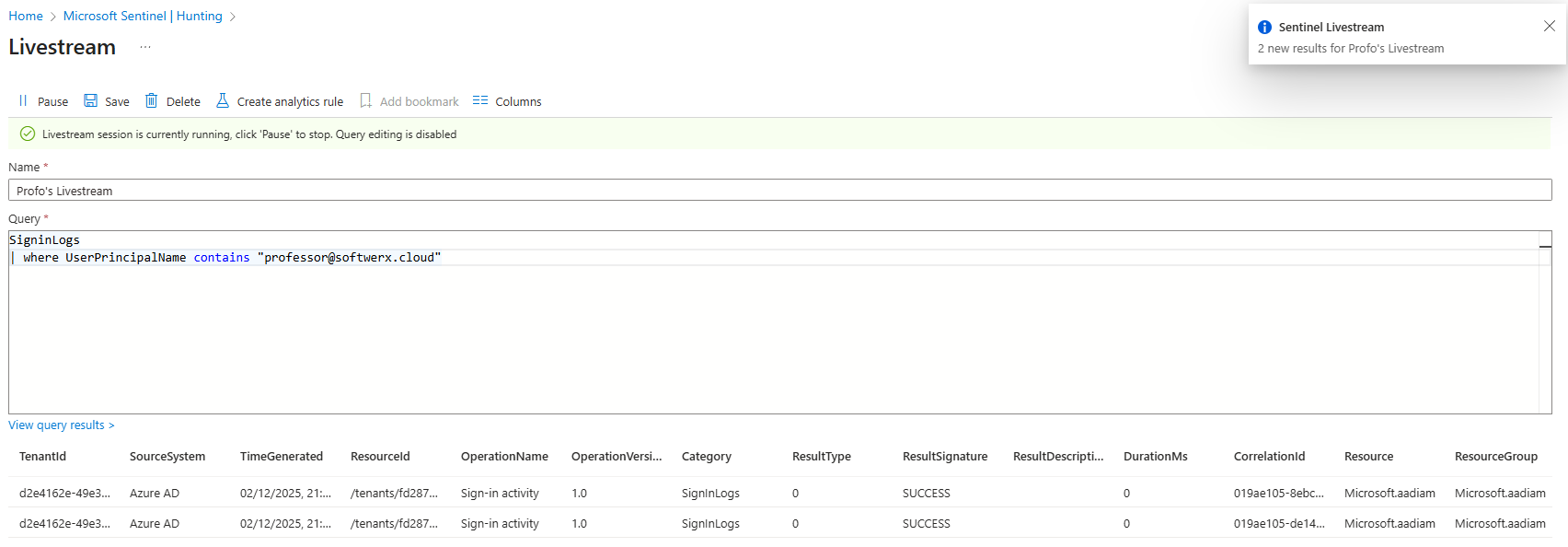
A livestream query is real-time monitoring. You run a query and it continuously watches incoming data, notifying you when matches happen. This is validation.

Use it to test a hypothesis against live traffic before you commit to an actual alert rule.
I can see some confusion around these. People may think "running a hunting query" equals "creating a Hunt." It doesn't. A query is data. A Hunt is data plus context plus collaboration.
Why Use Hunting At All?
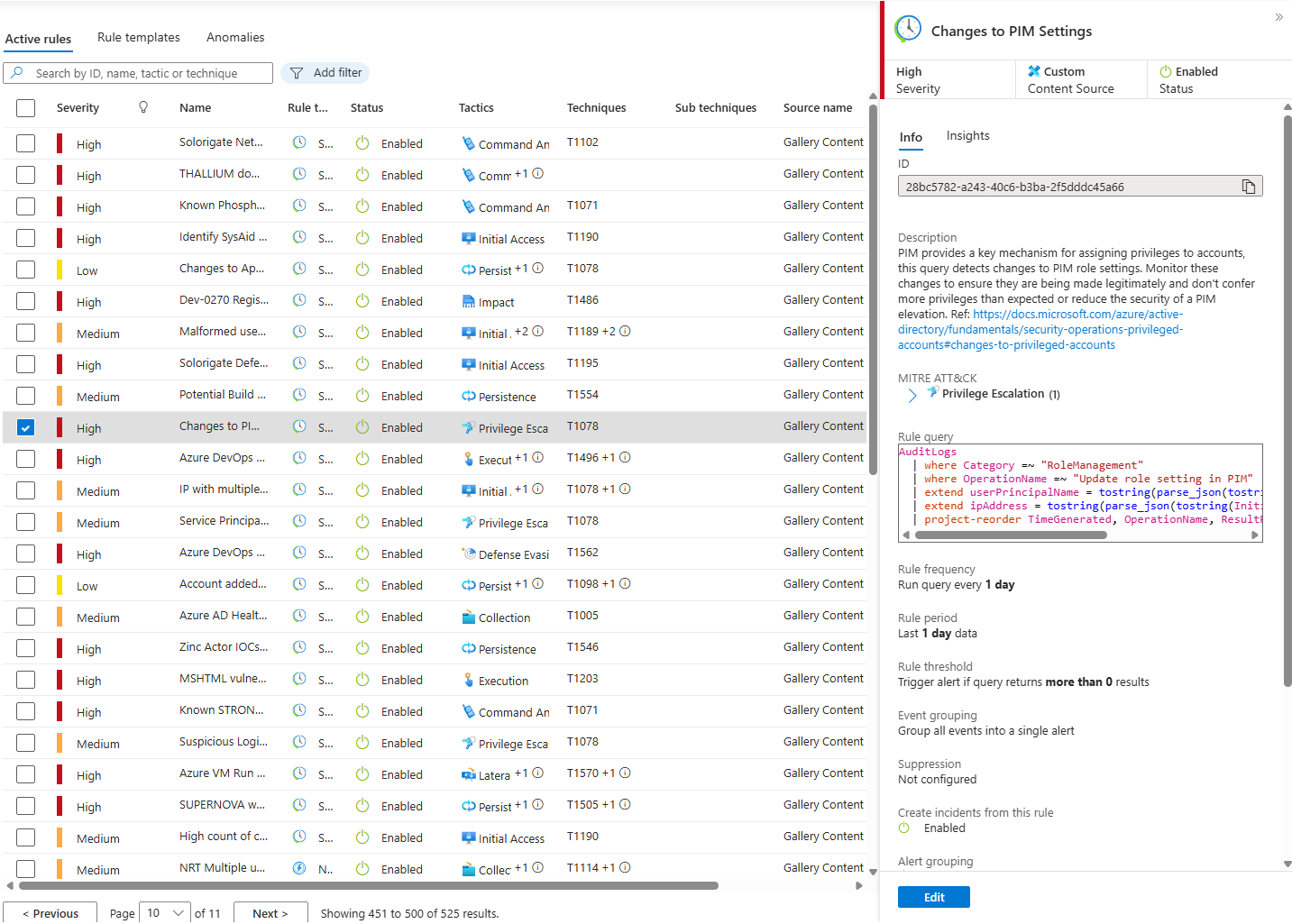
Your analytics rules are reactive. Something happens, a threshold crosses, an alert fires. This catches obvious attacks.
Hunting is proactive. You go looking instead of waiting. You form a hypothesis and test it. You don't assume the attacker will announce themselves.
Here's what breaks: Your detection rules only catch what you've explicitly told Sentinel to look for. Everything else stays invisible. You may use multiple other goodies like XDR suite or Defender for Cloud, which will vastly improve your visibility, but that's still not enough in modern environments.
This isn't a tool problem. It's a coverage problem. You have rules for brute force, malware signatures, known exploits, privilege escalation, and exfiltration. That's good. That's necessary. That's also incomplete.
What You're Not Detecting
Reconnaissance using legitimate admin tools. A user running whoami or systeminfo looks identical to IT troubleshooting. Your alerts can't see intent. Can't see timing. Can't see context.
Slow lateral movement over weeks. An attacker using valid credentials, accessing expected destinations, gradually builds a foothold. No threshold crossed. No alert fires.
Gradual data theft. Your exfiltration rules trigger on 10GB leaving in an hour. But 100MB a day for a year? Your rules don't see it.
New attack techniques. Yesterday's patterns don't cover tomorrow's campaigns.
Attacks tailored to your infrastructure. Your environment is unique. Attackers adapt. Generic rules miss custom work.
This is where hunting matters.
Real-World Hunting Workflows
Closing a Detection Gap
You're in the MITRE ATT&CK dashboard. You see T1033 (System Owner/User Discovery) has hunting queries available but zero active analytics rules. Threat intelligence says APT-28 uses this during reconnaissance.
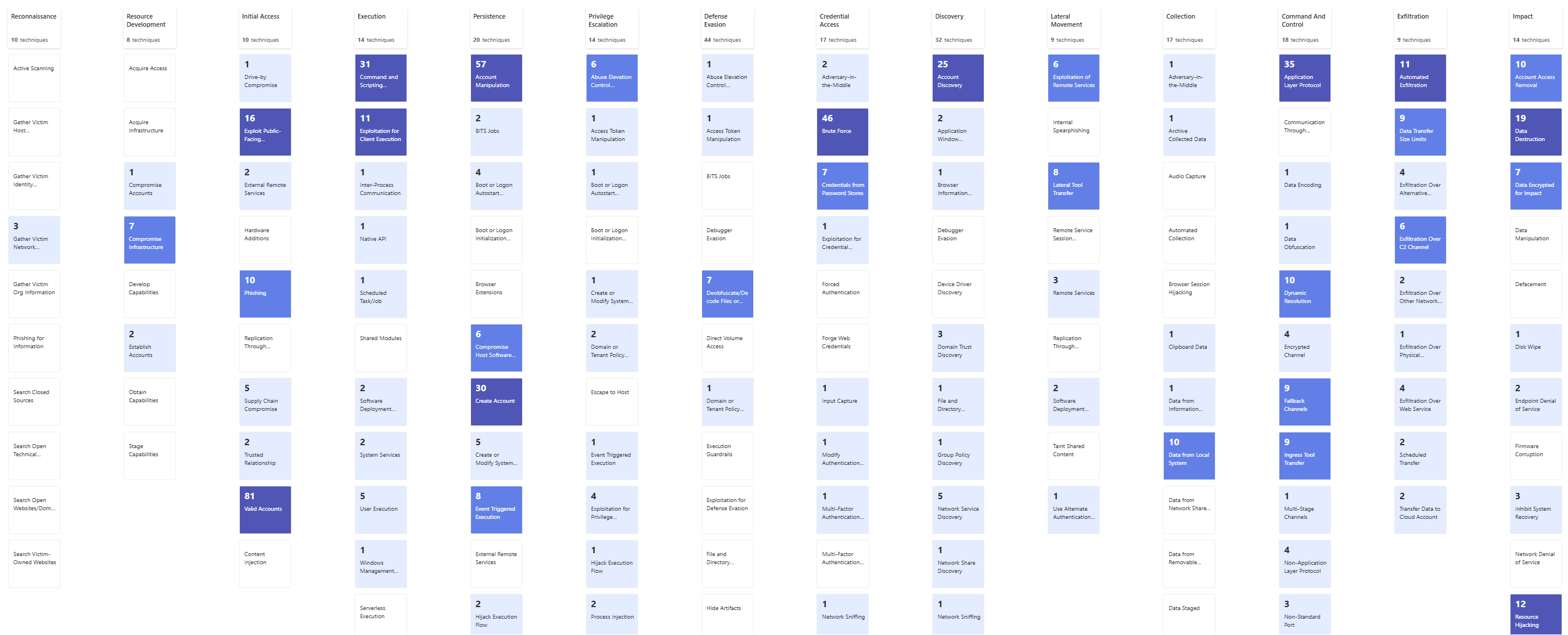
You create a Hunt and a custom KQL query to find it. You search 30 days for whoami execution, systeminfo commands, and WMI queries.
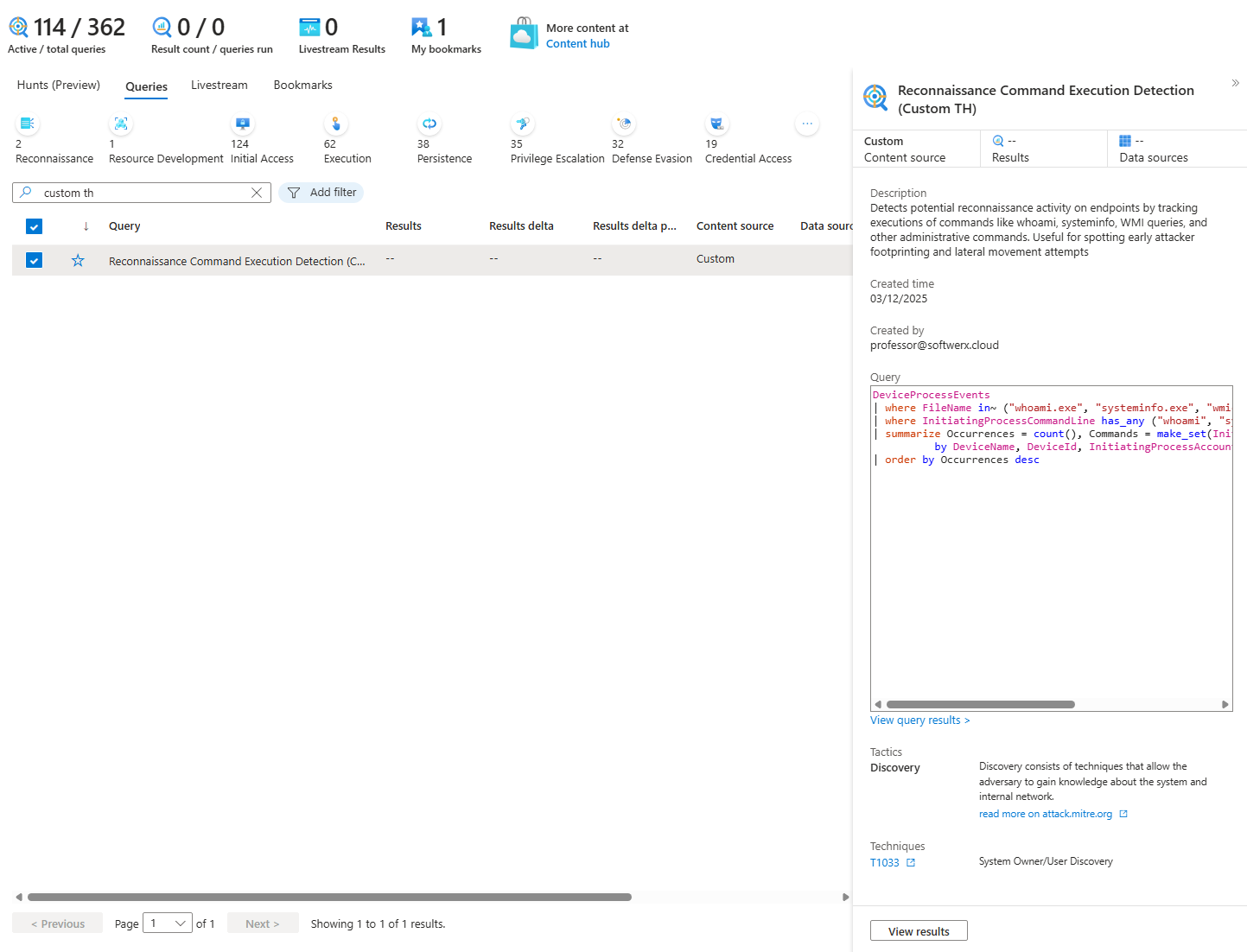
Nothing comes back. Hypothesis invalidated. T1033 probably isn't happening. You close the hunt, move on.
Or you find it on three workstations at 3 am during maintenance from admin accounts. Validated but low-risk. You document it, close it.
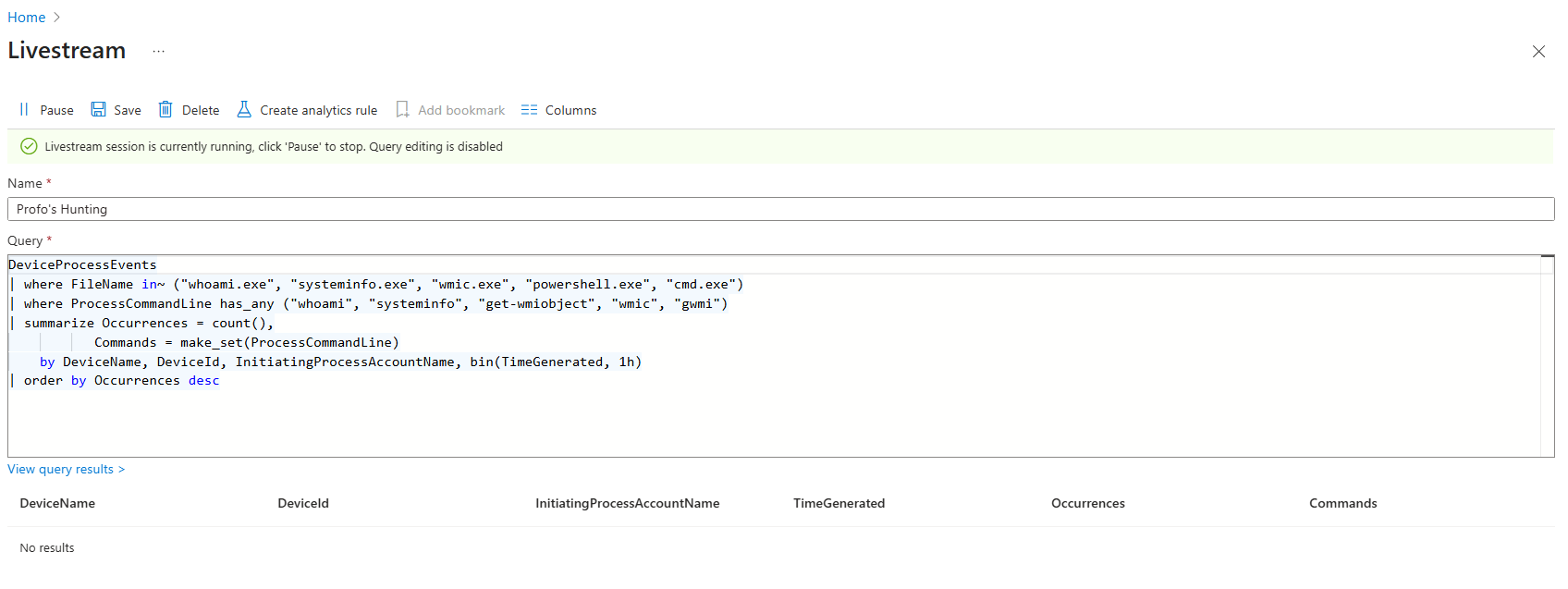
Or you find it at 9 pm on Wednesday from a generic user on a production web server. Validated and high-risk. This looks like reconnaissance before lateral movement. You create an incident. You escalate to incident response.
Hunting for a Specific Threat
You get intelligence: credential stuffing against your environment. Attackers testing stolen passwords.
You create a Hunt. Hypothesis: "Single IP testing multiple user accounts with failed logins in short time window."
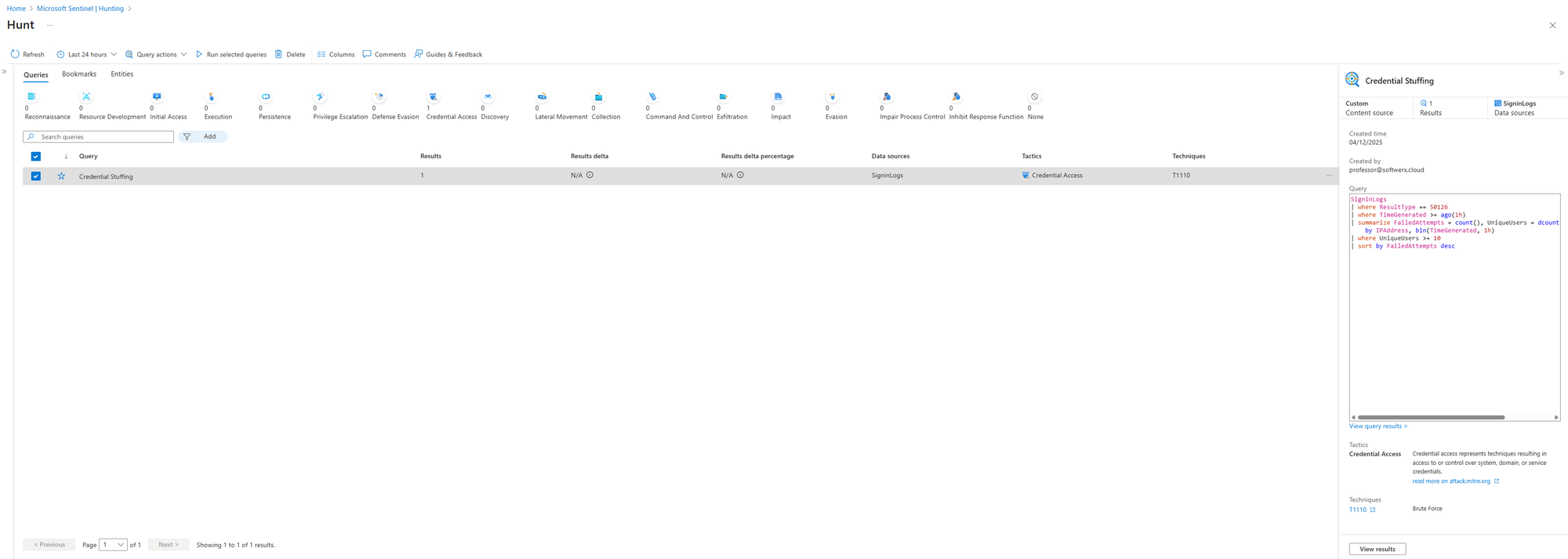
SigninLogs
| where ResultType == 50126
| where TimeGenerated >= ago(1h)
| summarize FailedAttempts = count(), UniqueUsers = dcount(UserPrincipalName)
    by IPAddress, bin(TimeGenerated, 1h)
| where UniqueUsers >= 10
| sort by FailedAttempts desc
You find two IPs from outside your country. Each tried multiple user accounts. Some may succeed. You see successful logins mixed in.
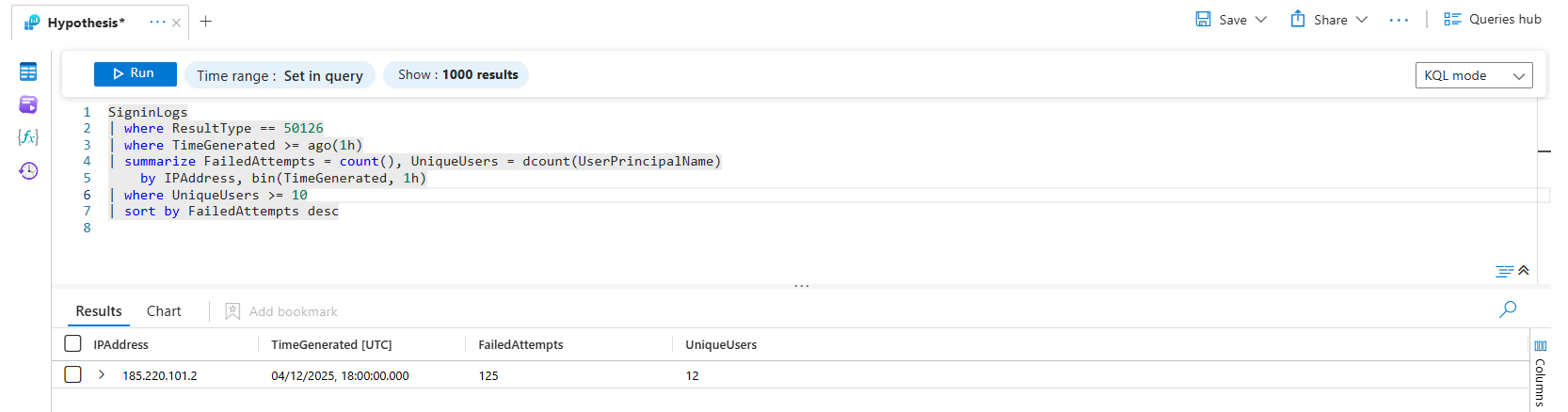
You bookmark those findings. Map entities (the IPs, the compromised users). Tag with MITRE T1110 (Brute Force). Create an incident. Escalate. Hunt for lateral movement from those accounts.
Following Up on an Unclear Alert
An alert fires for unusual process execution. Analyst investigates. It's unclear if it's real or a false positive.
They create a Hunt. Bookmark the suspicious activity. Add hypothesis: "Is this lateral movement or maintenance?"
They hunt for related activity from the same user, same time window, same destination hosts. LSASS access. Privilege escalation attempts. Data access patterns.
Nothing else shows up. False positive confirmed. They close the hunt and add an exclusion to prevent that alert from firing on this scenario again.
Or they find a chain of suspicious activities across five servers in 2 hours. Validated threat. The hunt becomes the foundation for incident response.
What Detection Gaps Actually Cost You
Advanced attackers count on your detection stack being static. They know you'll only catch techniques you've written rules for. They use techniques you haven't covered. They're invisible.
Compliance frameworks, SOC2, PCI-DSS, HIPAA, don't just expect alerts. They expect evidence you're hunting. Documentation showing you've searched for techniques, validated hypotheses, and closed gaps. That's the difference between compliance theatre and actual security.
What Most Organizations Cover
- Brute force
- Malware signatures
- Known exploits
- Privilege escalation
- Exfiltration
Good. Necessary. Not complete.
What They Miss
- Reconnaissance that looks like admin work
- Slow lateral movement
- Gradual data theft
- New attack techniques
- Infrastructure-specific attacks
Your alert-based detection catches loud, obvious attacks. Script kiddies running Mimikatz. Ransomware dropping files everywhere. Mass exfiltration. These generate noise and get caught.
Sophisticated attackers don't do loud. They move slowly. They blend in. They use techniques that look like legitimate admin activity. They're invisible to threshold-based detection.
Hunting is how you find them. Not by adding more alerts. By actually going looking.
Forming a Hunting Hypothesis: Where to Start
Usually, you don't hunt randomly. You hunt based on something. Intelligence. Threat reports. Observed behaviour. Research.
Security Research Blogs
Microsoft Security Blog (microsoft.com/en-us/security/blog)
Microsoft publishes threat intelligence constantly. They process 100 trillion daily signals. When they publish about a new attack group or technique, that's actionable intelligence for your hunts. Look for posts about:
- New threat actor campaigns (example: "Octo Tempest" social engineering attacks)
- Emerging techniques (example: abuse of edge devices, custom malware ecosystems)
- Specific attack chains with MITRE mappings
Read the post. Extract the technique. Form a hypothesis: "Is this happening in our environment?"
Microsoft also added a Threat analytics to Microsoft Defender, which I am going to cover soon!
Mandiant M-Trends Reports (mandiant.com)
Mandiant's annual M-Trends report is based on 450,000+ hours of incident response investigations. They track what's actually happening in real breaches. M-Trends 2025 identified trends like:
- China-nexus groups using zero-day vulnerabilities in security appliances
- Custom malware ecosystems designed to evade detection
- Targeting edge devices that lack EDR coverage
If a technique is in M-Trends, it's real. Hunt for it.
Industry-Specific Threat Reports
CISA Advisories (cisa.gov)
CISA publishes advisories about active exploitation. They're not theoretical. They document real attacks being used against real organisations. Example from November 2025: Cisco ASA and Firepower devices are being actively exploited with CVE-2025-20333 and CVE-2025-20362.
When CISA publishes an advisory, the attack is happening right now. You can Hunt for it immediately.
Vulnerability Reports (VulnCheck, CVE Feeds)
VulnCheck tracks exploitation trends. Their Q1 2025 report showed 159 vulnerabilities exploited in a single quarter. 28% of those were weaponised within 24 hours of disclosure. This means new exploits are being used against organisations within hours of patches being released.
Hunt for signs of unpatched systems. Hunt for exploitation attempts against known CVEs.
Industry-Specific Intelligence
Depending on your industry, there are specific threat actors targeting you. Find reports specific to your industry. Find the MITRE techniques those actors use. Hunt for them.
How to Form Your Hypothesis
You read a report. It says: "APT-28 uses System Owner Discovery (T1033) during reconnaissance."
Your hypothesis: "Is APT-28 active in my environment? Are we seeing reconnaissance behaviour matching T1033?"
You pick the T1033 hunting query. You search 30 days. You find nothing, or you find it on admin workstations during maintenance, or you find it on a production server from a suspicious account.
You have your answer.
Practical Starting Points
This week:
- Open the Microsoft Security Blog. Read the last 5 threat intelligence posts. Pick one technique mentioned. Check if you have a rule for it. If not, hunt for it.
- Visit CISA. Check for active advisories. Pick one vulnerability they're tracking. Hunt for exploitation attempts or unpatched systems.
- Find an industry threat report relevant to your organisation. Identify 3 MITRE techniques. Hunt for all 3.
This month:
- Subscribe to Microsoft Security Blog updates. Make it a weekly habit.
- Subscribe to CISA alerts. Know what's actively being exploited.
- Subscribe to threat reports relevant to your industry.
Ongoing:
- Every time you read about a new attack technique, check your MITRE dashboard. If you don't have a rule, create a hunt.
- Every time you see a vulnerability advisory with active exploitation, hunt for it.
- Every time a threat actor is mentioned in the news, find their known techniques and hunt for them.
This is how you go from reactive alerts to proactive hunting. You're not guessing. You're following real intelligence. You're hunting for threats that are actually happening.
Your Detection Stack Isn't Broken
It's incomplete. Your alerts catch what you've told them to catch. Your hunts catch what you actively search for. Together, they cover more than either alone.
Stay blind to detection gaps or hunt for them. Your alert-based detection handles the obvious. Sophisticated threats live in the gaps. Hunting fills them.
Class dismissed.