Teams Threat Protection: What Actually Changed and What You Can Actually Hunt
All right class
Your SOC has limited visibility into Teams. Attackers run credential theft campaigns in chat. You see some of it through audit logs if you're logging them. But you have no way to hunt malicious URLs at scale or respond to threats without switching tools.
Microsoft shipped three new capabilities for Teams. Some require specific licenses. And one actually changes how fast you can respond to attacks.
Here's what's real.
Near Real-Time URL Scanning (Everyone Gets This)
Every Teams enterprise user now gets URL scanning for messages. Microsoft scans URLs as the message flows through. Malicious URL detected. Message blocked when it detects anything suspicious. Nice.

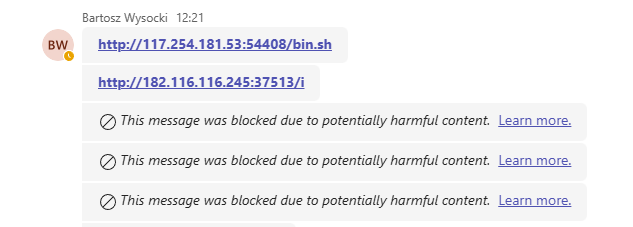
The important part: Scanning continues for 48 hours after delivery. Microsoft's threat database updates constantly. URL was safe at delivery. Turned malicious three hours later. Microsoft adds a warning retroactively. User sees it.
The Hunting Tables (MDO P2 and E5 Only)
If you have P2 or E5 licenses, you get three new tables in Advanced Hunting.
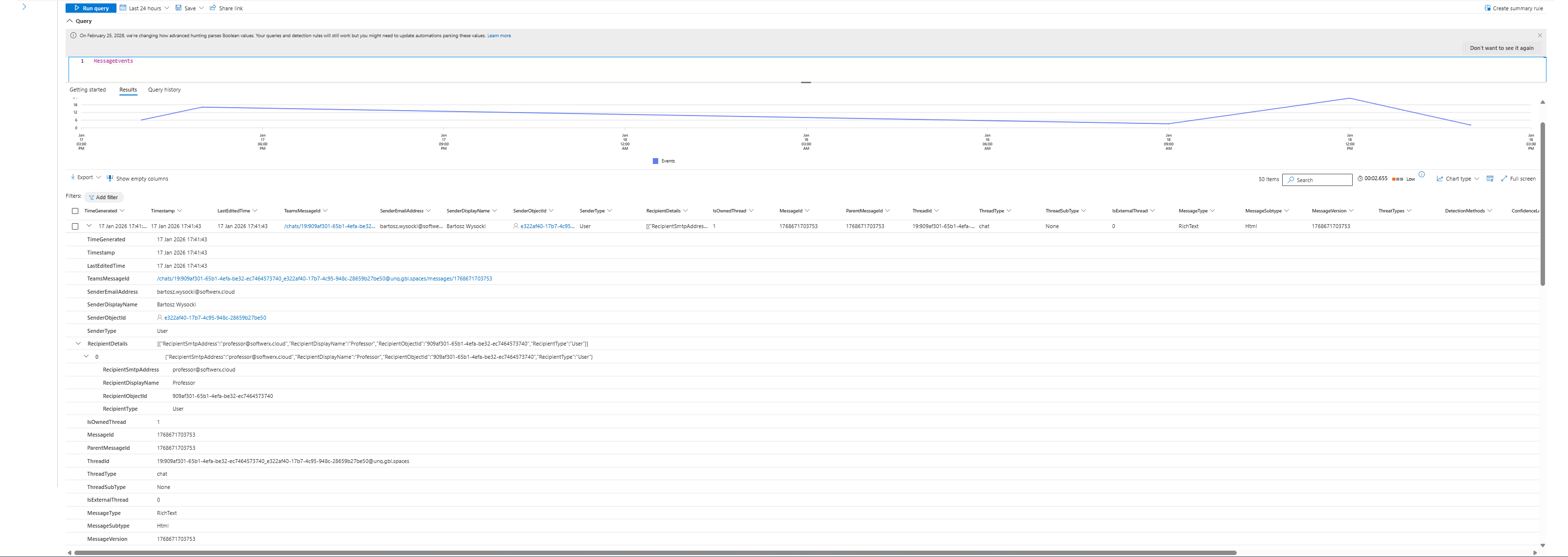
MessageEvents logs every Teams message containing the sender, recipients, threat type, and delivery action (warned, blocked, allowed). Fires at delivery time.
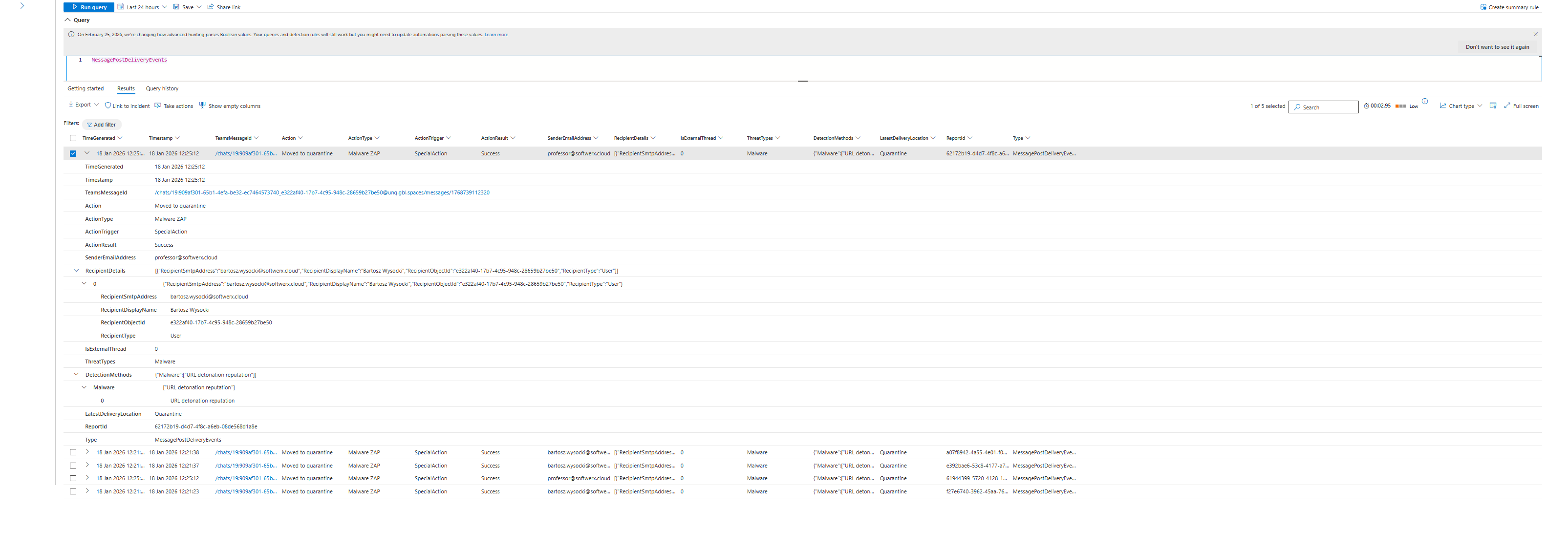
MessagePostDeliveryEvents shows messages flagged as malicious after delivery. Which users were exposed. When it happened and delivery location.
MessageUrlInfo has URL metadata extracted from message, URL and URL domain.
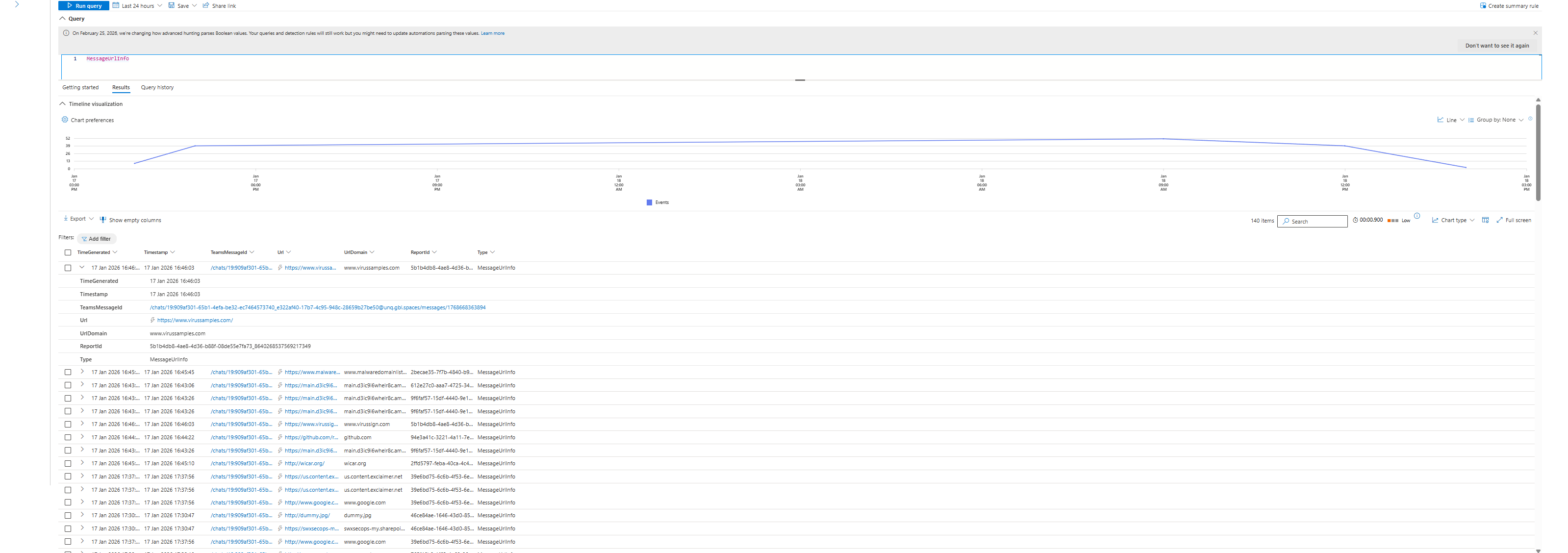
This is where most teams miss the real value: These tables include external federated Teams traffic. You can hunt across tenant boundaries. You can see when external organizations sent malicious URLs into your Teams environment. Before this, that data was locked.
User-Driven Reporting (MDO P2 and E5 Only)
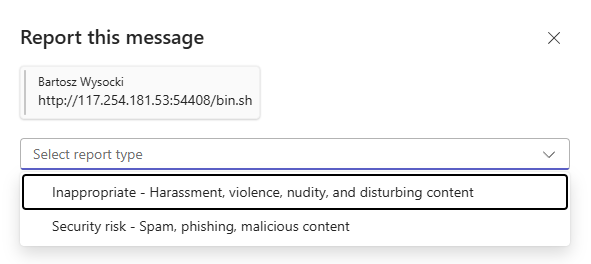
Users can report messages directly from Teams. Two options: "Report as security risk" or "Report as not security risk."
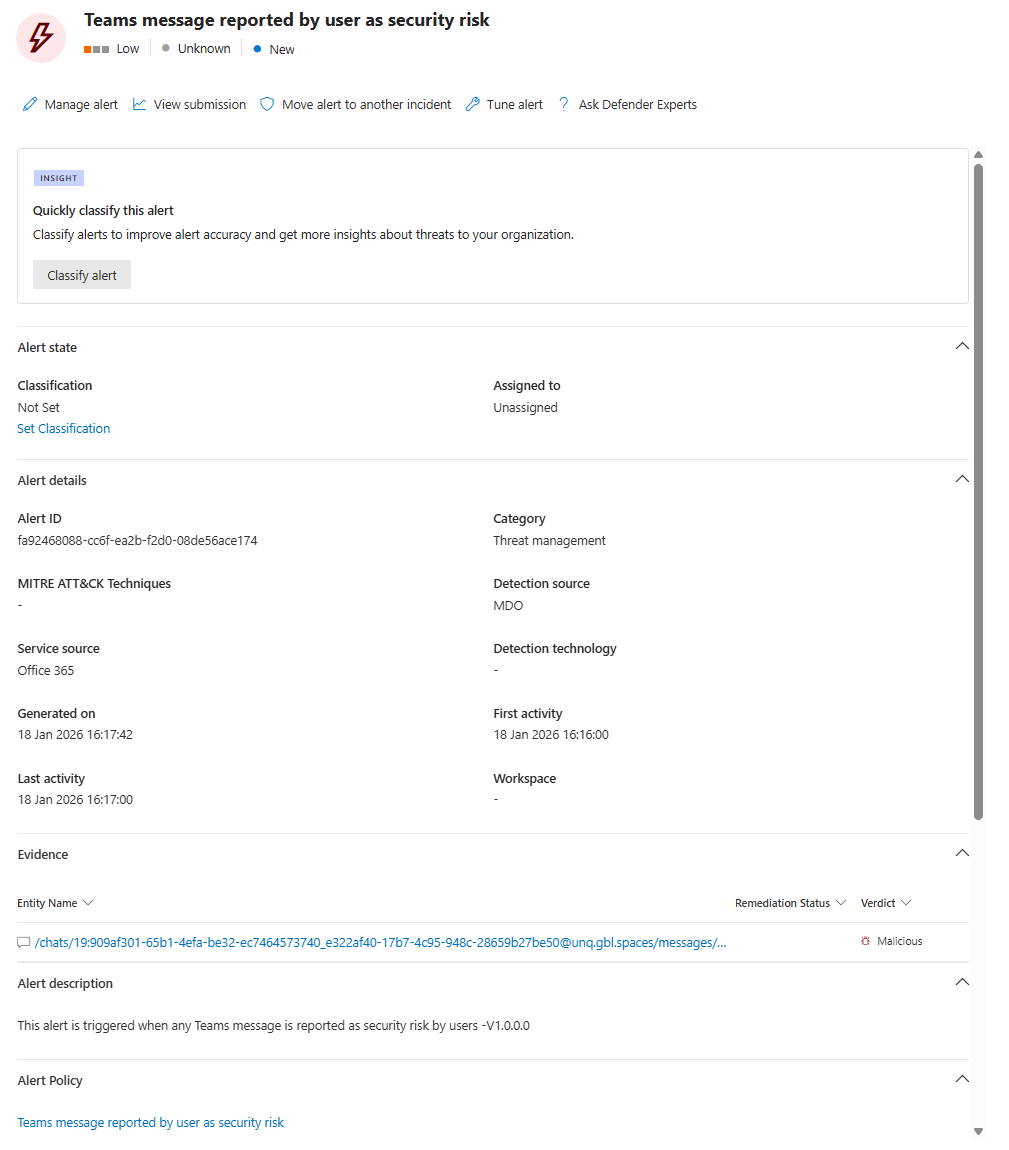
Reports appear as incidents in Defender. SOC can triage them, investigate, release false positives, escalate real threats.
The catch: Users will report everything. They'll report vendors because they don't recognize logos. They'll report their boss's email because they're angry. You're adding a new noise source, not reducing one.
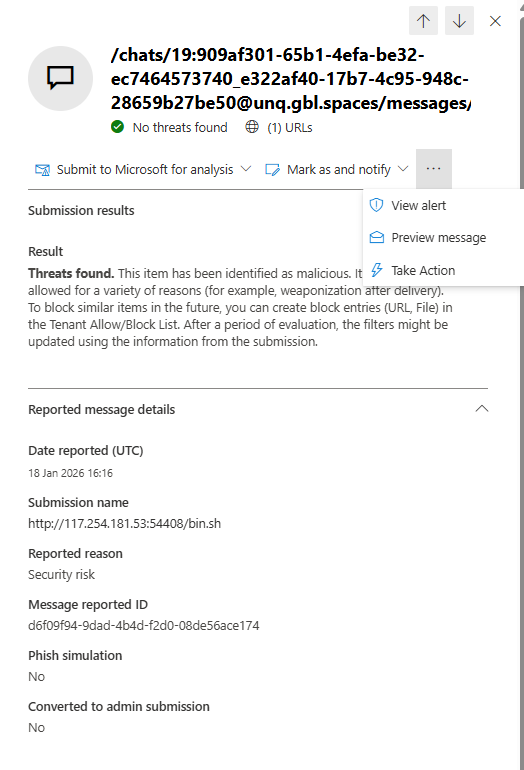
Funnily enough, the message (URL to be exact) I used for this blog is indeed malicious, yet Microsoft came back with a "clean" verdict after reporting this in Teams. Important lesson in here: Never trust a single source of "truth", always verify and sandbox where you can.

Remove Users From Conversations (MDO P2 and E5 Only)
You can now remove users from Teams conversations directly from Defender. No Teams Admin Center. No PowerShell. No tickets.
Your SOC hunts in Advanced Hunting. Finds a compromised account inside a conversation with attackers. Been talking to three finance people for hours.
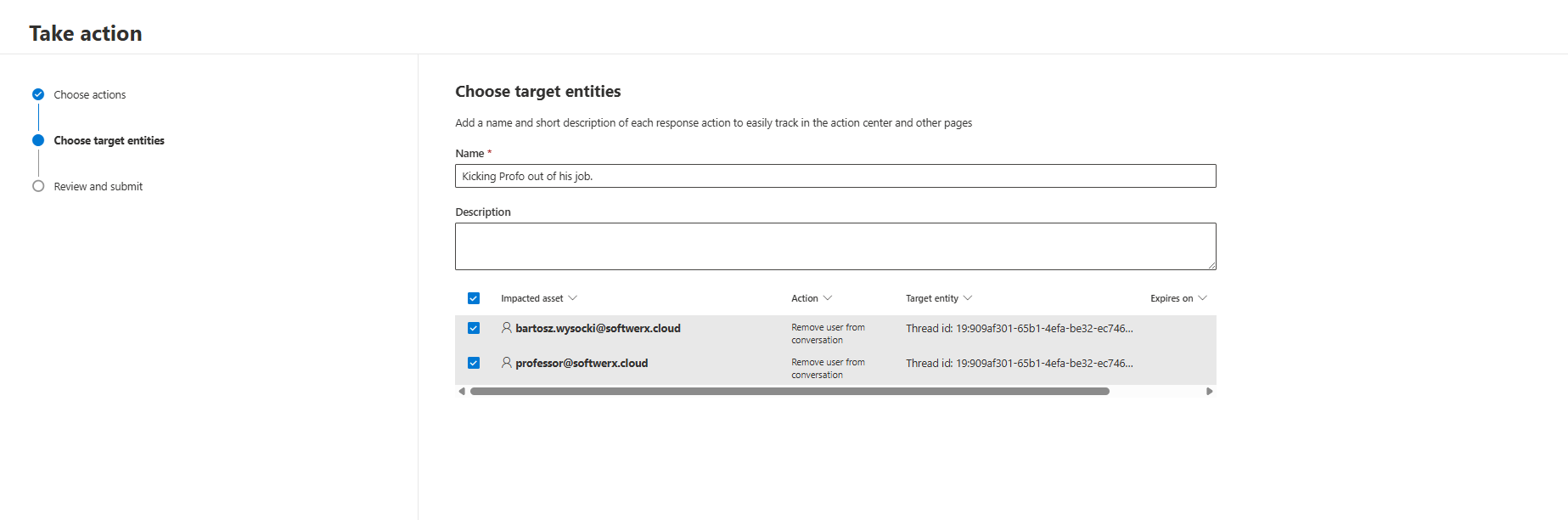
You click "Remove user from conversation." The compromised account gets removed. Their entire chat history in that thread gets deleted. Conversation continues for everyone else.
Everything logs to Action Center. Full audit trail for compliance.
This is SOC response integration. You don't bounce between portals. You don't file tickets. You respond in seconds. This matters for incident speed.
Block External Domains (MDO P2 and E5 Only)
SOC teams can block external organisations directly from Defender. You find attackers from xyz.com sending phishing. Click "Block domain." That domain gets added to the Teams blocked domains list.
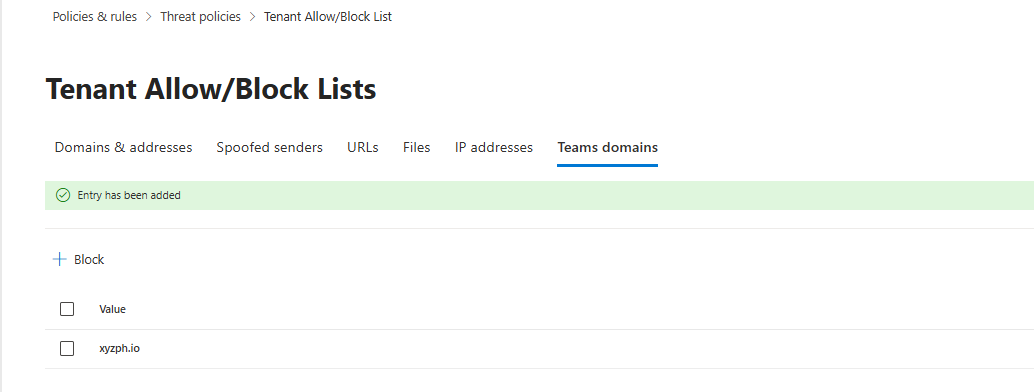
New messages from xyz.com get rejected. Existing ones get deleted from chats.
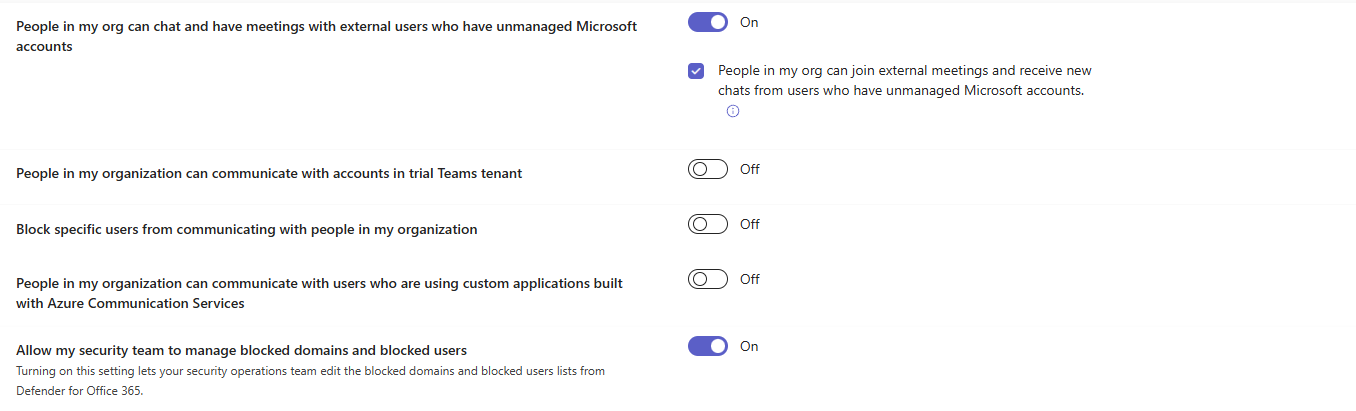
This isn't surgical. You block the entire domain, not individual users (you can block individual users as well, as per the screenshot below). That's a business decision because it could block legitimate partners.
The option is available in your Teams admin center > Users > External access > Allow my security team to manage blocked domains and blocked users
Zero-Hour Auto-Purge Extended to P1
Microsoft extended ZAP to MDO P1. Malicious messages move to admin quarantine automatically.
Before this, P1 didn't have ZAP. Now P1 gets it. Admins see quarantined Teams messages in Defender. Can review, release if false positive, or keep quarantined.
This is significant for P1 customers. Post-delivery protection is table stakes now. You don't get the SOC response capabilities. You get quarantine and manual review.
Real Queries You Can Hunt With
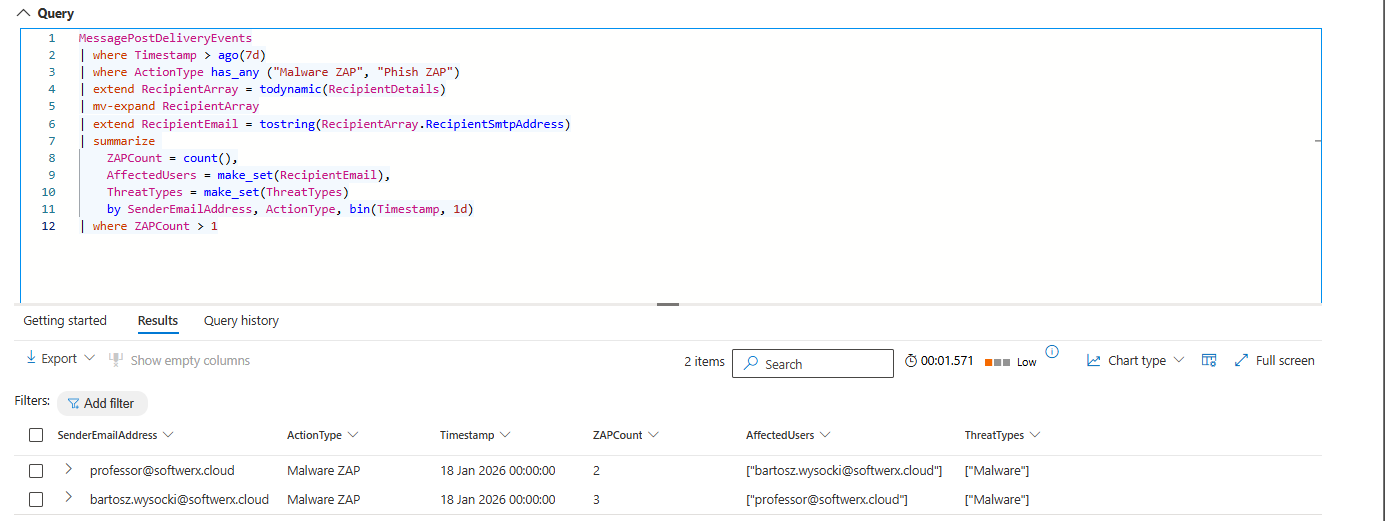
High-volume ZAP activity finds campaign senders:
MessagePostDeliveryEvents
| where Timestamp > ago(7d)
| where ActionType has_any ("Malware ZAP", "Phish ZAP")
| extend RecipientArray = todynamic(RecipientDetails)
| mv-expand RecipientArray
| extend RecipientEmail = tostring(RecipientArray.RecipientSmtpAddress)
| summarize
    ZAPCount = count(),
    AffectedUsers = make_set(RecipientEmail),
    ThreatTypes = make_set(ThreatTypes)
    by SenderEmailAddress, ActionType, bin(Timestamp, 1d)
| where ZAPCount > 5
Finds senders hitting more than 5 users per day with malicious content. External sender hit 50 users in a day? That's a campaign. This query catches it. Run weekly.
External federated threats:
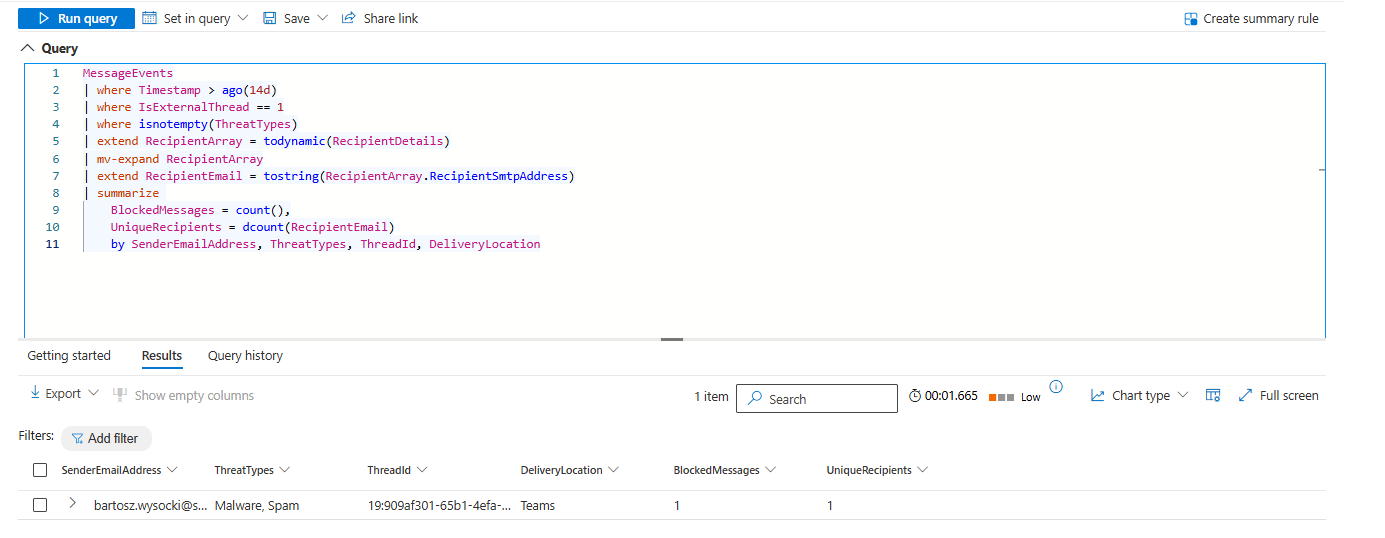
MessageEvents
| where Timestamp > ago(14d)
| where IsExternalThread == 1
| where isnotempty(ThreatTypes)
| extend RecipientArray = todynamic(RecipientDetails)
| mv-expand RecipientArray
| extend RecipientEmail = tostring(RecipientArray.RecipientSmtpAddress)
| summarize
    BlockedMessages = count(),
    UniqueRecipients = dcount(RecipientEmail)
    by SenderEmailAddress, ThreatTypes, ThreadId, DeliveryLocation
External users sending malicious content into your Teams. Now you can see it.
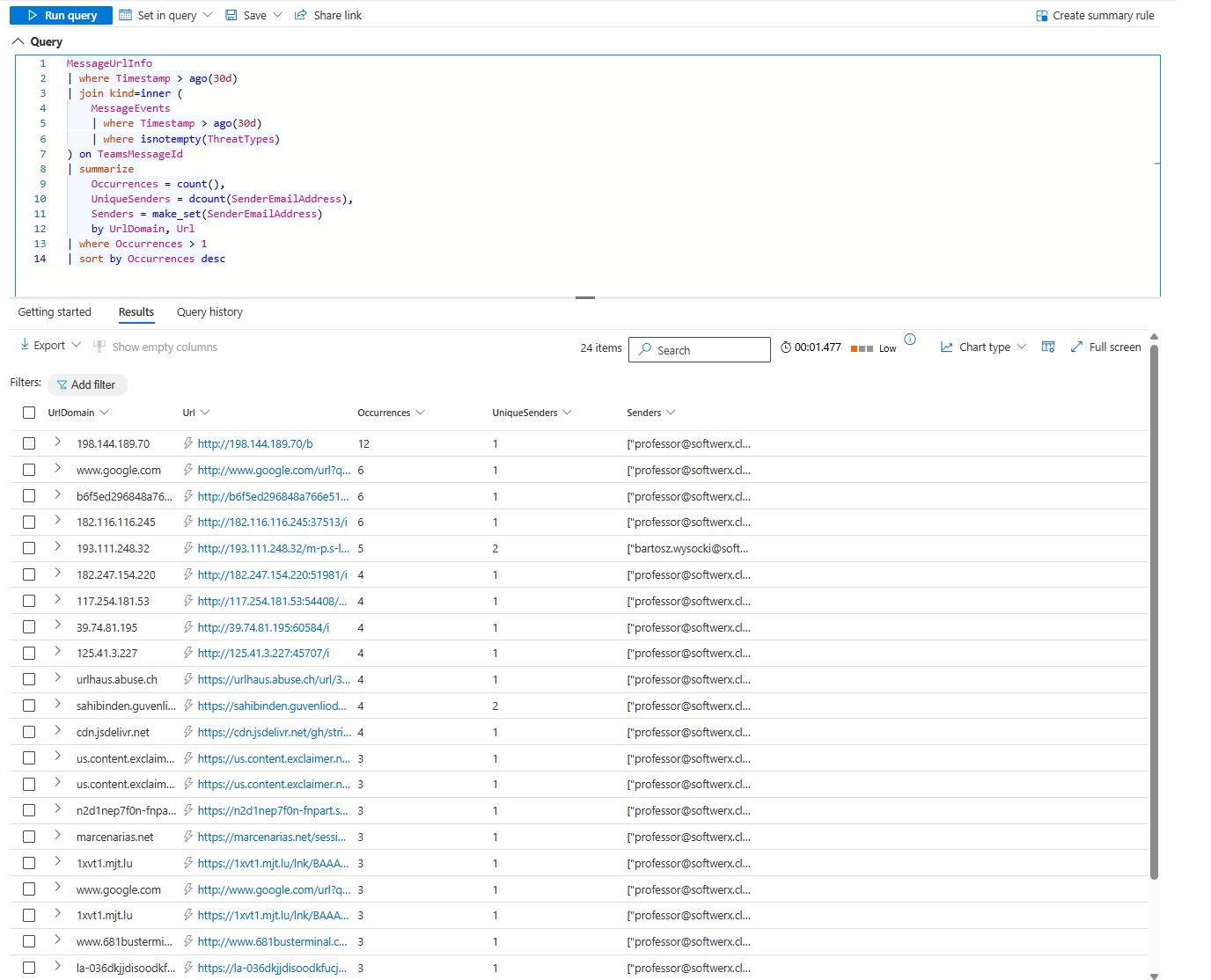
Repeated malicious URLs indicate campaigns:
MessageUrlInfo
| where Timestamp > ago(30d)
| join kind=inner (
    MessageEvents
    | where Timestamp > ago(30d)
    | where isnotempty(ThreatTypes)
) on TeamsMessageId
| summarize
    Occurrences = count(),
    UniqueSenders = dcount(SenderEmailAddress),
    Senders = make_set(SenderEmailAddress)
    by UrlDomain, Url
| where Occurrences > 1
| sort by Occurrences desc
Shows which malicious URLs are repeated by multiple senders. One URL appearing 20 times in 30 days from 8 different senders? Coordinated attack. Block the domain. Investigate the senders.
Who Actually Gets What
P2 or E5: You get hunting tables, user reporting, user removal, domain blocking. Use all of it.
P1: You get ZAP. Messages auto-quarantine. Admins review manually. That's your protection.
Teams Enterprise without M365: You get warning tips on messages. Users see warnings, don't click. That's it.
How To Actually Use This
Check your licenses first. What do you actually have?
Check the hunting tables. Run the three queries above. Baseline what's normal in your environment.
Integrate those queries into your weekly SOC workbooks. When you find campaigns, act on them. When you find a compromised account in a Teams conversation, remove it immediately.
Notes
This is real protection. Before this, Teams was much more limited for SOCs. Now you have visibility and response capabilities.
The catch: You need the right licenses, and you need to actually hunt.
If you hunt them, this feature set is genuinely useful. If you don't, it's just more noise flowing into your environment.
Class dismissed.