UEBA in Microsoft Sentinel: Stop Wasting Time on Behavioral Analytics

Welcome back, class.
You've probably heard the pitch: enable UEBA, and anomalies magically surface threats. Your analysts get smarter. False positives drop. Insider threats get caught.
Then you enable it. Nothing happens. Or worse, everything happens. Your anomalies table floods with noise. Users accessing files at 2 AM. Service accounts running scheduled tasks. New hires are seeing systems for the first time. Legitimate variance that makes zero sense as a signal.
The problem isn't UEBA. The problem is everyone treats it like a fire-and-forget feature instead of what it actually is: a data science problem that requires baseline tuning, entity context, and honest assessment of whether your data is good enough to detect anything real.
This isn't about selling you on UEBA. It's about whether it makes sense for your environment.
The Baseline Problem That Nobody Fixes
UEBA learns what's normal by building baselines. Sentinel needs:
- 10 days for rare activities
- Up to 6 months for common activities
That sounds reasonable until you actually deploy it. Your first 30 days are a nightmare. Your baseline is incomplete. Your anomalies are unfiltered. You don't know what's signal is and what's organisational noise is yet.
Example: You enable UEBA on November 1st. On November 15th, you're getting 200 anomalies per day. Your team manually reviews them. 195 are expected. 5 are worth investigating. You're spending 40 analyst-hours per week triaging nothing.
By December 15th, your baseline is solid. Anomalies drop to 50 per day. Maybe 10 are real. Your review time drops to 8 analyst-hours. But you've already spent 160 hours just getting there.
Can your team afford that? Probably not. Is there another built-in option? Nope.
The Data Source Trap
UEBA quality depends entirely on which data sources you're feeding it. As of September 2025, Sentinel UEBA supports 10 data sources:
- Entra ID (a few connectors included)
- AWS Cloud Trail
- Azure Activity
- Device Logon Events
- GCP Audit Events
- Okta
- Security Events
- Signin Logs
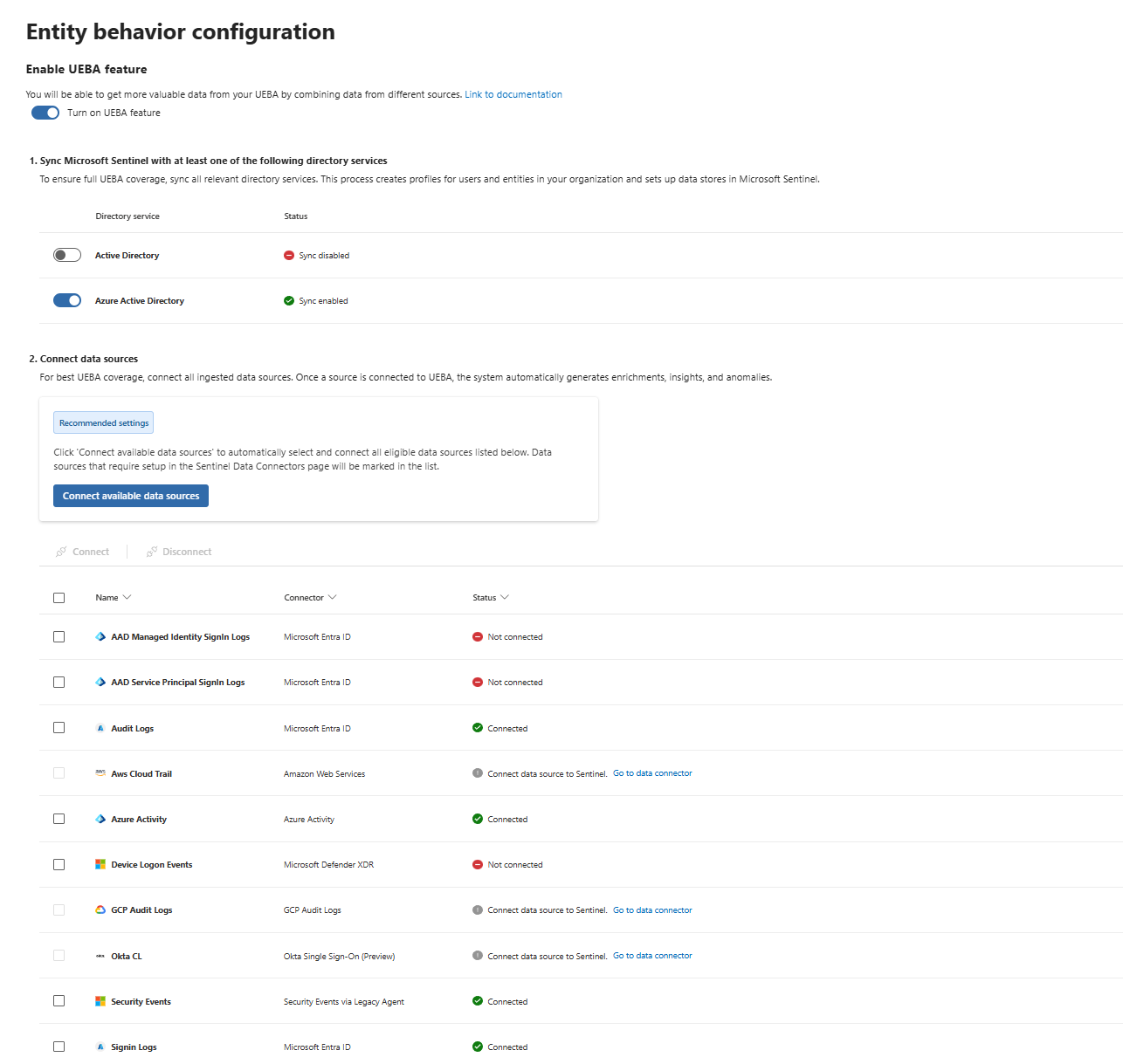
Check what you're actually collecting. The main ones I would recommend are Entra ID Signin Logs + SecurityEvents + Device Logon Events (though everything from Entra is really a nice to have)
What UEBA Actually Detects (And What It Doesn't)
UEBA flags deviations. It doesn't know what they mean.
High investigation priority anomalies (8-10 score) look like this:
- User logged in from a new country
- User accessed 10x more files than usual
- Service principal made 50x more API calls than baseline
- User added to Domain Admins at 3 AM (correct to flag, wrong if it's scheduled)
These are anomalies. But anomalies aren't threats. They're datapoints.
A compromised account logged in from Azerbaijan? Catch it immediately. But if your CFO just returned from Dubai and accessed financial systems for the first time from there? Same anomaly score. Same false positive.
UEBA is excellent at detecting rapid behaviour changes and account compromise scenarios. It's poor at detecting:
- Insider threats that normalise gradually (exfiltration that accelerates slowly over weeks)
- Lateral movement using legitimate access paths
- Privilege abuse from compromised high-privilege accounts (the anomaly is internal to the account, not external)
- Data exfiltration disguised as legitimate work
If you're using UEBA to catch insiders, you need custom activities and threat hunting. UEBA baseline detections may struggle to catch someone slowly escalating access or data theft.
The Entity Pages Reality
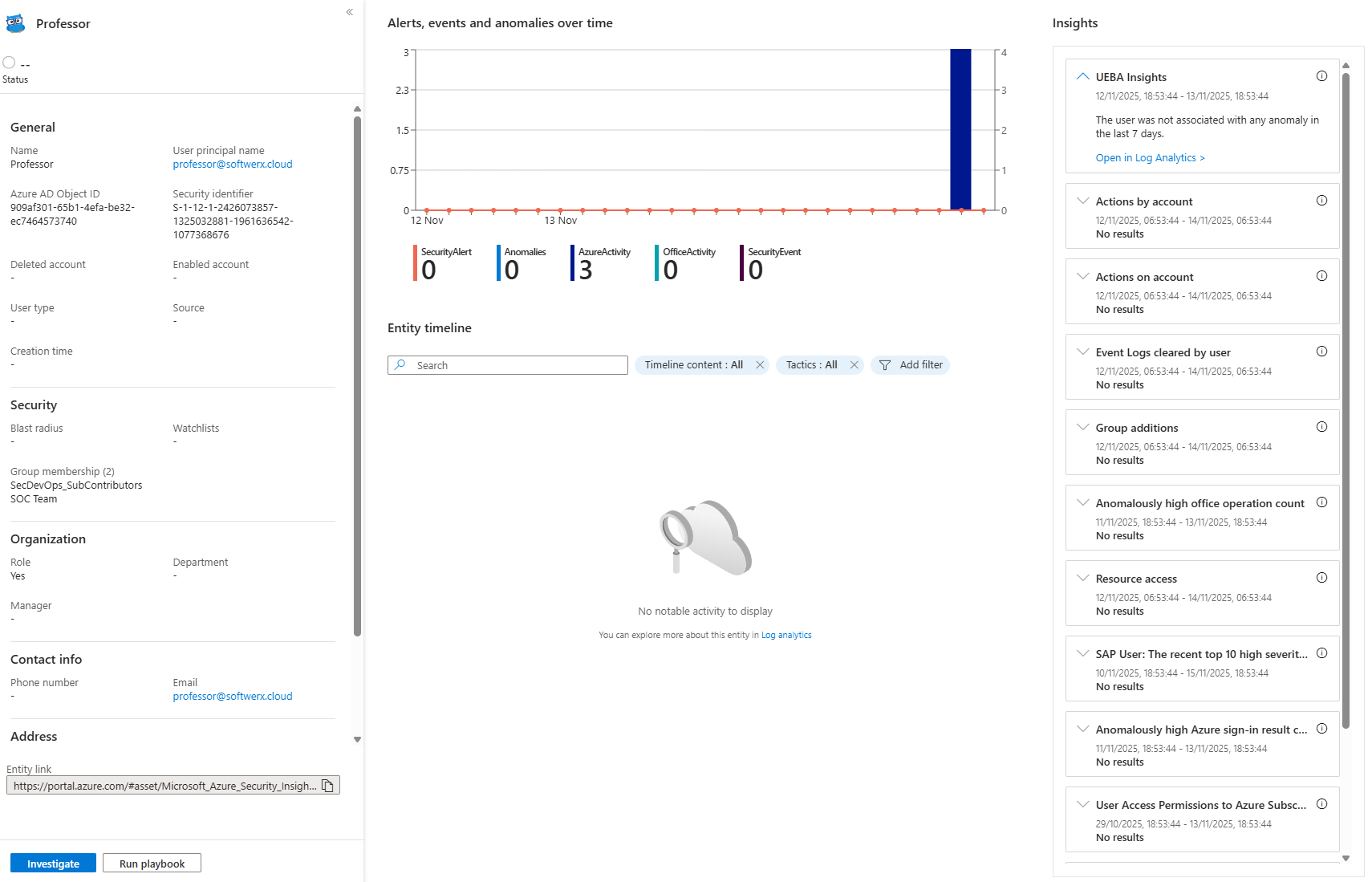
Once you enable UEBA, entity pages show alerts, bookmarks, anomalies, and activities for each entity. You can customise the time range, and filter by content type.
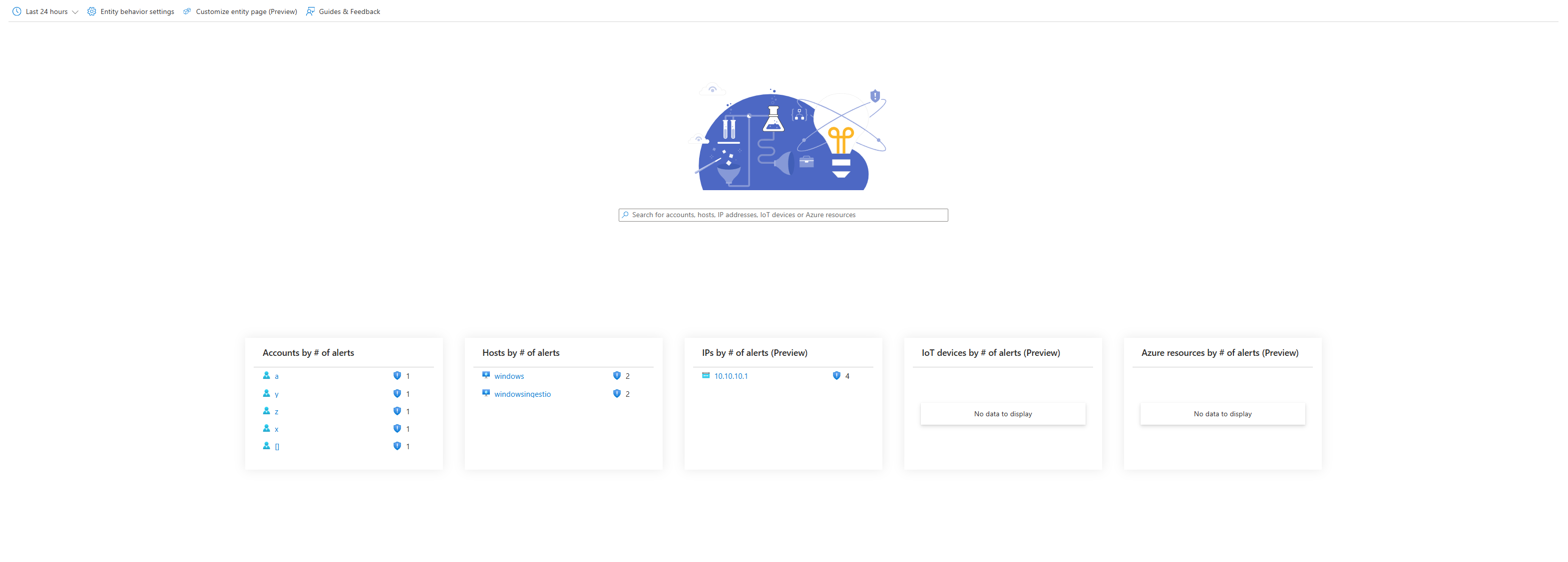
Out-of-the-box activities are generic, "User added to group," "Unusual access," "Credential activity." Microsoft researchers guessed what matters. They don't know your critical assets.
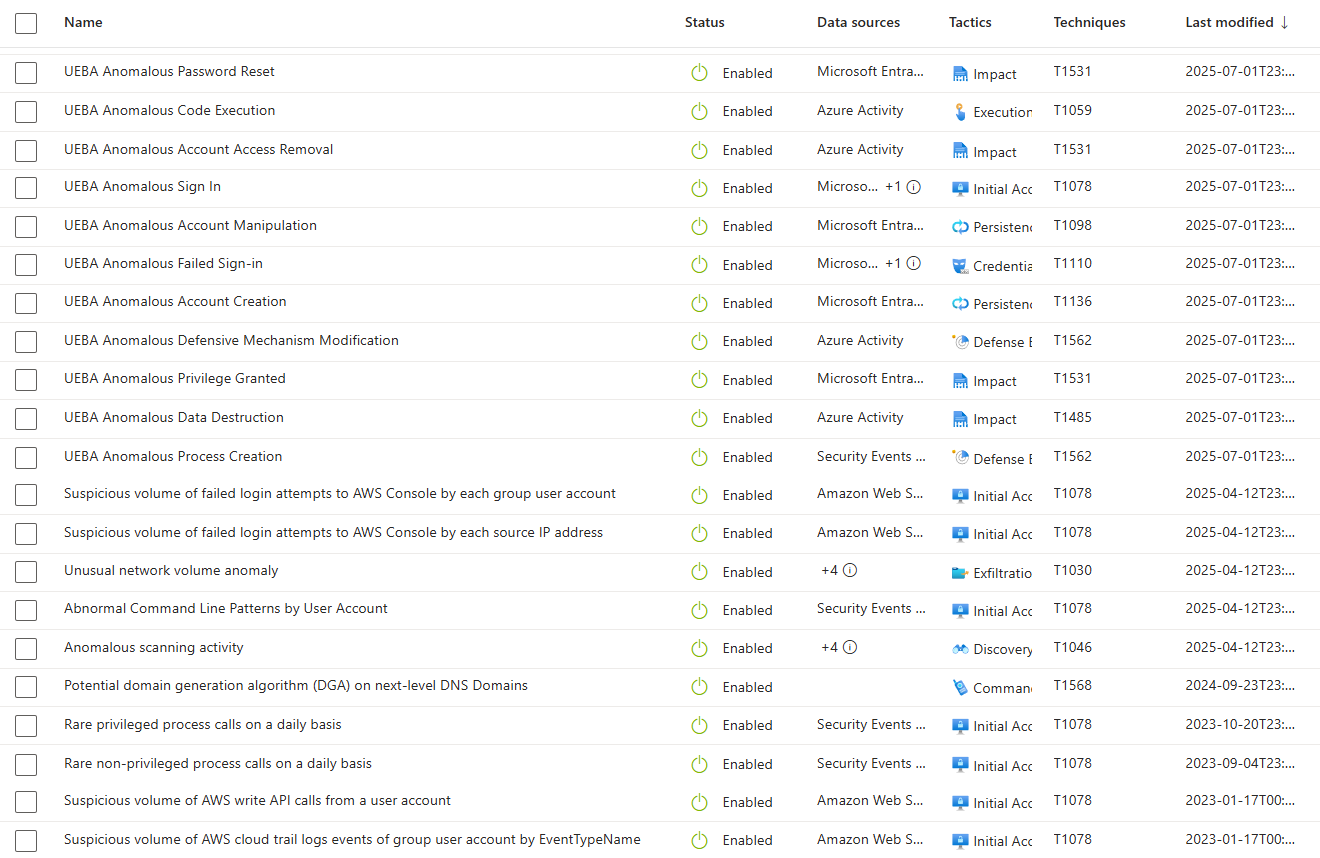
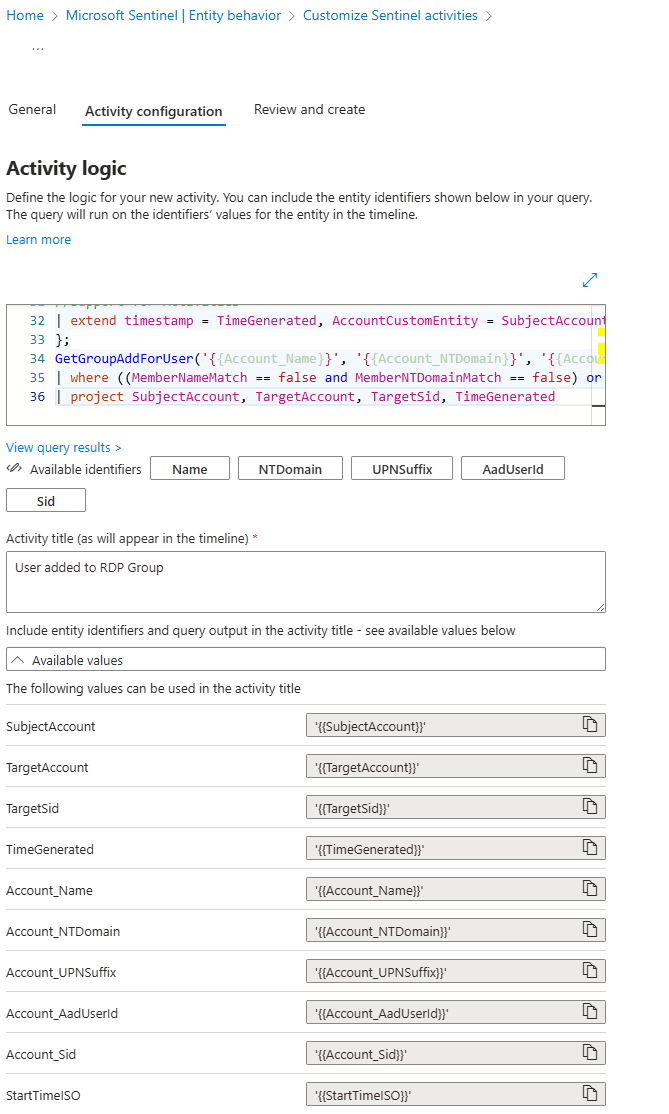
Custom activities fix this. Write KQL queries that surface specific behaviours on the timeline. User added to Domain Admins. Sensitive database accessed from an unusual location. Service account credentials changed outside maintenance windows.
UEBA Complements Your Existing Tables
UEBA's great value comes from the IdentityInfo table that adds user profile data, and BehaviorAnalytics table that flags deviations. Together, they make your other signals matter.
Example: SigninLogs tells you a user signed in. IdentityInfo tells you they're a Global Admin in multiple groups. BehaviorAnalytics (risk level in this case) tells you the login matched their baseline or deviated from it.
SigninLogs
| where TimeGenerated > ago(30d)
| where ResultType == 0  // Successful logins only
| join kind=inner (
    IdentityInfo
    | where TimeGenerated > ago(30d)
    | project AccountUpn, AssignedRoles, GroupMembership, RiskLevel
) on $left.UserPrincipalName == $right.AccountUpn
| project TimeGenerated, UserPrincipalName, AssignedRoles, GroupMembership,
          ConditionalAccessStatus, AuthenticationRequirement, IPAddress, Location=LocationDetails.city, RiskLevel
| where array_length(AssignedRoles) > 0
This surfaces successful logins from high-privilege users. You get their roles, group membership, MFA requirement, and current risk level in one row. That's a signal, not noise.
Cross this with BehaviorAnalytics anomalies, and you find privilege abuse that looks normal (high-privilege user doing what they always do, but IdentityInfo reveals they're newly added to Domain Admins).
Where UEBA Fails: Practical Limits
New users generate constant noise. Fresh hires have no baseline. Everything they do is anomalous. You need suppression rules for new users (disable anomalies for users created in the last 30 days), but Sentinel doesn't have built-in new user detection. You build it manually.
Peer groups get meaningless at scale. In a 500-person finance department, peer comparison is too broad. Roles vary too much. A peer group algorithm flags users against the organisational average instead of the role average. False positives explode.
Legitimate variance looks identical to compromise. UEBA can't distinguish between an on-call incident response and credential theft. Both trigger access at unusual times.
Organisational changes pollute baselines. If your baseline period includes a merger, restructuring, or mass remote work shift, your baseline learned corrupted behaviour. You're chasing phantom signals.
Slow-cooking attacks look normal. An attacker is exfiltrating 1 GB per day for six months. UEBA learns that as "normal." After six months, if they exfiltrate 2 GB per day, that's anomalous. But by then, they've stolen 180 GB.
UEBA learns your own compromise. If the baseline period includes an active breach, you've trained the system to flag compromised behaviour as baseline. Detection fails.
Querying UEBA Data: What Actually Matters
Most teams never query UEBA tables directly. They just watch entity pages and assume everything is being surfaced.
Don't.
The BehaviorAnalytics table has your actual anomaly data:
BehaviorAnalytics
| where TimeGenerated > ago(7d)
| where InvestigationPriority >= 8
| project TimeGenerated,
          UsersInsights = parse_json(UsersInsights),
          ActivityInsights = parse_json(ActivityInsights),
          InvestigationPriority
| extend UserName = UsersInsights.UserPrincipalName,
         Activity = ActivityInsights.ActivityType,
         RiskScore = UsersInsights.UserRiskScore
| where UserName !has "svc_"  // Filter out service accounts
| sort by InvestigationPriority desc
This pulls high-priority anomalies (8+), strips out service accounts (too much noise), and sorts by investigation priority. Run this weekly.
The IdentityInfo table has user enrichment synced from Entra ID (again - refreshes every 14 days):
IdentityInfo
| where TimeGenerated > ago(30d)
| where RiskLevel == "High"
| where IsAccountEnabled == true
| project AccountDisplayName, BlastRadius, EntityRiskScore
UEBA, Anomalies, and Custom Activities: What Actually Runs
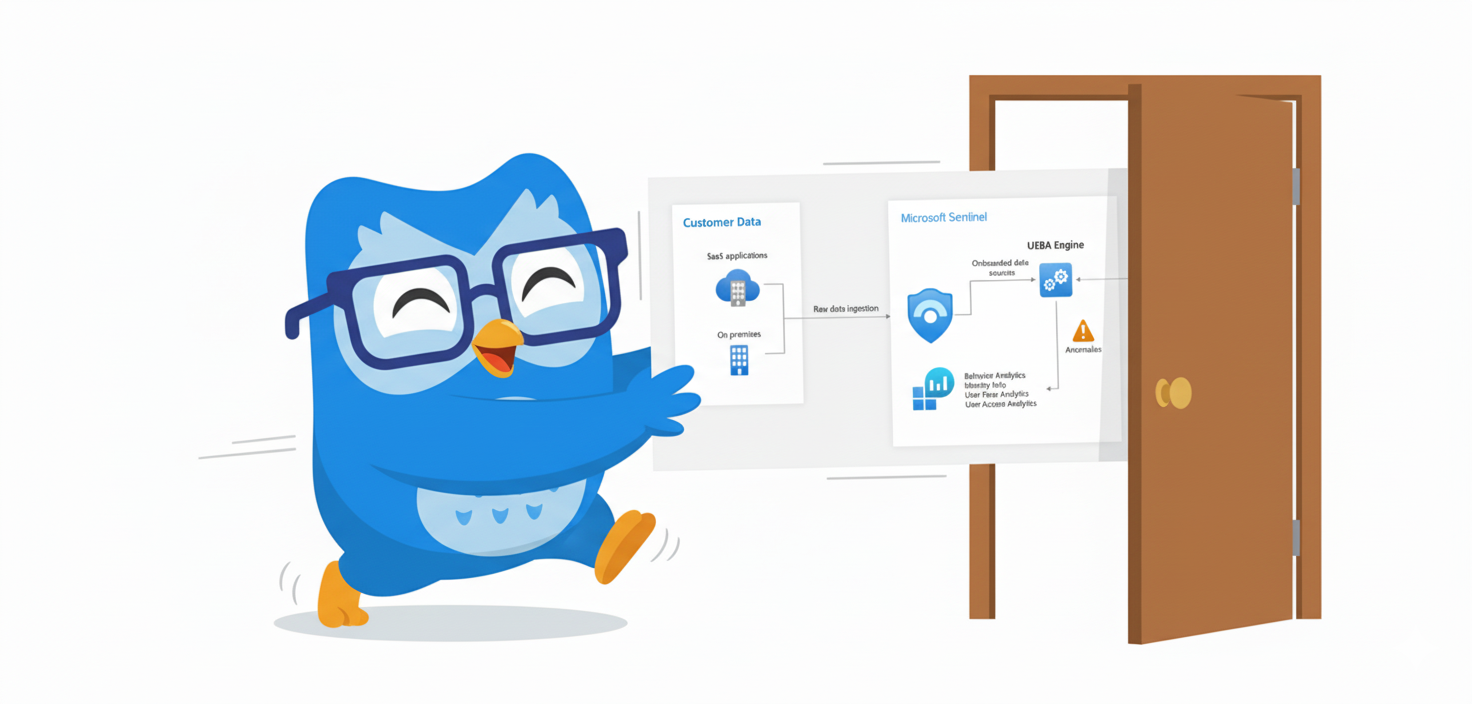
People get confused about what's happening in Sentinel's UEBA architecture. "Anomalies," "UEBA," "Custom Activities", they sound like different detection mechanisms. They're not. The architecture is simpler than the naming suggests, but you have to strip away the marketing nonsense to understand it.
Here's what's actually running:
UEBA Engine: Runs continuously in the background. Analyses your logs, builds baselines, generates investigation priority scores, and writes results to the BehaviorAnalytics table.
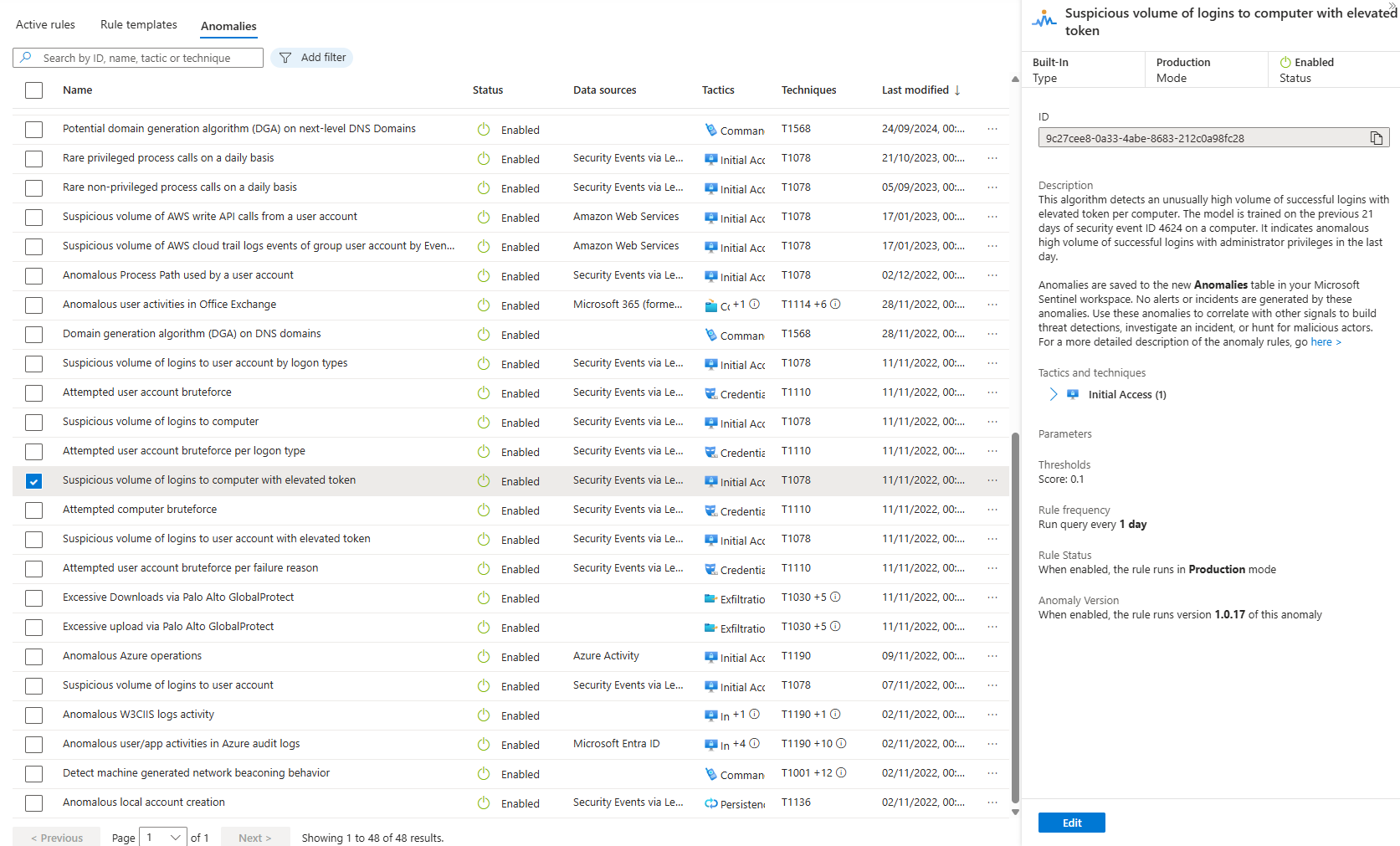
Anomaly Detection Rules: Scheduled rules (in Sentinel > Analytics > Anomalies) that query the BehaviorAnalytics table and write findings to the Anomalies table. Query both tables to get complete signal: BehaviorAnalytics for raw anomaly scores, and Anomalies for rule-generated detections
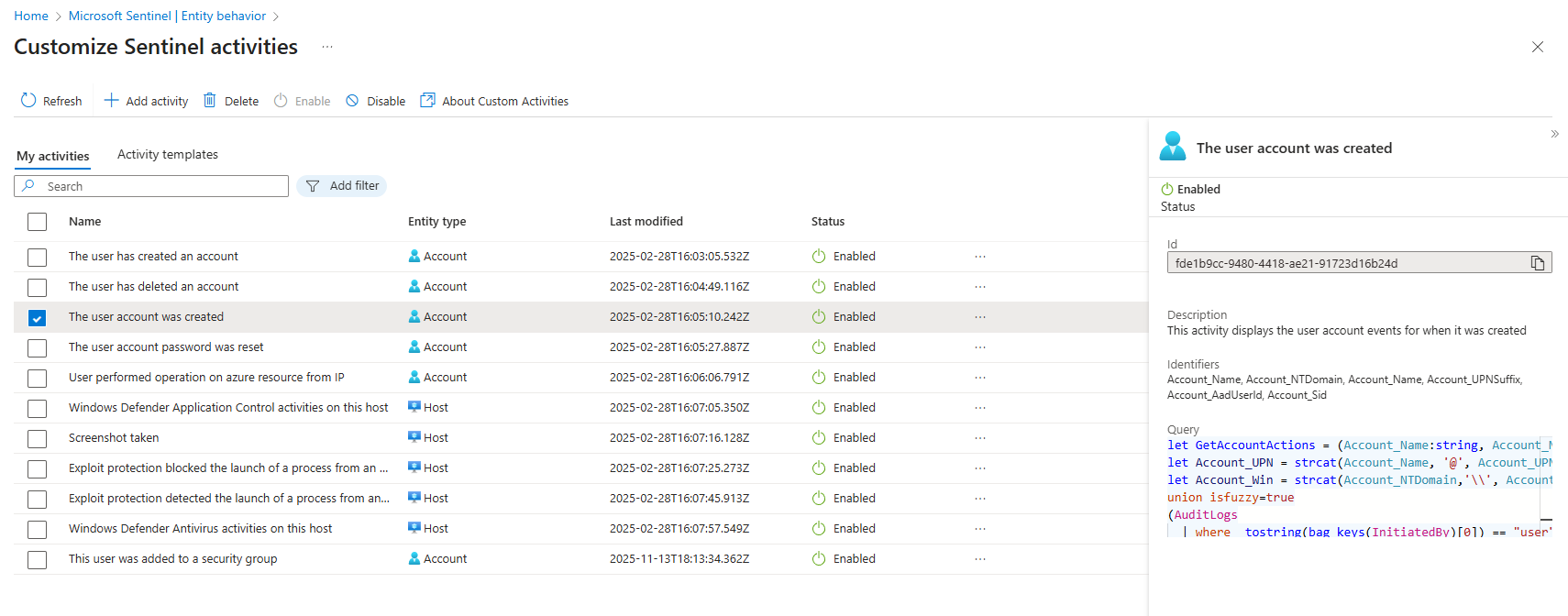
Custom Activities: Not running in the background. They're KQL queries that execute when you load an entity page. They populate the entity timeline with context: "Account created," "Added to admin group," "Password changed." It's an investigation aid, not detection.
UEBA detects. Analytics rules alert. Activities provide context on entity pages. That's the actual architecture. Everything else is confusing terminology.
Prioritise BehaviorAnalytics; treat Anomalies as optional.. Build custom activities to surface the specific behaviours you care about. That's your working model.
Enablement: What You Actually Need
Prerequisites you want to think about:
Directory sync: You need user sync from Entra ID or on-premises AD (requires Defender for Identity). Without it, UEBA has no entity reference. Don't bother enabling without this.
Permissions: Only a Security Administrator and a Global Administrator in Entra ID can enable UEBA.
Data volume: Baseline quality needs 500+ users and consistent historical data. Small environments (under 200 users) won't get meaningful peer groups (that's at least what Microsoft is telling us, in reality, it's not as bad as it sounds, and you can enable it and get really good results out of it, but you can see that UEBA quality is degrading with <200 users)
Analyst capacity: First 30 days require triage of 10+ false positives per day (as in anomalies - not actual incidents)
Steps to enable (Defender portal):
- Settings > Microsoft Sentinel > SIEM workspaces
- Select workspace
- Entity behavior analytics > Configure UEBA
- Toggle "Turn on UEBA feature"
- Select directory service
- Click Connect
- Go back to the Anomalies section
- Toggle "Detect Anomalies"
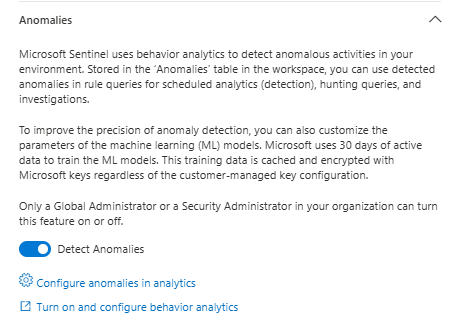
Once enabled, Sentinel syncs users to the IdentityInfo table. Anomaly queries start running. Anomalies populate the table.
Then you wait 30 days while your baseline builds.
The UEBA Workbook: Visualising What's Actually Happening
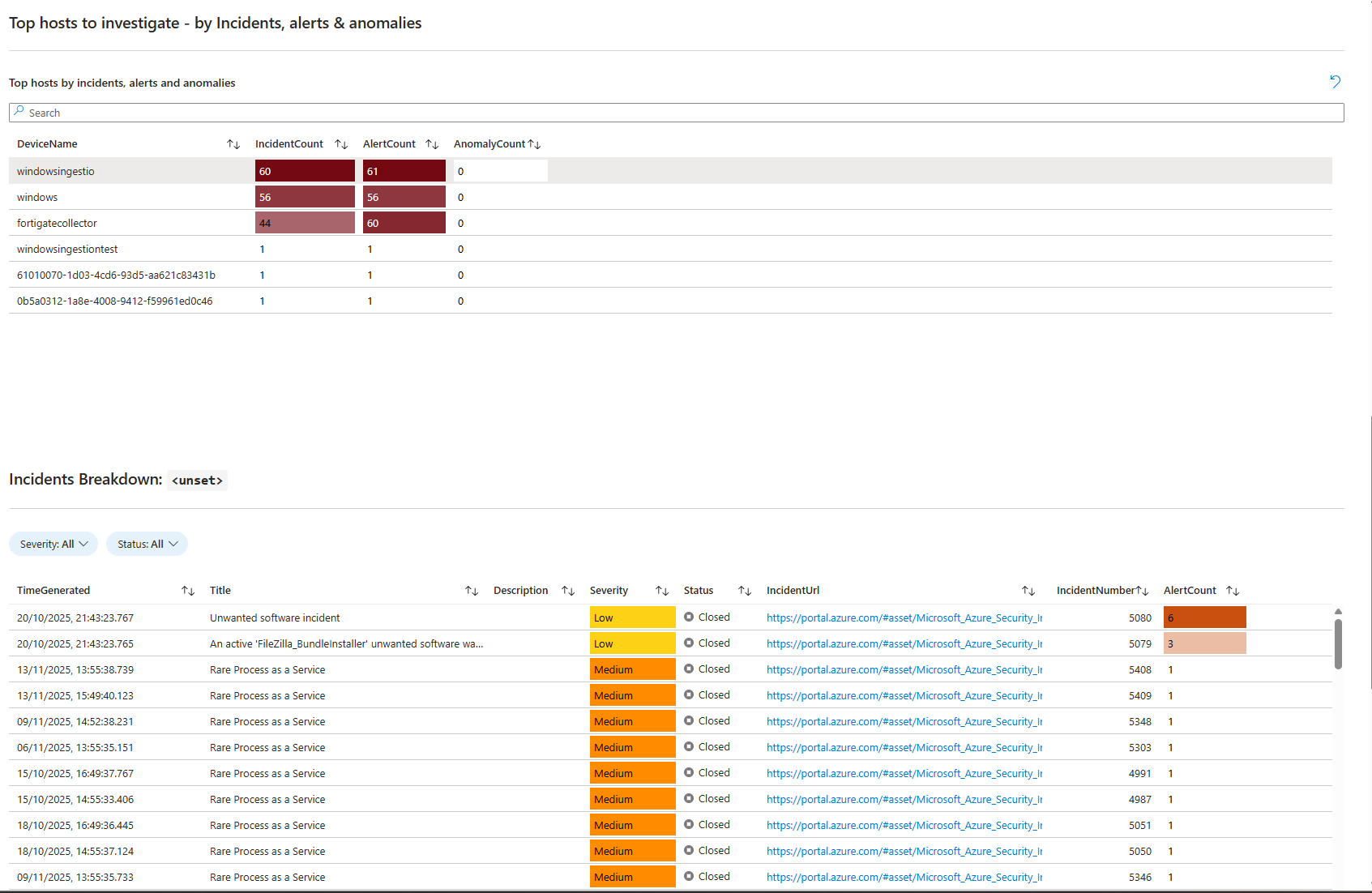
Microsoft ships a "User and Entity Behavior Analytics" workbook in the Content Hub. Download it. Deploy it. It's worth the time.
The workbook visualises UEBA data without requiring you to write queries. It shows:
- Incident summary: Count of incidents, alerts, and anomalies over time
- Anomaly breakdown: Total anomalies, split by entity type (account, IP, host)
- Top entities by incidents/alerts/anomalies: Which users, hosts, IPs are generating the most noise
- Incidents with entities present in anomalies: Correlation between anomalies and actual incidents created in the last 3 days
- Anomaly reasons and insights: Why each anomaly fired (if the data is populated)
The workbook is static without your effort. Meaningful only if you're building custom activities and actually generating anomalies. But once your baseline is solid and you've tuned out the noise, the workbook becomes useful for SOC leadership metrics, showing which entities are risky, which accounts are triggering incidents, and where your detection is actually catching behaviour deviations. Usually it's a good start into UEBA before deploying anything else.
Deploy it after 30 days of baseline tuning. Before then, it's just noise visualisation.
Professor's Assessment
Enable UEBA if:
- You have multiple data sources being ingested already (Entra ID, Azure Activity, Signin Logs)
- Your team can absorb 60+ hours of triage during the baseline period (or simply let it run for some time and come back to it after)
- You plan to build custom activities specific to your critical assets
- You're not in a startup or project-based org where activity patterns are inherently unpredictable
Don't enable UEBA if:
- Your team is already drowning in alerts
- Your org has highly variable work patterns (shifts, contractors, seasonal staff)
- You expect it to solve alert fatigue immediately (it won't)
- You lack the capacity to build custom activities (out-of-the-box may be useless for a lot of scenarios)
- You're in a multi-tenant or MSP environment (peer groups lose all meaning)
Notes
UEBA works. But it's not a replacement for solid data collection and detection engineering. It's a multiplier for teams that already have solid fundamentals.
If your core detection rules are good and your analysts are overwhelmed, adding UEBA creates more noise. You need to fix the rules first.
If your data collection is sparse (missing host events, cloud activity, and authentication context), UEBA baselines are incomplete. You need to fix the data first.
If you have analyst bandwidth and good data, custom activities become your force multiplier. Build them around high-risk scenarios: privilege escalation, sensitive data access, and lateral movement from unexpected locations.
Pair custom activities with threat hunting. Cross-reference the BehaviorAnalytics table with your alert rules. Find correlations between anomalies and real incidents. That correlation is a signal.
That's when UEBA stops being vendor hype and becomes useful.
Update (January 2026)
Microsoft released the UEBA Behaviors layer. This is different from UEBA anomalies. Behaviors are AI-generated, normalised, aggregated descriptions of multi-step security activity. They only work with non-Microsoft data (AWS, GCP, Palo Alto, Cyber Ark). If you're pure Azure, this doesn't impact your UEBA experience. If you're multi-cloud, enable it. Query BehaviorInfo and BehaviorEntities instead of raw CloudTrail or GCP logs. You'll spend less time context-switching and more time responding.
But it doesn't fix UEBA's baseline noise or the false positive storm during the first 30 days. It doesn't catch slow-cooking insider threats. It's a multiplier for teams that already have solid data collection. Not a replacement.
Who Does This Actually Helps
It helps MSPs and MSSPs. Customers with different data sources get normalized behavior output. You can build consistent detections across multiple customer environments using behaviors instead of raw logs.
It helps multi-cloud shops. AWS and Azure in the same environment. Now your threat hunting can span both platforms using behaviors as the abstraction layer.
It helps orgs with strong Palo Alto deployments. Firewall logs become queryable security narratives instead of raw event noise.
It doesn't help pure Azure shops. You already have what you "need" from Defender.
It doesn't help small teams. If you're already drowning in alerts, behaviors add more data to your workspace. You need engineering first. Behaviors second.
How You Know If You Should Enable It
You have AWS or GCP or Palo Alto logs flowing into Sentinel. You're spending analyst time manually correlating raw events into attack chains. You want those chains pre-built for you. Enable it.
You're pure Azure. You don't need it. Your Defender behaviors already cover your data sources.
You're understaffed and drowning in alerts. Disable everything first. Fix your detection rules. Use behaviors after you have breathing room. Don't add data to a sinking ship.
Class dismissed.