One‑Click Threat Intel: Add IOCs from Sentinel Incidents with a Logic App

All right class.
You’re in an incident. You pivot on an IP. You know it’s bad.
You want it in Threat Intelligence so the next time it shows up.
What would someone usually do?
They would open the TI blade in another tab, click “Add indicator”, manually type the IP, dates, labels, source, description, pray they don’t fat‑finger anything, hit save, and then forget to do it the next 20 times because it’s annoying.
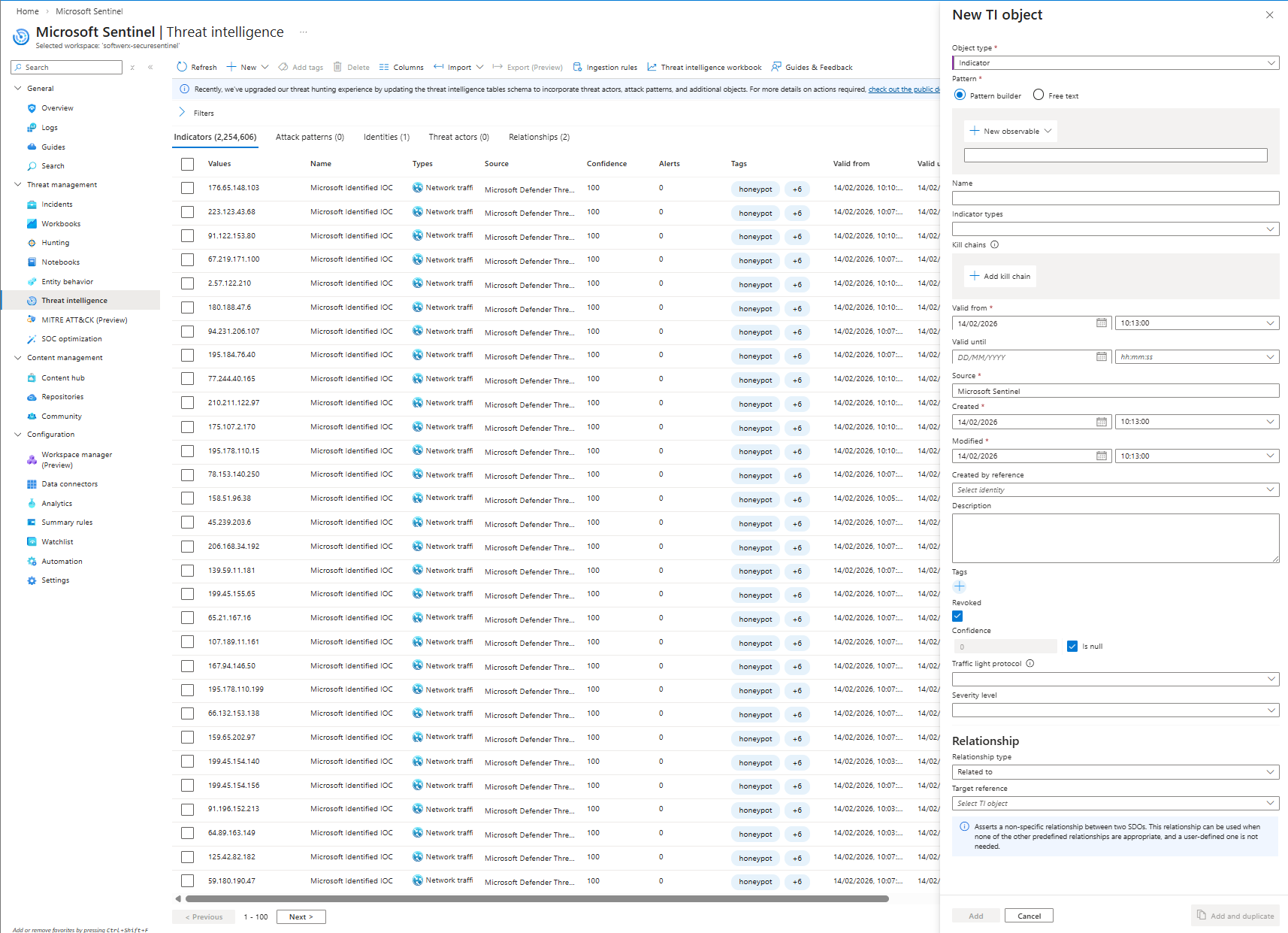
If you are a little more knowledgeable you know that you can use Actions > Add to TI, which will auto-populate some of the information within the TI, making it easier to fill out.
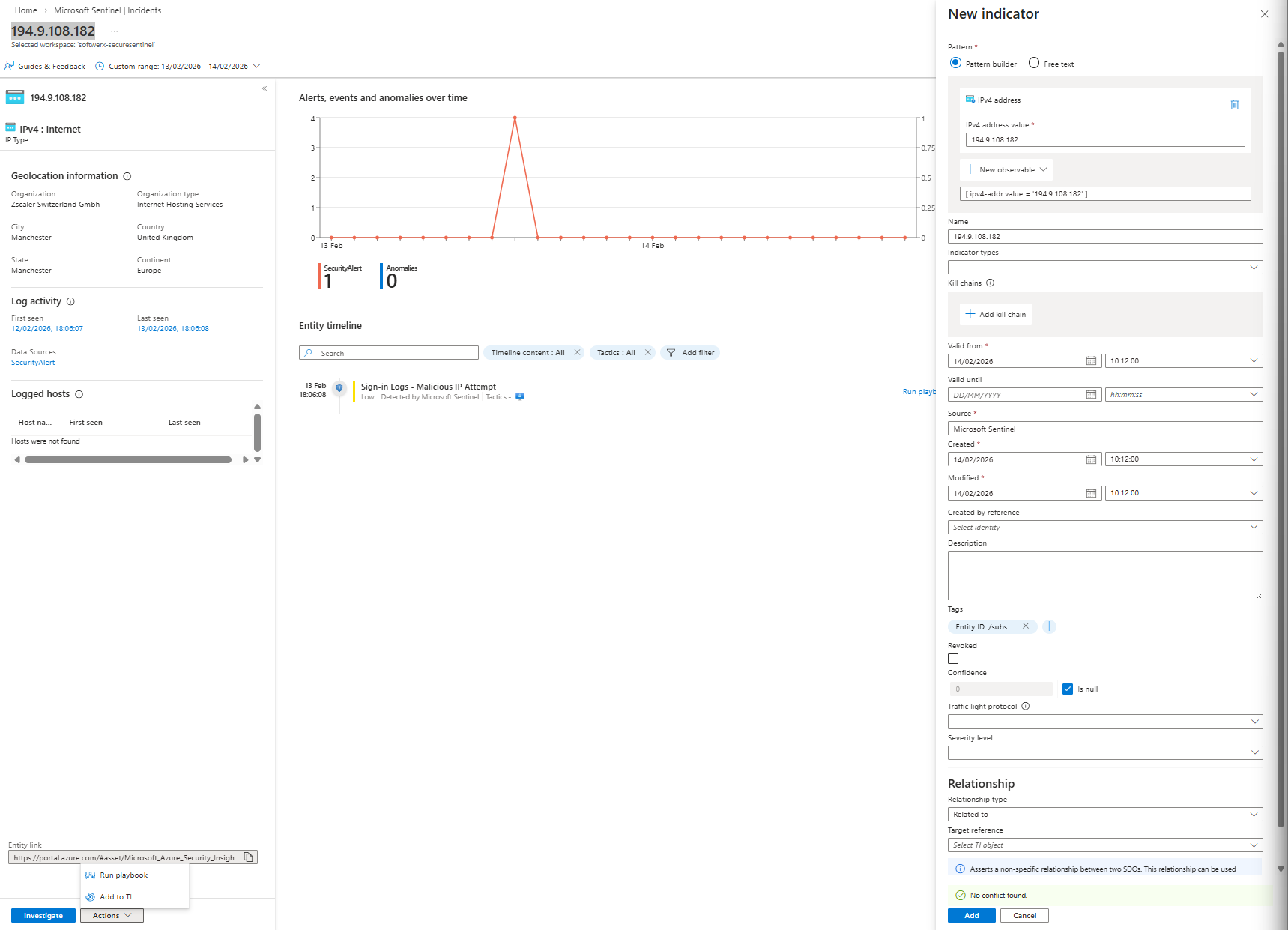
But we are lazy, we don't want our SOC to fill up anything manually, we always want the same tag, expiration time, etc. This promotes consistency in the environment and avoids human errors.
Let’s fix that with a stupidly simple Logic App.
What this Logic App actually does
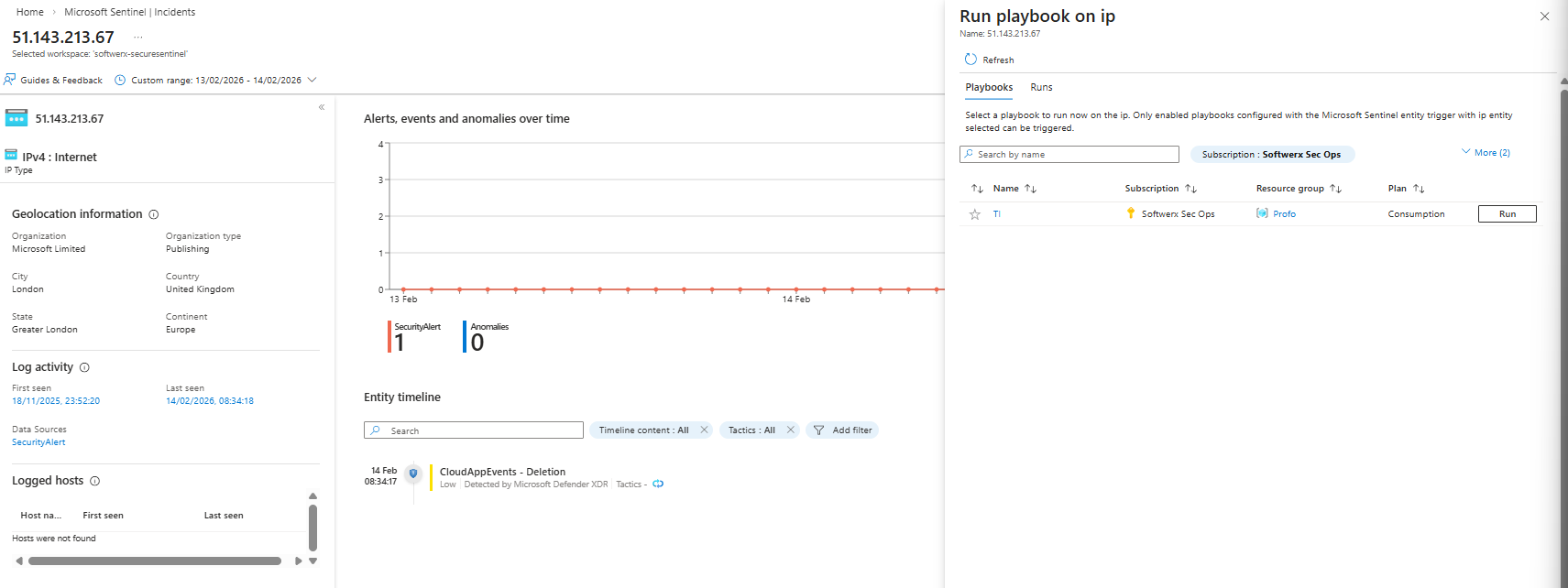
From the entity panel in a Sentinel incident, you hit Actions > Run playbook on an IP, and it auto‑creates a TI indicator for that IP with a fixed label and 30‑day validity.
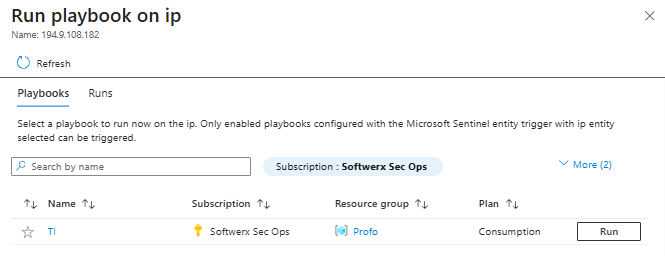
No second portal. No copy‑paste. No excuses.
Flow is:
- Trigger:
Microsoft Sentinel entitywith type = IP
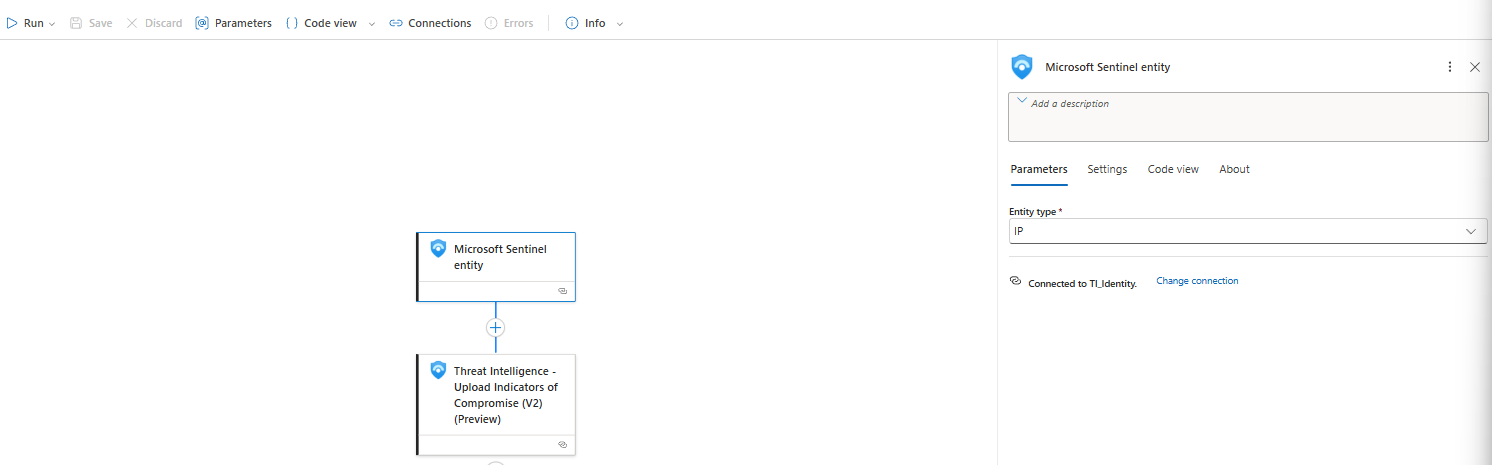
- Action:
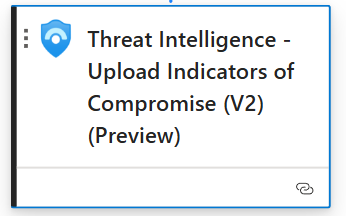
Threat Intelligence – Upload Indicators of Compromise (V2)
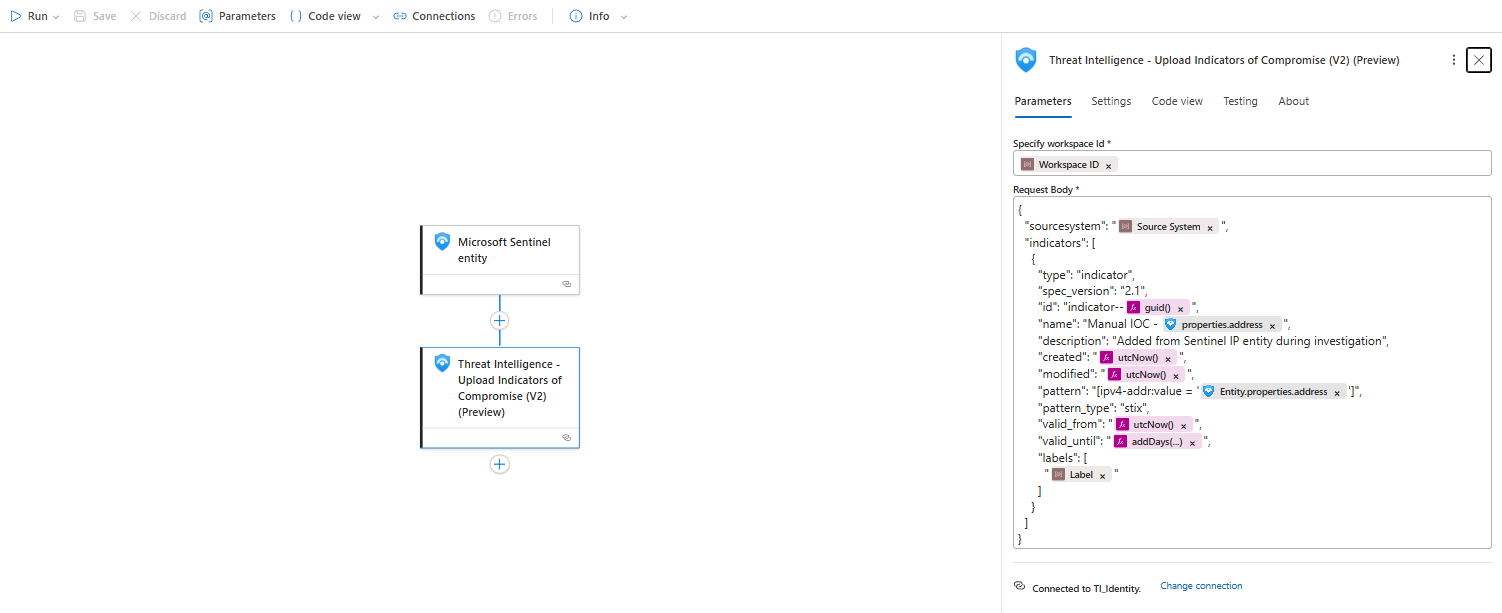
- Build a STIX 2.1 indicator object using the IP from the entity
- Mark it as valid from
now()tonow() + 30 days - Tag it with a label like
"Custom Label"and source"Microsoft Sentinel Incident"
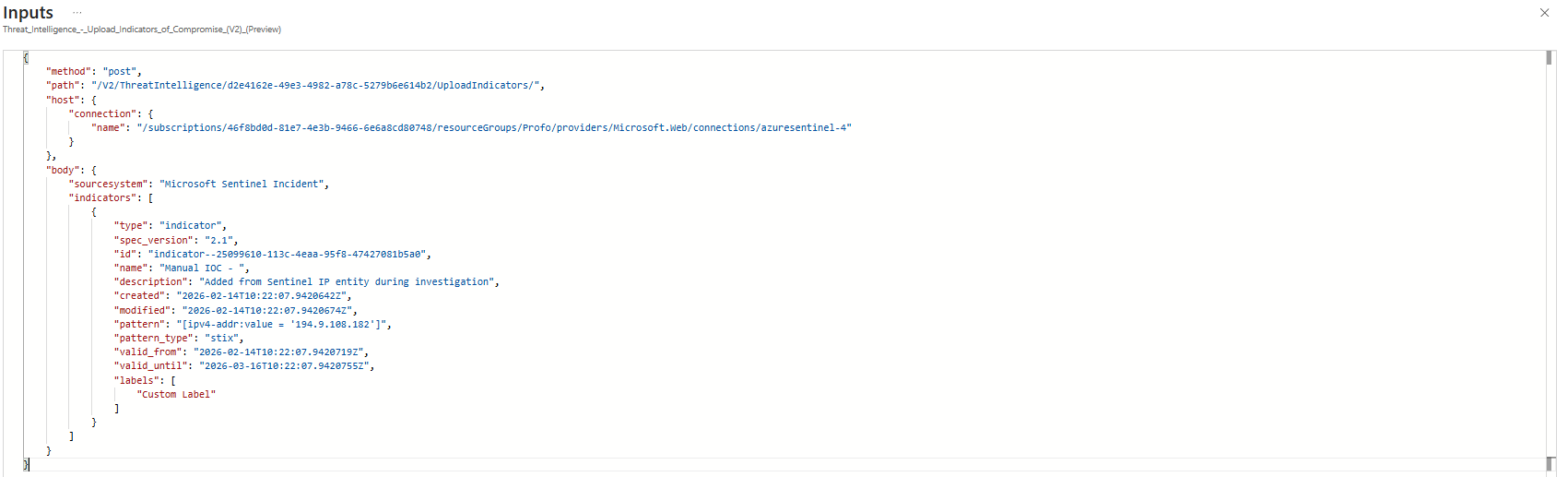
Trigger: Microsoft Sentinel entity (IP)
Top block in the Logic App:
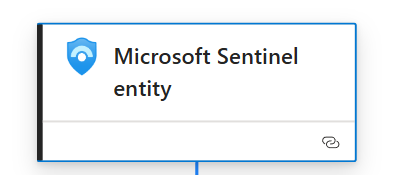
What this means:
- Trigger type: Microsoft Sentinel connector, Entity trigger
- It’s specifically bound to IP entities (
/entity/IP) - Sentinel will call this Logic App when you choose Run playbook on an IP entity in the incident view
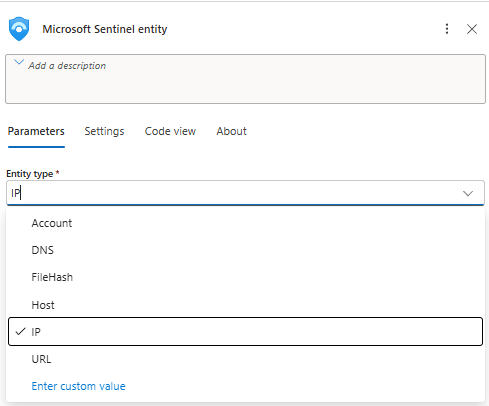
No KQL, no automation rule needed for this scenario. This is pure analyst‑driven enrichment.
Action: Threat Intelligence - Upload IOC (V2)
The interesting part is this action:
Request Body:

{
"sourcesystem": "@{parameters('Source System')}",
"indicators": [
{
"type": "indicator",
"spec_version": "2.1",
"id": "indicator--@{guid()}",
"name": "Manual IOC - @{triggerBody()?['properties']?['address']}",
"description": "Added from Sentinel IP entity during investigation",
"created": "@{utcNow()}",
"modified": "@{utcNow()}",
"pattern": "[ipv4-addr:value = '@{triggerBody()?['Entity']?['properties']?['address']}']",
"pattern_type": "stix",
"valid_from": "@{utcNow()}",
"valid_until": "@{addDays(utcNow(), 30)}",
"labels": [
"@{parameters('Label')}"
]
}
]
}
Walkthrough:
sourcesystem- set from the parameterSource System
I defaulted it to"Microsoft Sentinel Incident". Anyone reading the TI table later can see where it came from.name-"Manual IOC - <IP>"
Pulls fromtriggerBody()['properties']['address']. That’s the IP string Sentinel sent.pattern- this is the important bit:[ipv4-addr:value = '<ip>']
UsingtriggerBody()['Entity']['properties']['address']. This is proper STIX 2.1 syntax for an IPv4 indicator, which is what the TI V2 schema expects.valid_from/valid_until-utcNow()andaddDays(utcNow(), 30)
So your IOC lives for 30 days. Not forever. Sensible default so you don’t build a trash heap of stale “bad” IPs.labels- comes from theLabelparameter (which I am going to talk about just in a second)
I defaulted it to"Custom Label", which will show up in the portal in the Tags column.
Everything else is boilerplate STIX: type = indicator, spec_version = 2.1, id = indicator--<guid>.
Parameters that actually matter
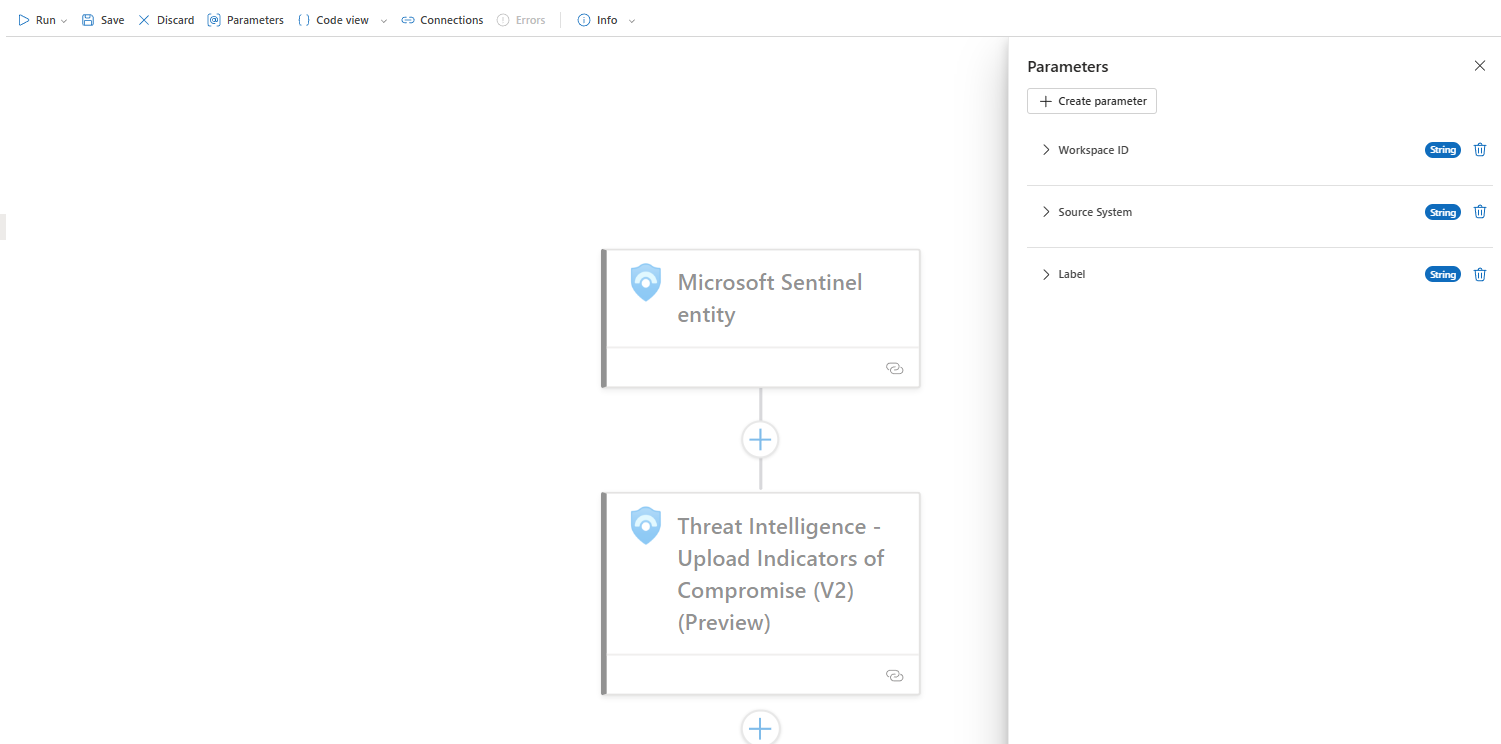
Three parts I care about:
- Workspace ID - the Sentinel workspace that owns the TI table
- Source System - how you want to mark these in TI (keep it consistent)
- Label - your tag. Could be
"Manual","Investigated","SOC-Approved", or your team name
What it looks like in Sentinel
During investigation
- Incident > Entities > click the IP
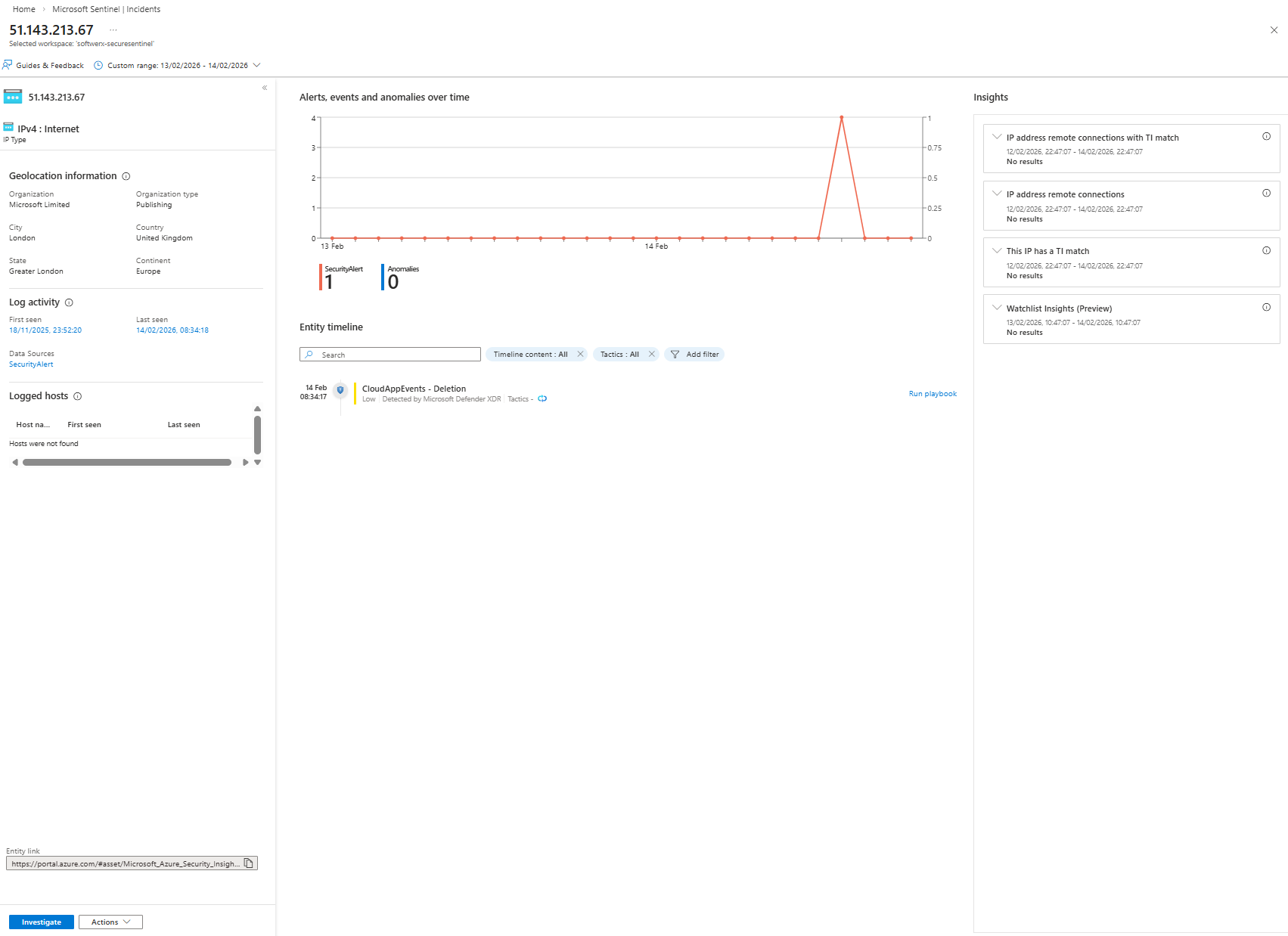
- At the bottom: Actions > Run playbook > TI (I am fully aware this is a Microsoft IP address!)
- After running TI playbook
Go to Threat intelligence > Indicators- Your IOC appears as:
- Name:
Manual IOC - <IP> - Type: IPv4 address
- Source: Microsoft Sentinel Incident
- Tags:
Custom Label - Valid from / Valid until: now > +30 days
- Name:
- Your IOC appears as:
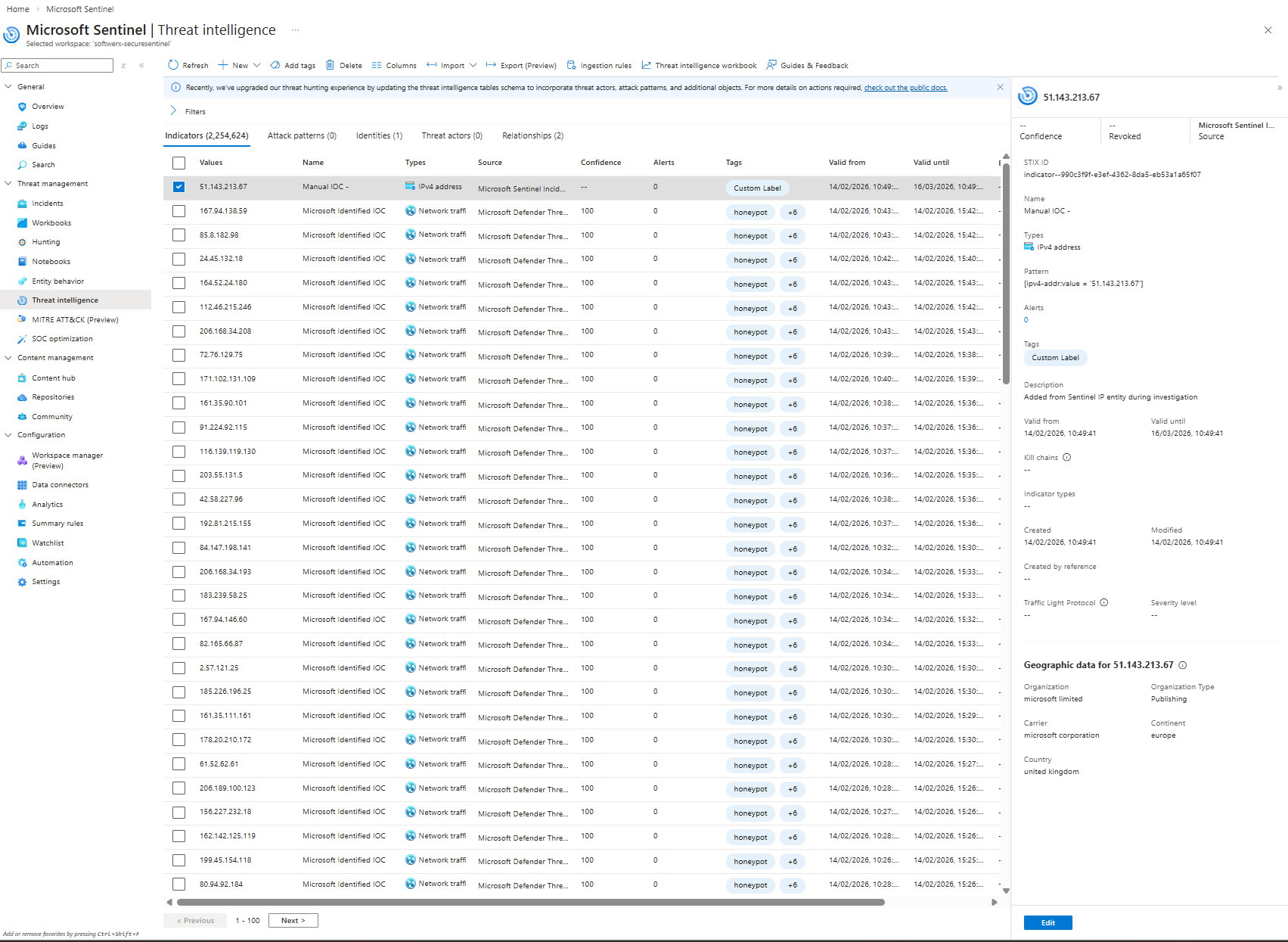
From the analyst’s perspective:
Click IP > Actions > Run playbook. Done.
Let's touch on connections
For this scenario, I am using a system-assigned identity, which you can enable from the Identity section of the Logic Application
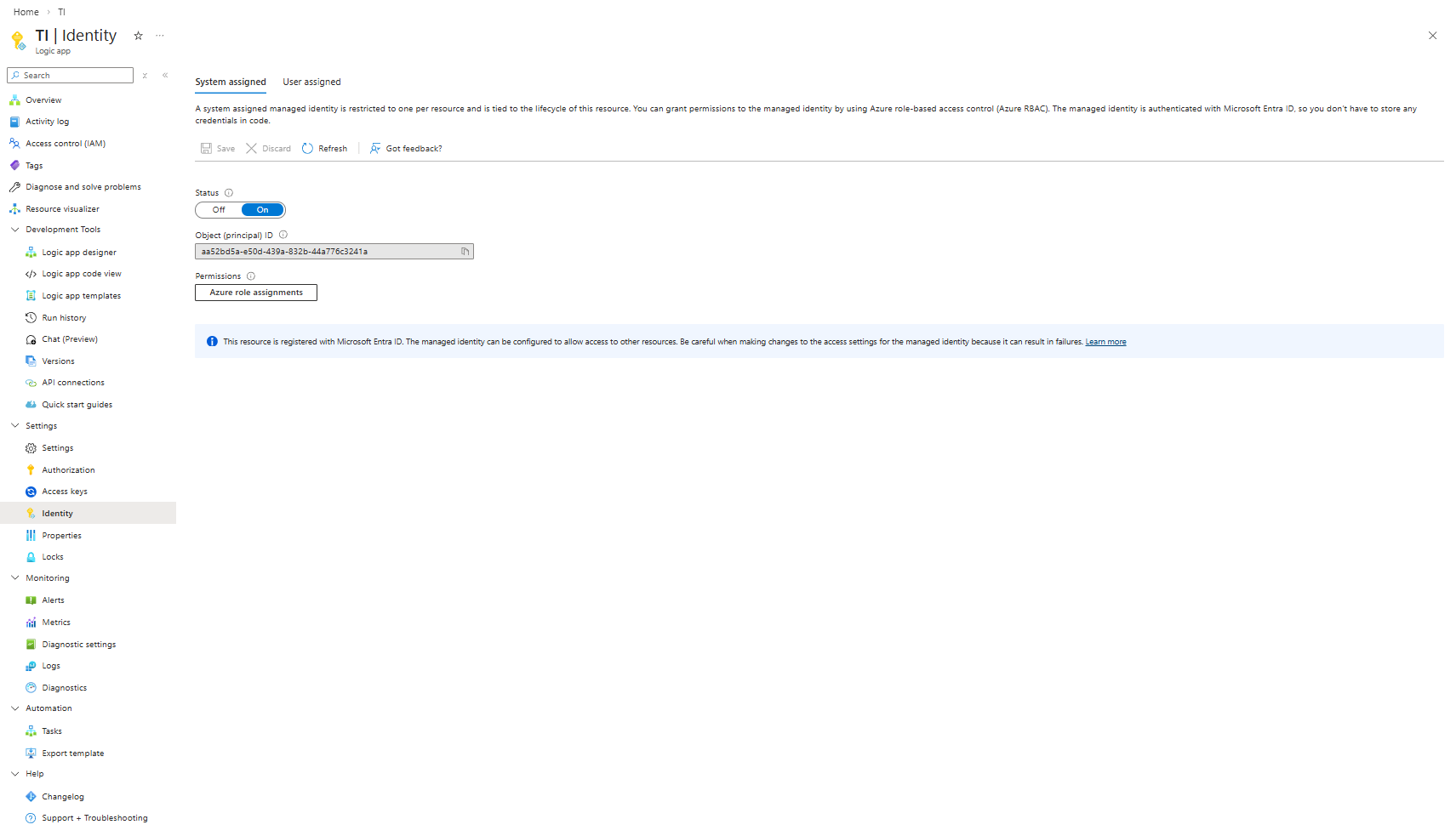
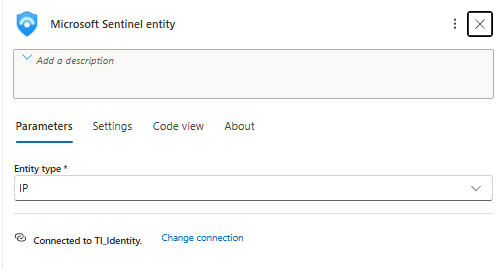
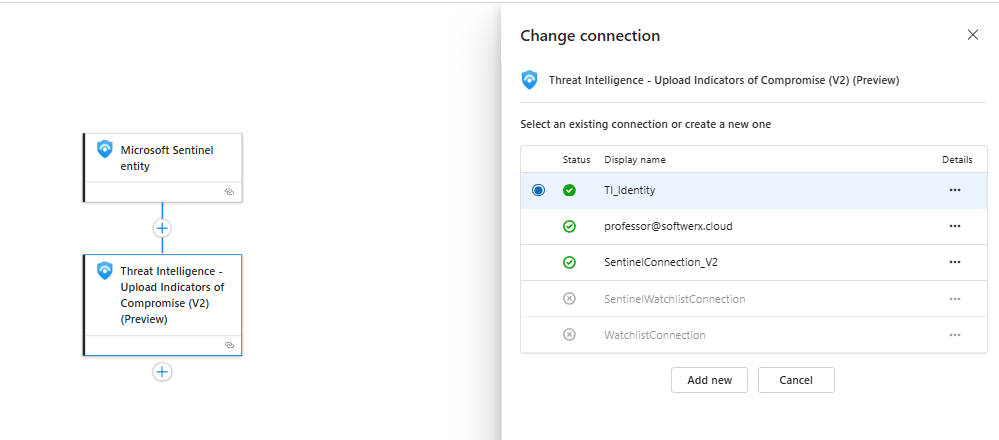
You can then assign it in the connection part of each of the steps. In theory, you can of course use OAuth and connect to the account instead, but this is not considered best practice.
What you should tell your SOC
“If you see an IP you’re confident is bad and want Sentinel to remember it, open the entity, hit Actions > Run playbook > TI. That drops it into Threat Intelligence with a 30‑day window and a Custom Label tag. We’ll build similar playbooks for URLs, domains, and accounts.”Then you show them the TI blade with your “Manual IOC” row and the Label so they trust it.
That’s it. Simple playbook, real impact.
Class dismissed.